Why a client needs to activate
When you add a company yourself, IzzyTap creates the owner's account quietly. The account exists, but it has no password and the client cannot sign in until they activate it. Activation happens through a magic link you email them. When they click the link, they set up their access and their account becomes Active.
A client who has not activated yet shows as Pending activation. On the company page you will see a yellow banner prompting you to send the invite.
Note
If you added the company in live mode, IzzyTap already sent the welcome and login link the moment you created it, so you may not need to do anything. The steps below are for sending or resending that invite yourself. To learn about live versus quiet setup, see Live updates vs quiet setup.
Send the activation invite from the company page
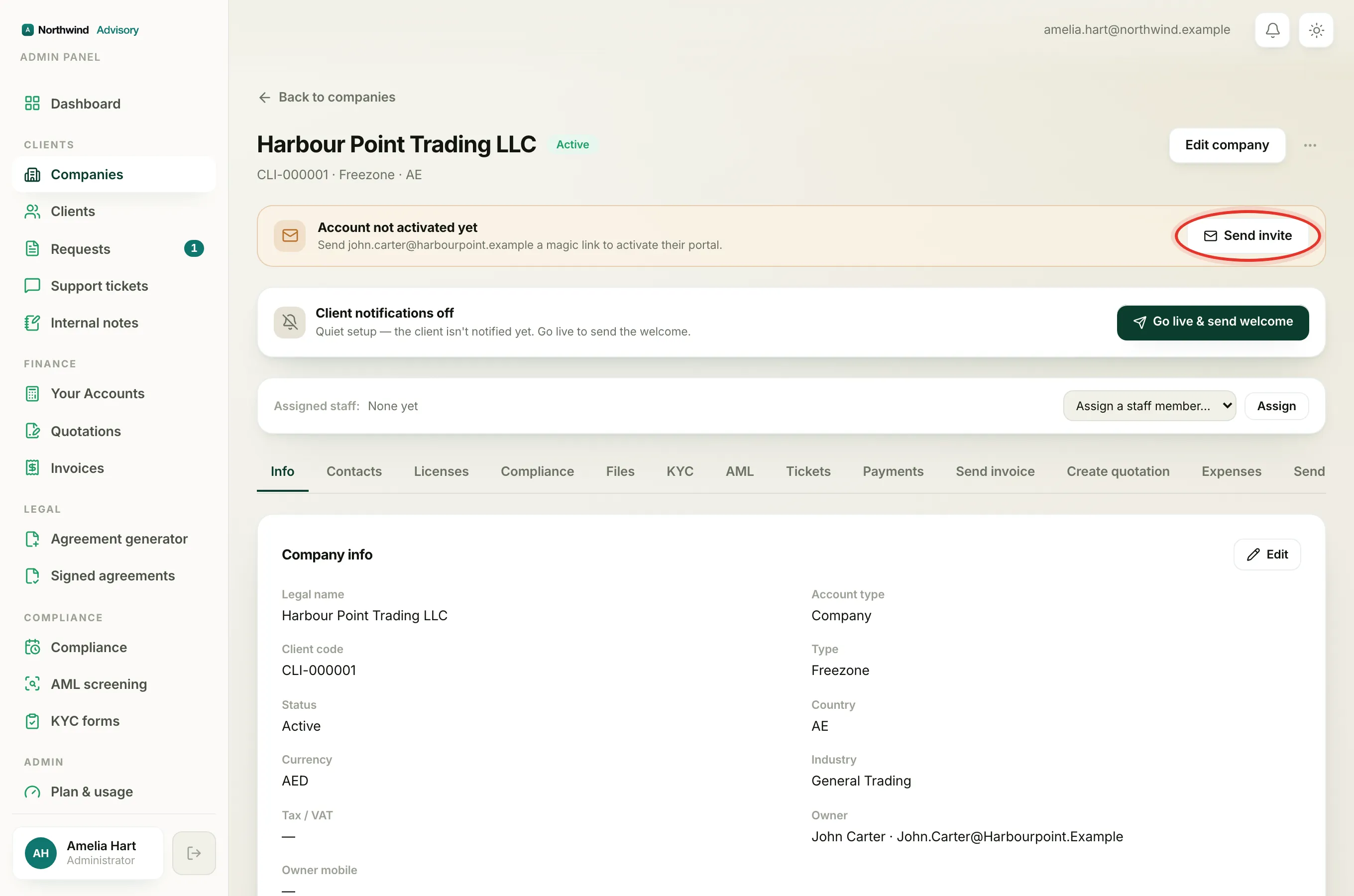
- Log in to your workspace.
- In the left menu, under Clients, click Companies.
- Open the company whose owner needs to activate.
- Near the top of the page you will see a yellow banner reading Account not activated yet (or Company created, account not activated yet right after you create it). It tells you which email the magic link will go to.
- Click Send invite. The button shows Sending, then changes to Invite sent with a green tick when the email is on its way.
If you have already sent an invite before, the button reads Resend invite instead, and the banner adds a note that an invite was already sent. Resending is safe and issues a fresh link.
Send or resend from the Clients list
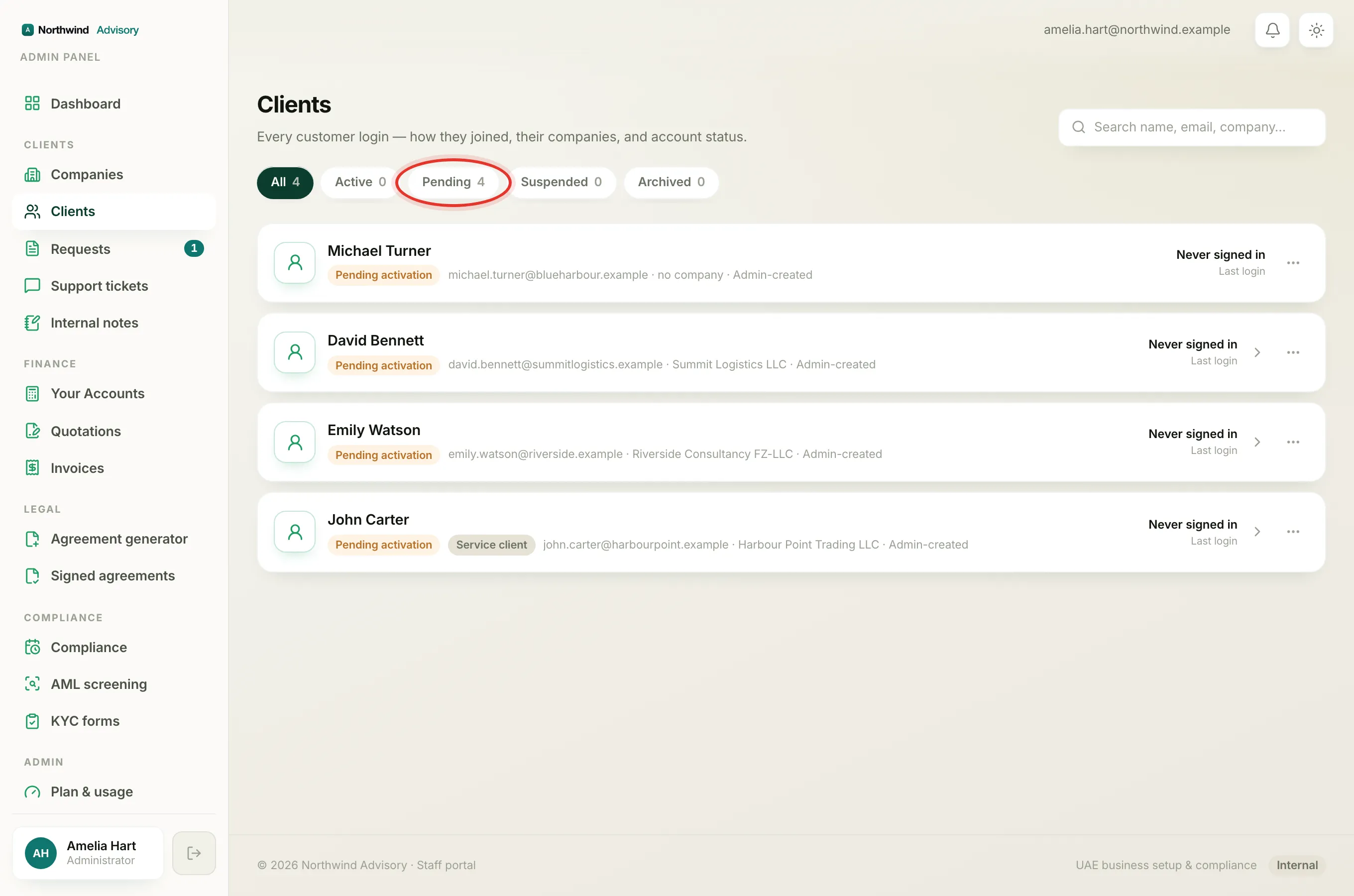
You can also invite a client from the client list:
- In the left menu, under Clients, click Clients.
- Open the Pending tab. Every client here has a Pending activation chip.
- On the client's row, click Send invite (or Resend invite if one was already sent).
'Not activated' versus 'invite sent'
These two are easy to mix up:
- Not activated means the client has never signed in. Their account is still Pending activation. This stays true even after you send the invite, right up until the moment they click the link and sign in for the first time.
- Invite sent (shown as invite already sent on the banner, or an Invite pending chip on the company row) means the magic link email has gone out. It does not mean they have activated. If they have not clicked it, they are still not activated and you can resend.
So it is normal to see a client who is both invite sent and not activated. That simply means the email is out but they have not acted on it yet.
If the invite will not send
You may see one of these messages:
- The owner has no email on file or the banner asks you to Add an owner email. Click Edit company, add a valid owner email, save, then send the invite.
- This account is already activated. The client has already signed in, so no invite is needed. The banner will have disappeared.
- Couldn't send the email, check the SMTP settings. The email could not be delivered. This is a mail setup issue rather than something wrong with the client.
If the client says the link does not work or they still cannot get in, see Why a client can't log in.