Behind every VAT return sits a full list of the sales and purchases that make up the figures. That list is your VAT audit file. If your tax agent or the FTA asks you to prove your return, this is the file you give them. IzzyTap builds it for you as a Transaction listing (CSV) that you can download in one click.
Open the VAT page
- Log in to your workspace.
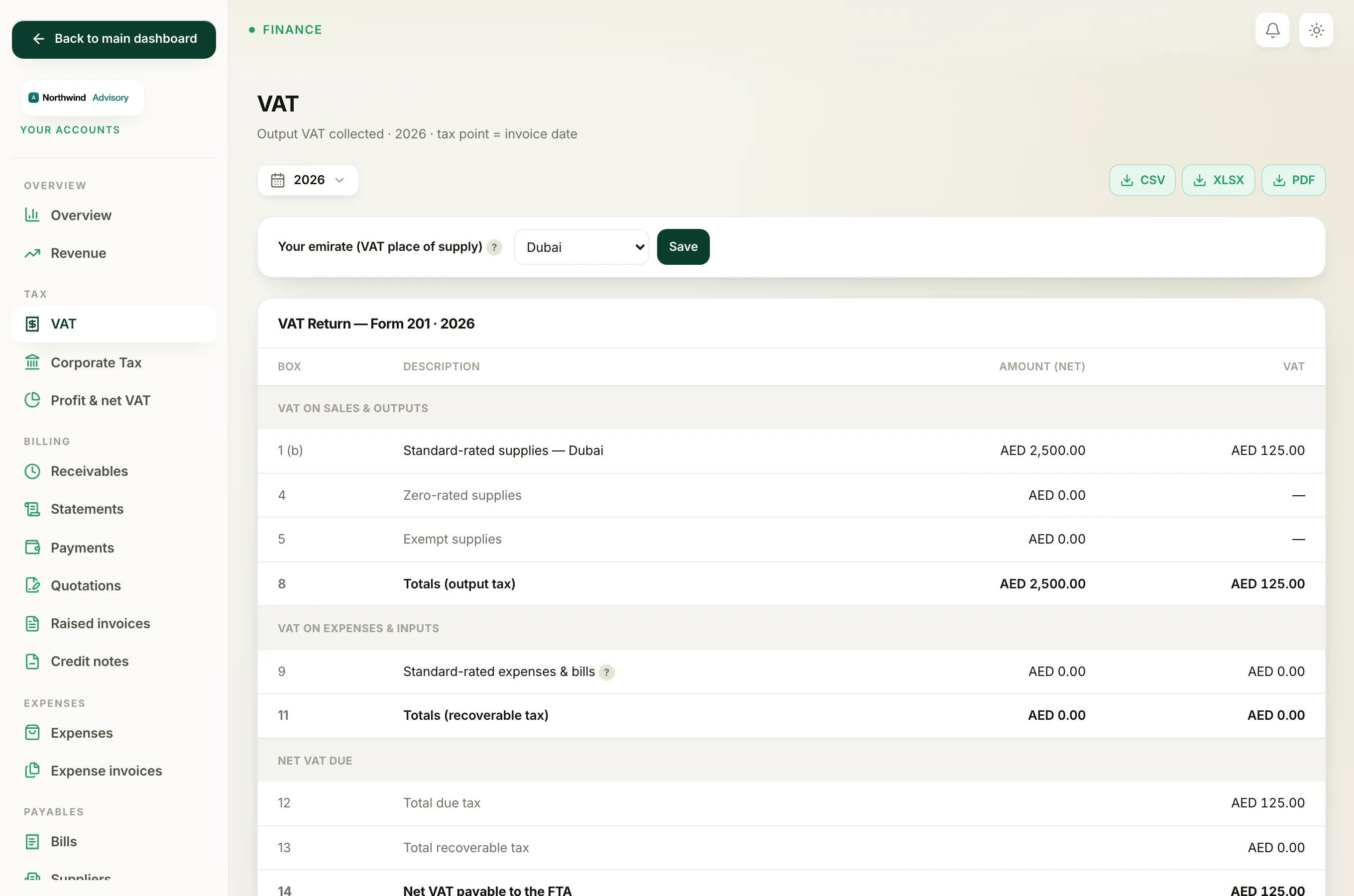
- In the left menu, under Finance, click Your Accounts. This opens your accounting workspace, which has its own menu on the left.
- In that menu, under Tax, click VAT.
You are now on the VAT page, the same page you use to prepare your VAT return.
Pick the period first
The audit file only covers the period shown on the page, so choose it before you download.
- At the top of the page, click the date filter.
- Choose your VAT period. For most firms that is This quarter or Last quarter. If your period does not match the calendar quarter, choose Custom range and type your own From and To dates.
Important
Always set the period before you download. The file uses whatever period is showing. If you download with the wrong period selected, the list will not match the return you filed.
Download the transaction listing
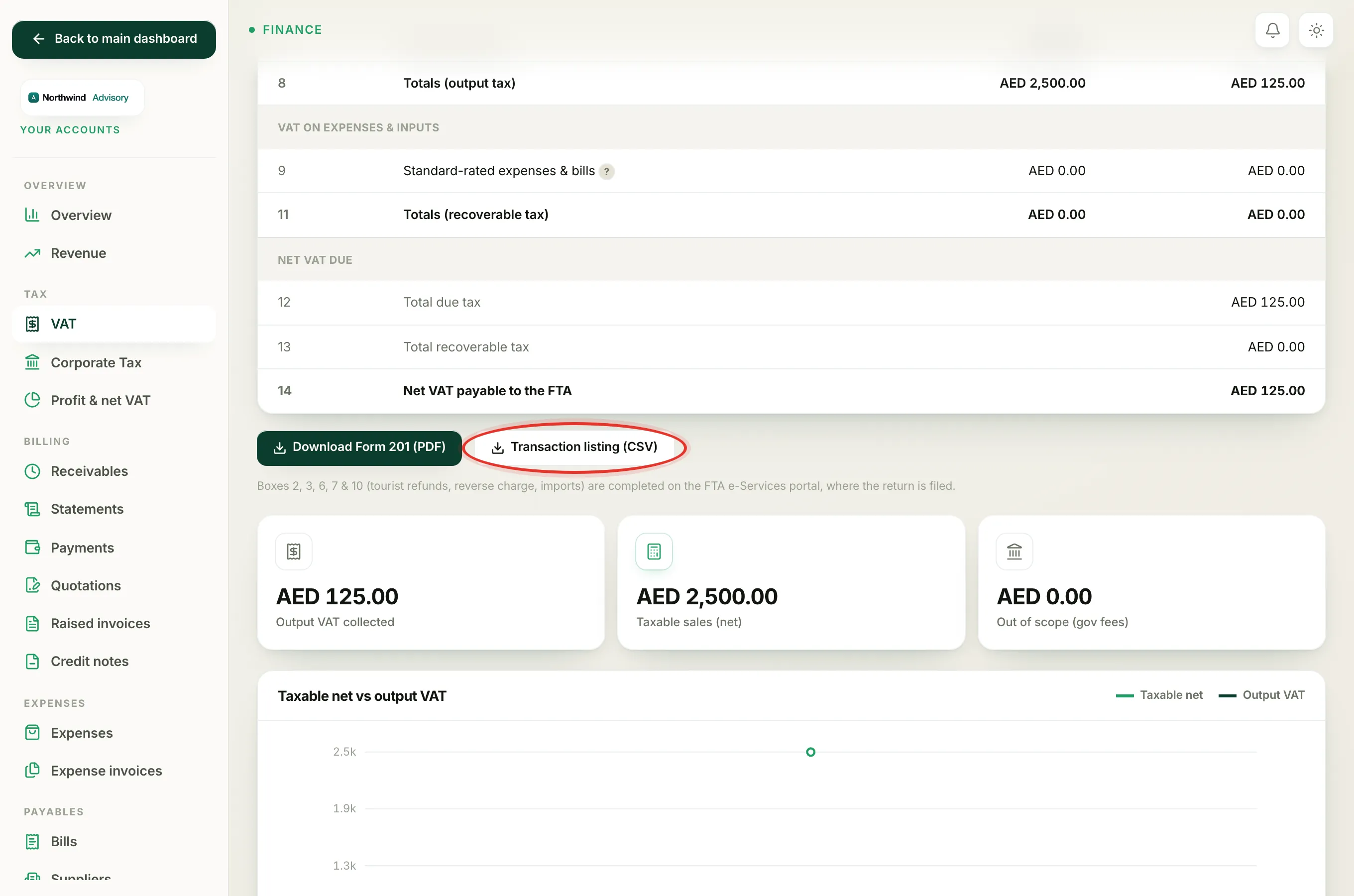
- Find the VAT Return, Form 201 panel in the middle of the page.
- Just below it, click Transaction listing (CSV).
A CSV file downloads to your computer. The file name starts with vat-transaction-listing and includes the from and to dates, so you can tell your periods apart later. A CSV opens in Excel, Numbers, or Google Sheets.
What is inside the file
The file is split into two clear sections, and every row is tagged with the FTA tax code so an auditor can see how each amount was treated:
- Supplies (sales): every invoice in the period, with its date, invoice number, customer, your emirate, net amount, VAT, tax code, and total. Government-fee pass-through amounts are listed too, marked out of scope.
- Purchases (expenses and bills): every recorded expense and supplier bill, with its date, reference, supplier, net, VAT, tax code, and total.
The tax codes you will see are:
- SR: standard-rated (the usual 5%)
- ZR: zero-rated
- EX: exempt
- RC: reverse charge
- OS: out of scope
Each section ends with a Total line, and the file finishes with the Net VAT figure, which is your output VAT less the VAT you can recover. This should match box 14 on your Form 201.
Note
Only standard-rated (SR) purchases that are marked reclaimable show recoverable VAT in this file. Zero-rated, exempt, and out-of-scope purchases carry zero VAT, which is correct.
Tip
Download the transaction listing at the same time as the Form 201 PDF each period, and keep both together. If a question ever comes up about a return, you already have the proof file on hand and do not need to rebuild it.