If you try to preview or send a quotation and it will not go through, the reason is usually that your firm has not finished its letterhead (brand) setup yet. This is a one-time fix.
Why you are seeing this
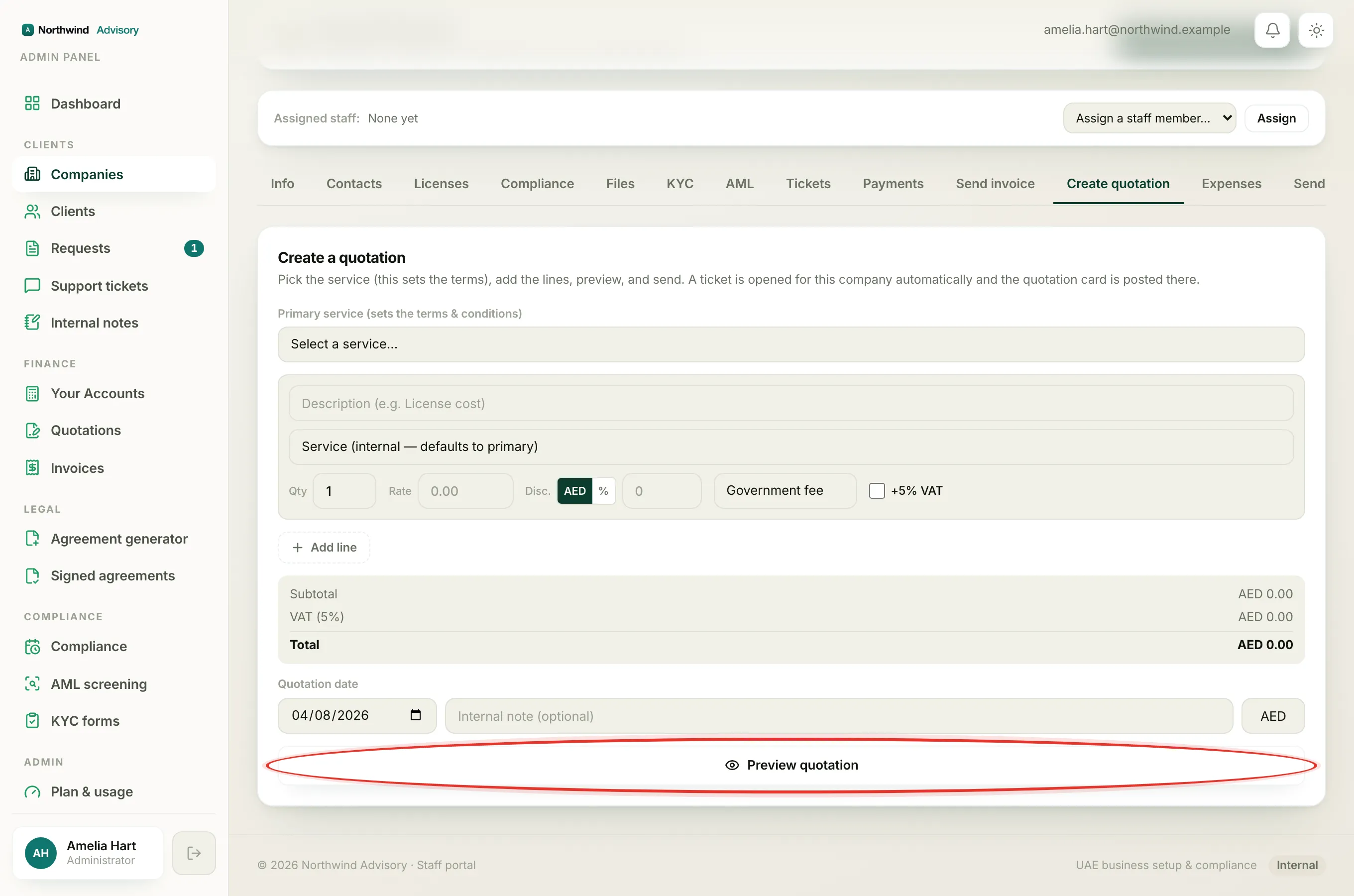
Every quotation prints your firm's own terms and conditions. Those terms name your company, in lines like "[your firm] is not liable for delays caused by third parties." IzzyTap will not send terms that name nobody, and it will never let your quote accidentally carry another company's name. So it stops you at Preview or Send until it knows your firm's legal name.
Until that name is on file, both Preview quotation and Send quotation are blocked.
The fix: complete your brand
- Log in to your workspace.
- In the left menu, under Admin, click Brand.
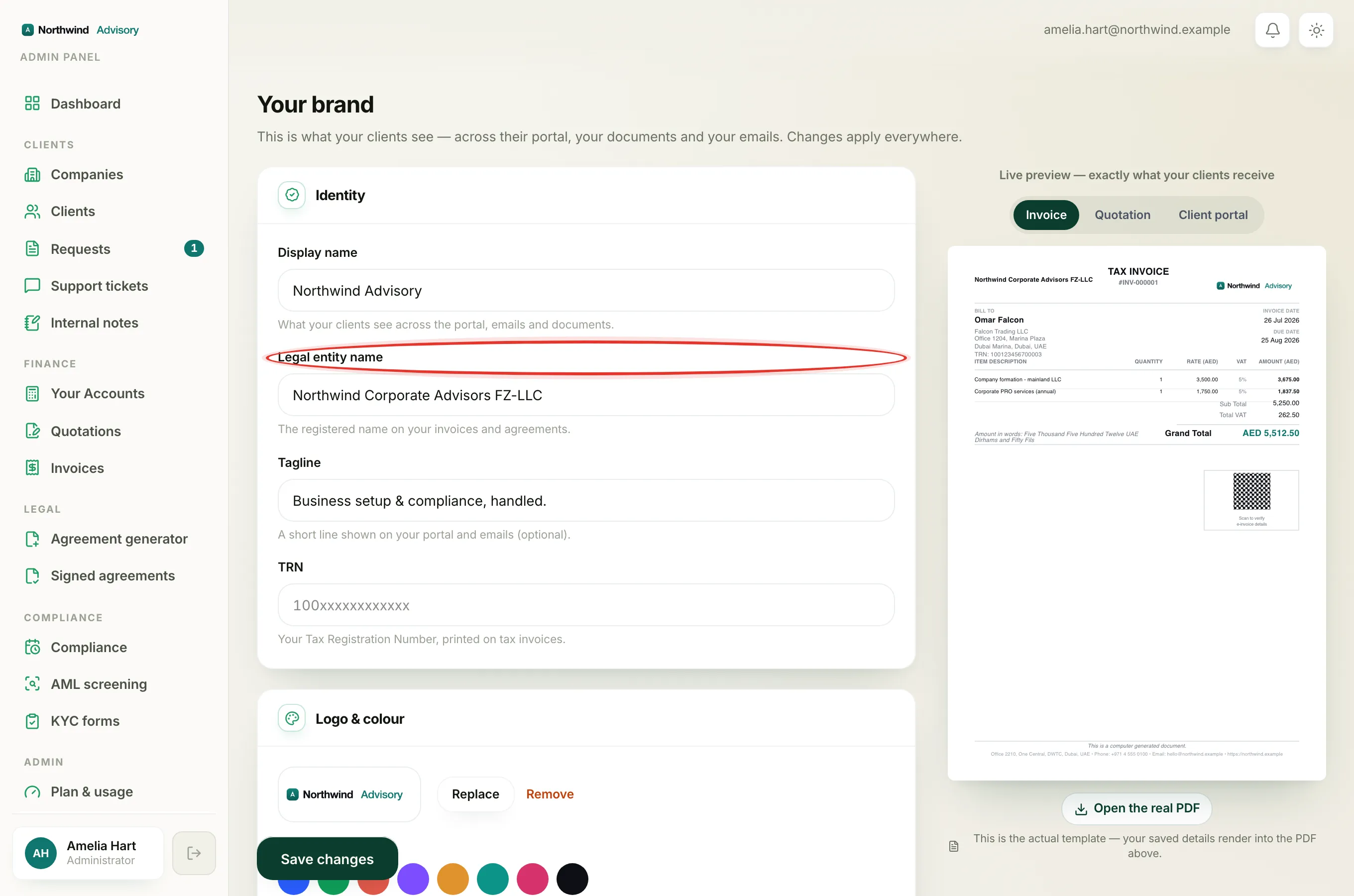
- In the Legal entity name field, enter your firm's registered legal name. This is the name your quotation terms and the PDF will speak in.
- While you are here, fill in Display name too if it is empty. That is the name your clients see across the portal, emails and documents.
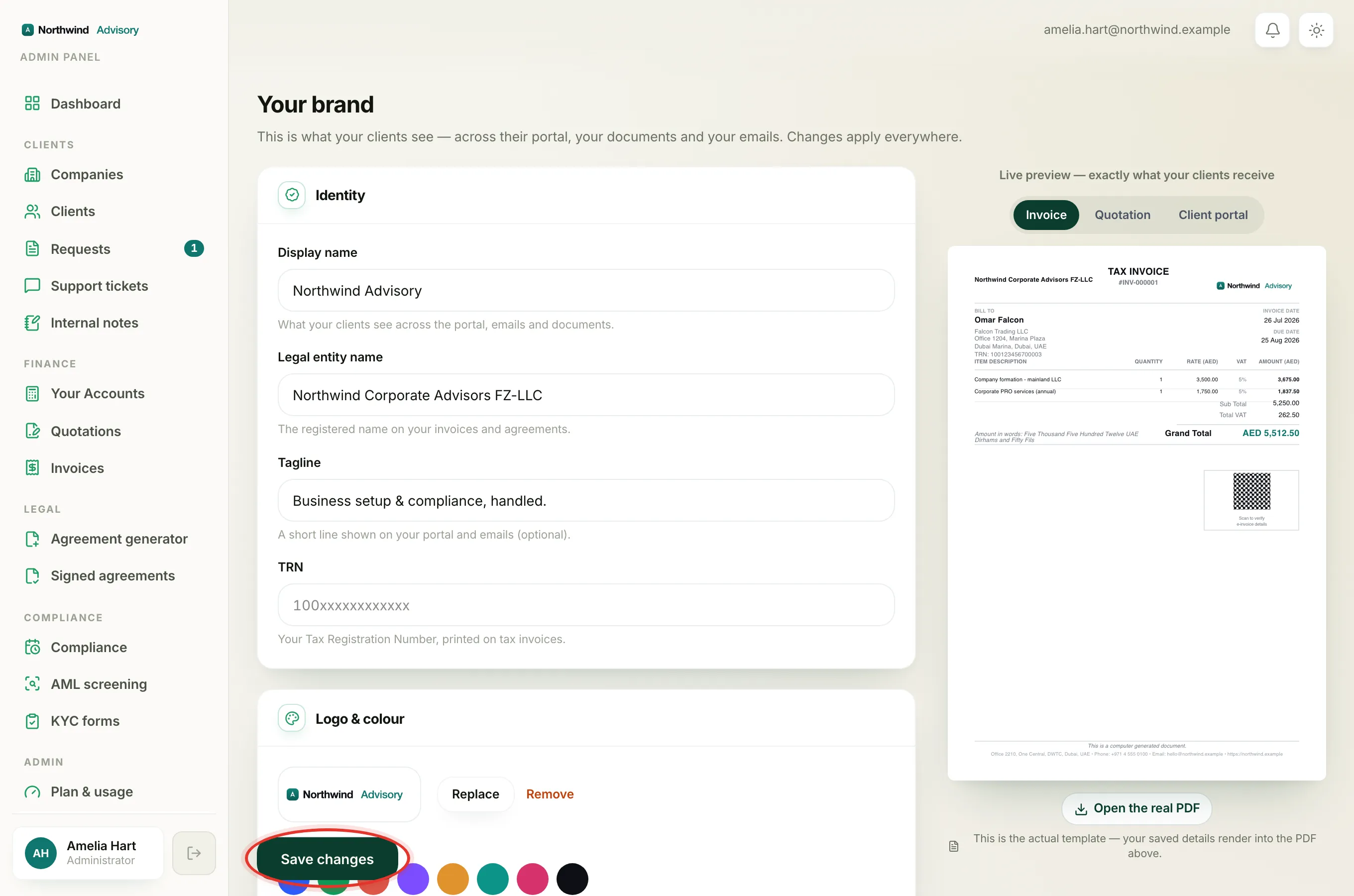
- Click Save changes.
- Go back to your quotation and click Preview quotation or Send quotation again. It will now work.
Important
This is a one-time setup. Once your legal name is saved, every future quotation and invoice uses it automatically. You will not be asked again.
Note
Only a firm admin can edit the brand. If you do not see Brand under Admin in the menu, your role does not include it. Ask a colleague who is an admin to fill in the legal name for you.
For the full walk-through of everything on this screen, see Set up your brand.