Picking the financial year
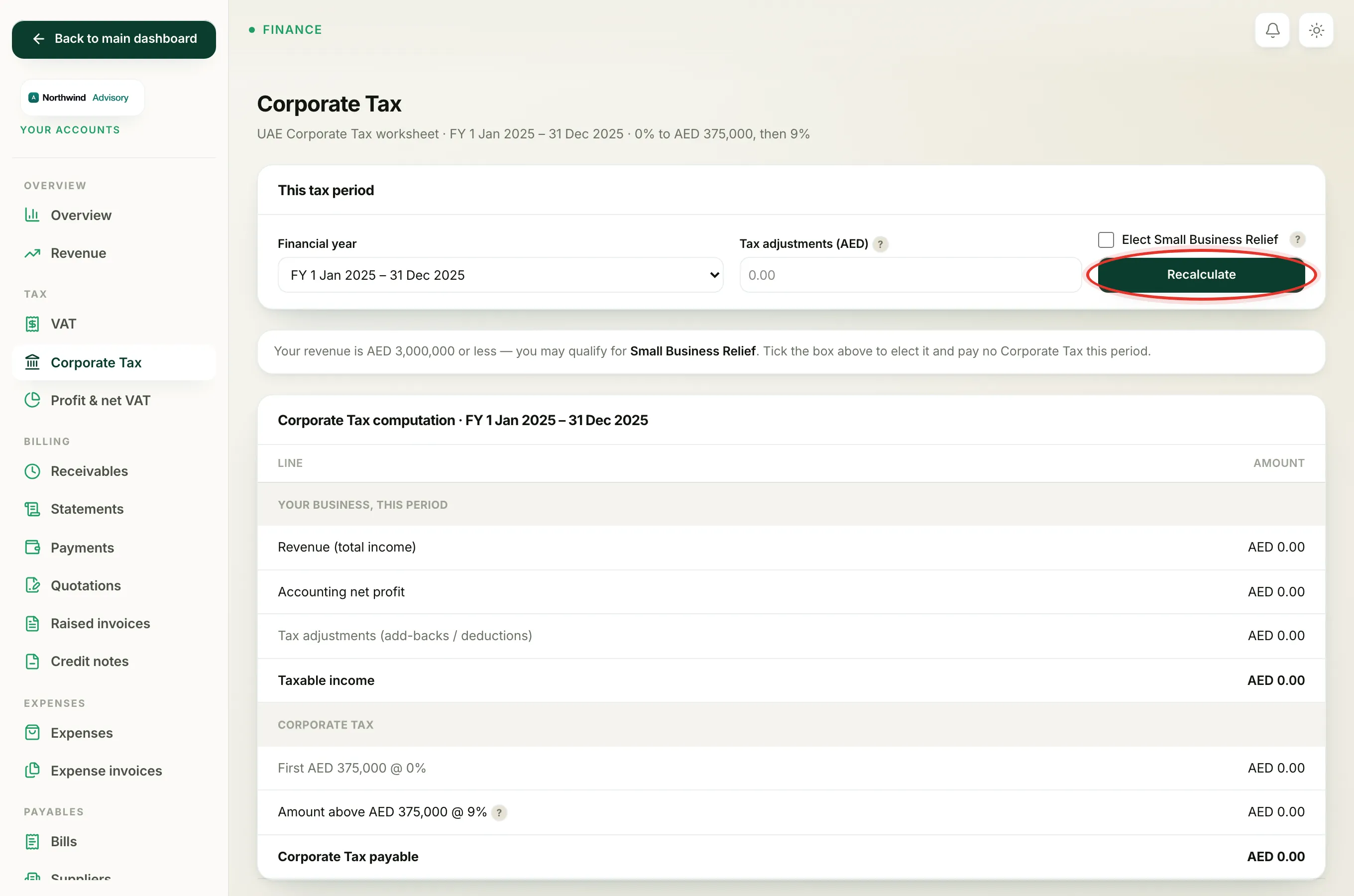
Corporate Tax is worked out one financial year at a time. The Corporate Tax page lets you choose which year you want to look at, then builds the worksheet from your books for exactly that year.
- Log in to your workspace.
- In the left menu, under Finance, click Your Accounts.
- In the accounts menu, under Tax, click Corporate Tax.
- In the This tax period panel, open the Financial year dropdown.
- Choose the year you want and click Recalculate.
The worksheet below refreshes for the year you picked, and the page heading shows the same period.
In-progress years vs completed years
Each entry in the dropdown is labelled with its start and end date, for example FY 1 Jan 2025 to 31 Dec 2025. The year you are currently inside is marked (in progress).
- A year marked (in progress) has not finished yet, so its figures are only a running total and will keep changing until year-end.
- A completed year is final, which is why the page opens on your most recent completed year by default. You file Corporate Tax after the year has ended, so that is normally the one you want.
Note
The years on offer come from your firm's financial-year start month. If your year does not start in January, a year can end in the next calendar year. That is why a period like FY 1 Apr 2024 to 31 Mar 2025 shows the way it does.
The due date
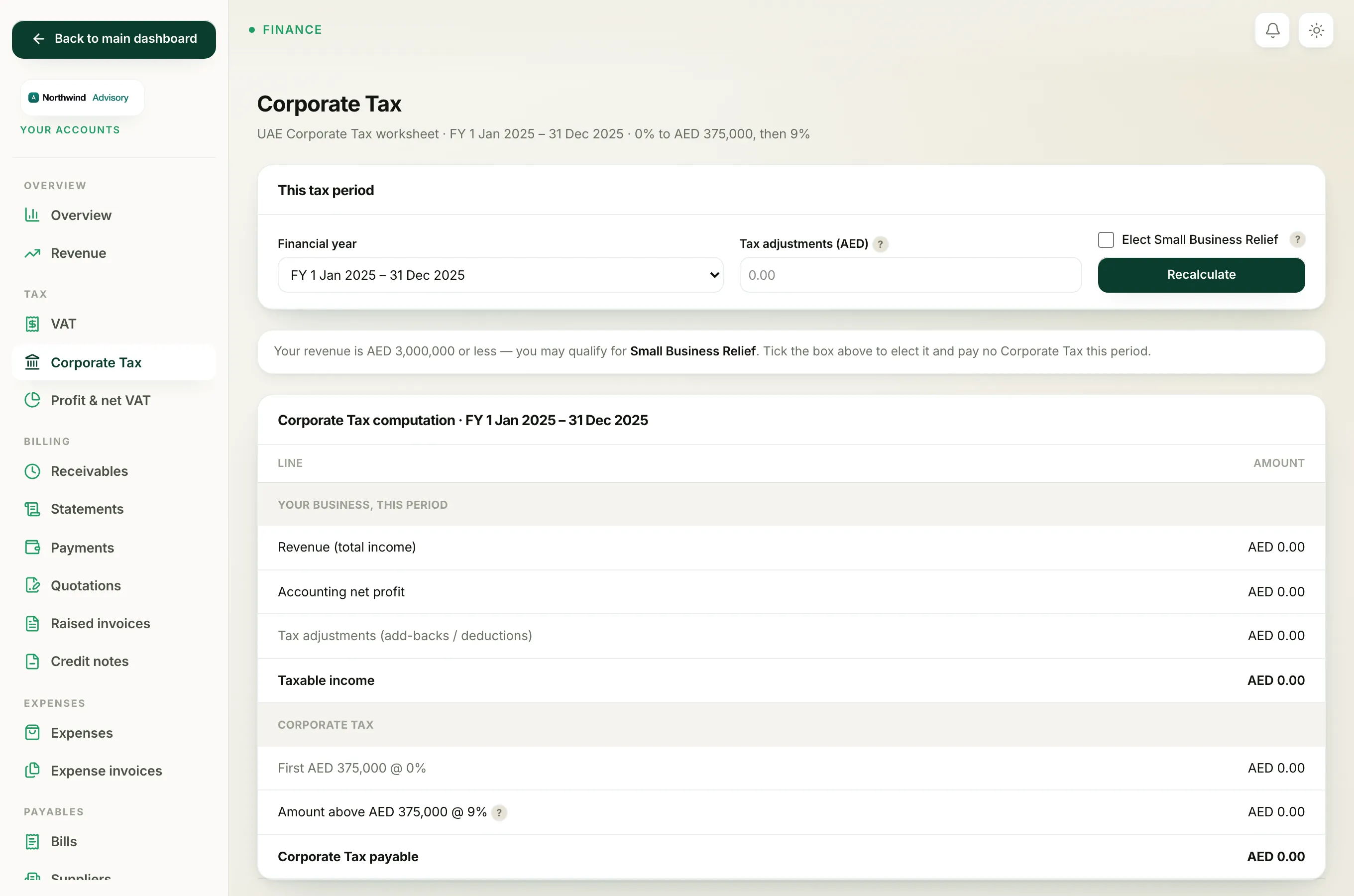
Under the worksheet you will see a line that reads Return & payment due by a date, with (9 months after year-end) next to it. Under UAE rules, both the Corporate Tax return and the payment are due within nine months of the end of your financial year. Use that date to plan ahead.
Filing the return
The page is a worksheet built from your books. The return itself is filed on the FTA EmaraTax portal by the due date shown. You can download the worksheet as a PDF from the button below the table to keep with your records.
To read every line on the worksheet, see The Corporate Tax worksheet explained. For the full filing walk-through, see the Corporate Tax return.