What a repeatable section is
Most KYC sections collect one set of answers. A repeatable section is different. It lets the person filling in the form add the same block of questions again and again, once for each person. You use these when a company has more than one shareholder, more than one manager, or more than one ultimate beneficial owner.
There are three repeatable sections in the form builder:
- Partner / Shareholder Details: one block per shareholder.
- Manager / Director Details: one block per manager, director or authorised signatory.
- Ultimate Beneficial Owner (UBO): one block per UBO.
The contact can add up to fifteen blocks in each of these sections.
Add a repeatable section to your form
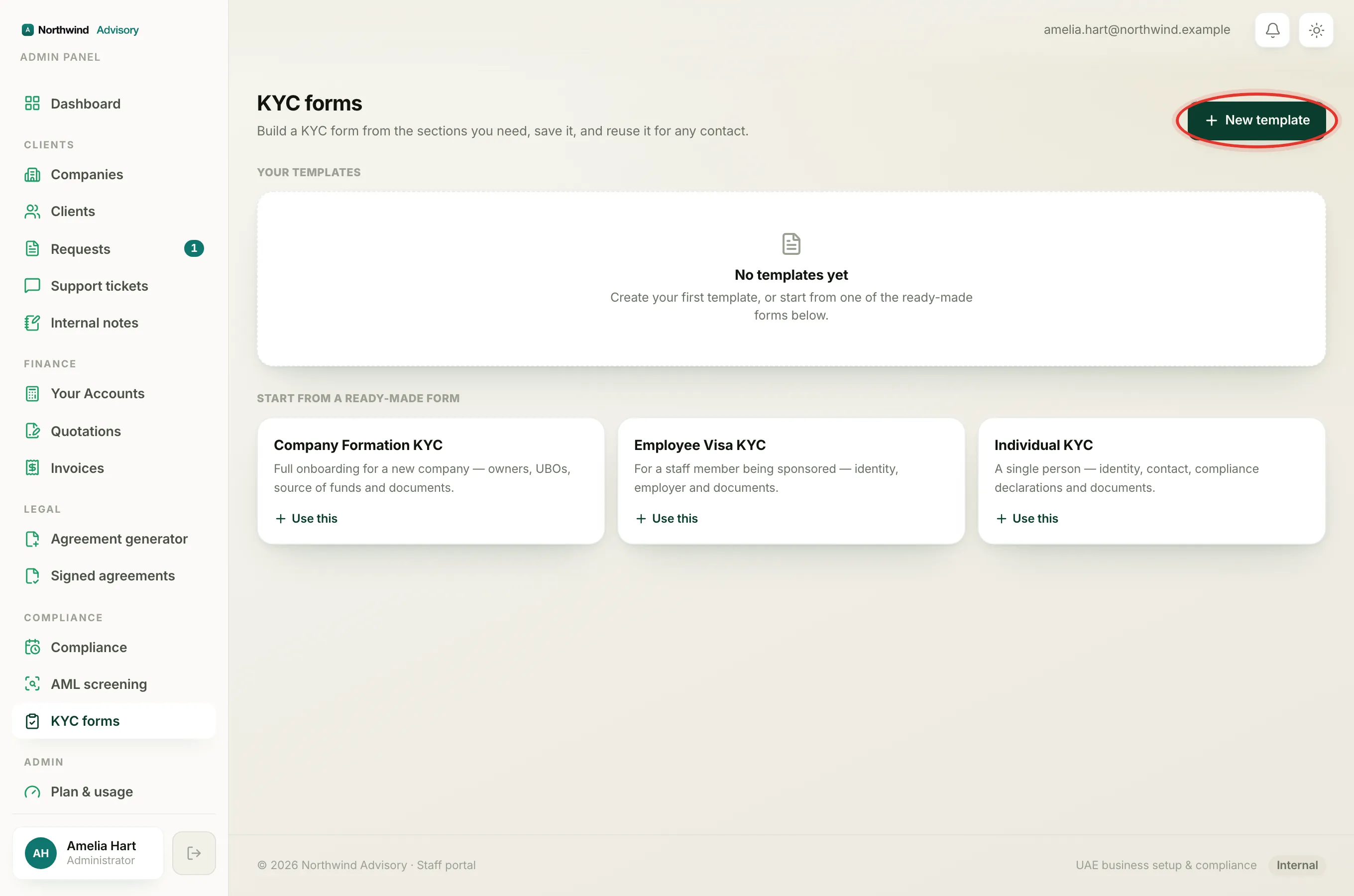
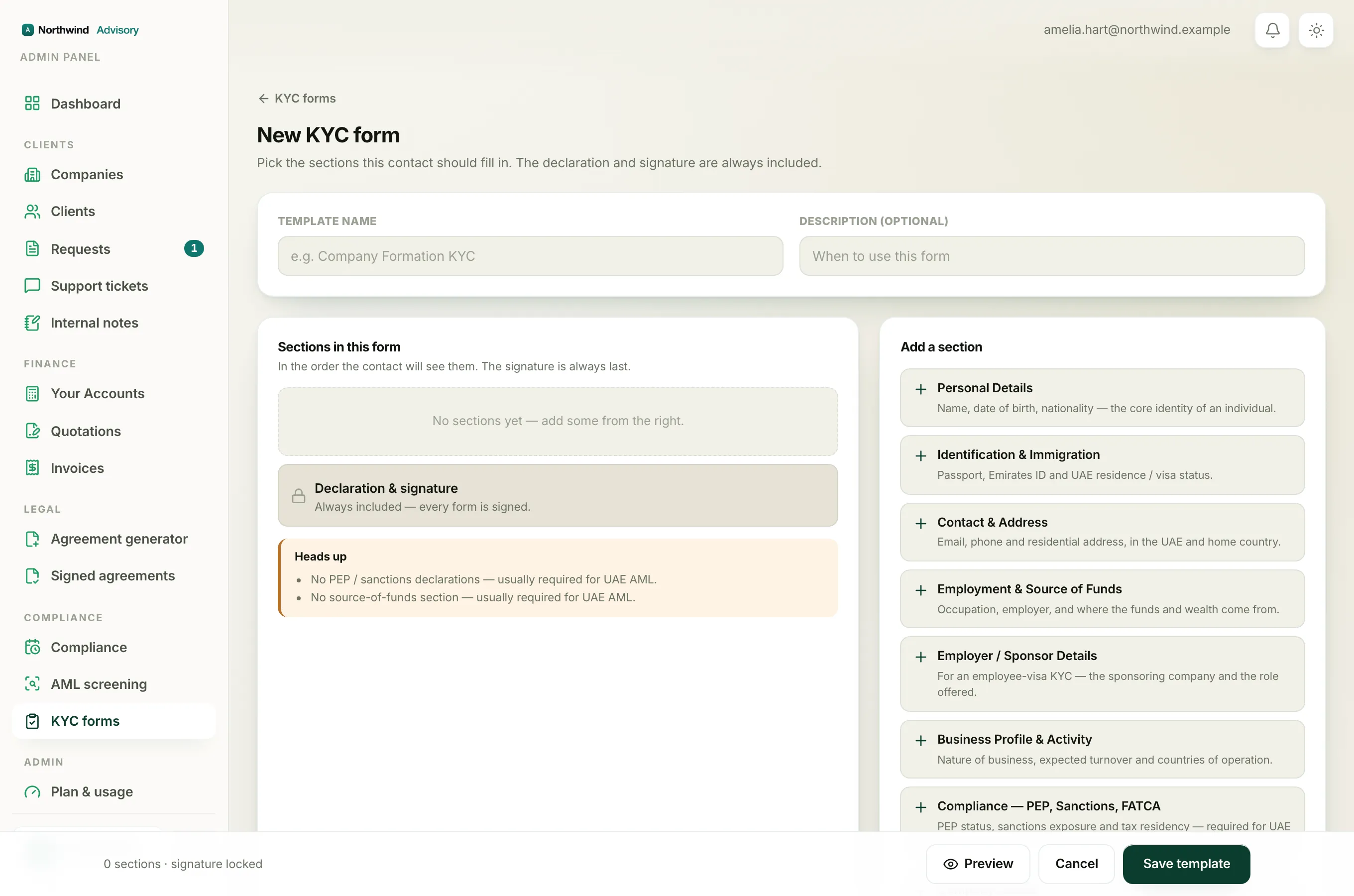
- Log in to your workspace.
- In the left menu, under Compliance, click KYC forms.
- Click New template to start a new form, or click Edit on one of Your templates.
- On the right, under Add a section, find the section you want. Repeatable sections carry a small green Repeatable tag.
- Click the section to add it. It moves into Sections in this form on the left.
For building the whole form, see How to build your own KYC form.
What each block asks
Each repeatable section asks a short set of questions per person:
- Partner / Shareholder Details: full name, nationality, passport or ID number, shareholding %, and whether that person is an Ultimate Beneficial Owner.
- Manager / Director Details: full name, nationality, passport or ID number, and role (General Manager, Director, Manager, Authorised Signatory or Other).
- Ultimate Beneficial Owner (UBO): full name, nationality, date of birth, passport or ID number, ownership or control %, and the basis of control.
The full field list for every section is in Every KYC form section and what it collects.
What the contact sees
When the contact reaches a repeatable section, they see one block to start, for example Shareholder 1. Under it is an add button, such as Add shareholder, Add manager or Add UBO.
- They fill in the first block.
- To add another person, they click the add button. A fresh block appears (Shareholder 2, and so on).
- They repeat for each person, up to fifteen.
At least one block is always required, so the contact cannot leave a repeatable section completely blank.
Tip
Preview the form before you send it to see exactly how the add-another-person button looks to the contact. Click Preview in the bar at the bottom of the builder. See Preview a KYC form before you save or send it.
Note
The Ultimate Beneficial Owner (UBO) section is also a compliance section. UBO disclosure is mandatory in the UAE, so if you build a company form without it, a Heads up reminder appears. See Understanding the 'Heads up' compliance warnings.