Where the menu lives
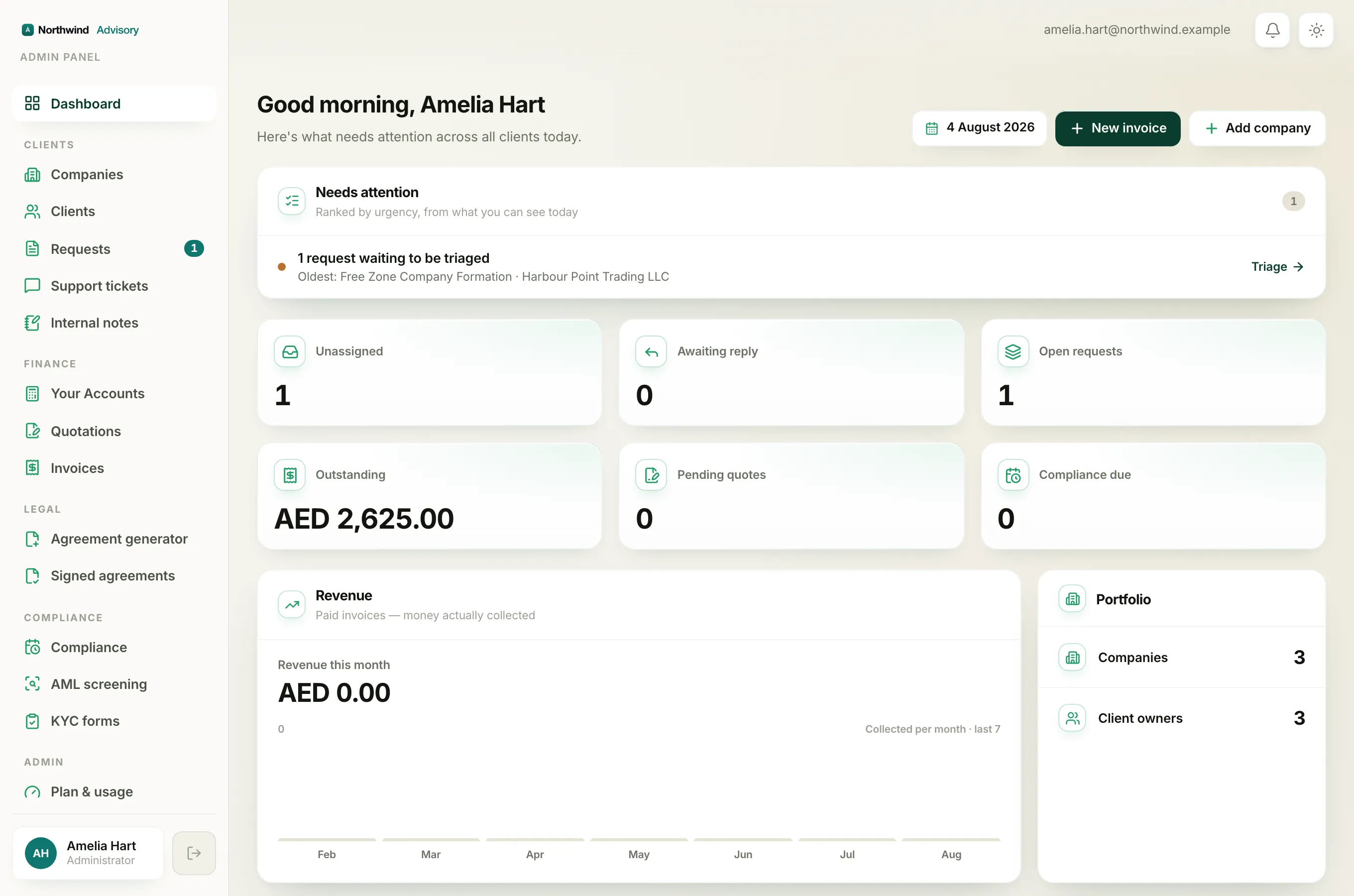
Everything in your workspace is reached from one place: the menu down the left side of the screen.
- Log in to your workspace.
- On a computer, the menu is the tall strip pinned to the left edge. It stays there as you move around.
- On a phone the left strip is hidden to save space. Tap the menu button (the three lines) in the top left corner to slide it open. See Use IzzyTap on your phone.
The menu items are sorted into labelled groups, with a small grey heading above each group. Here is what each part is for.
Dashboard
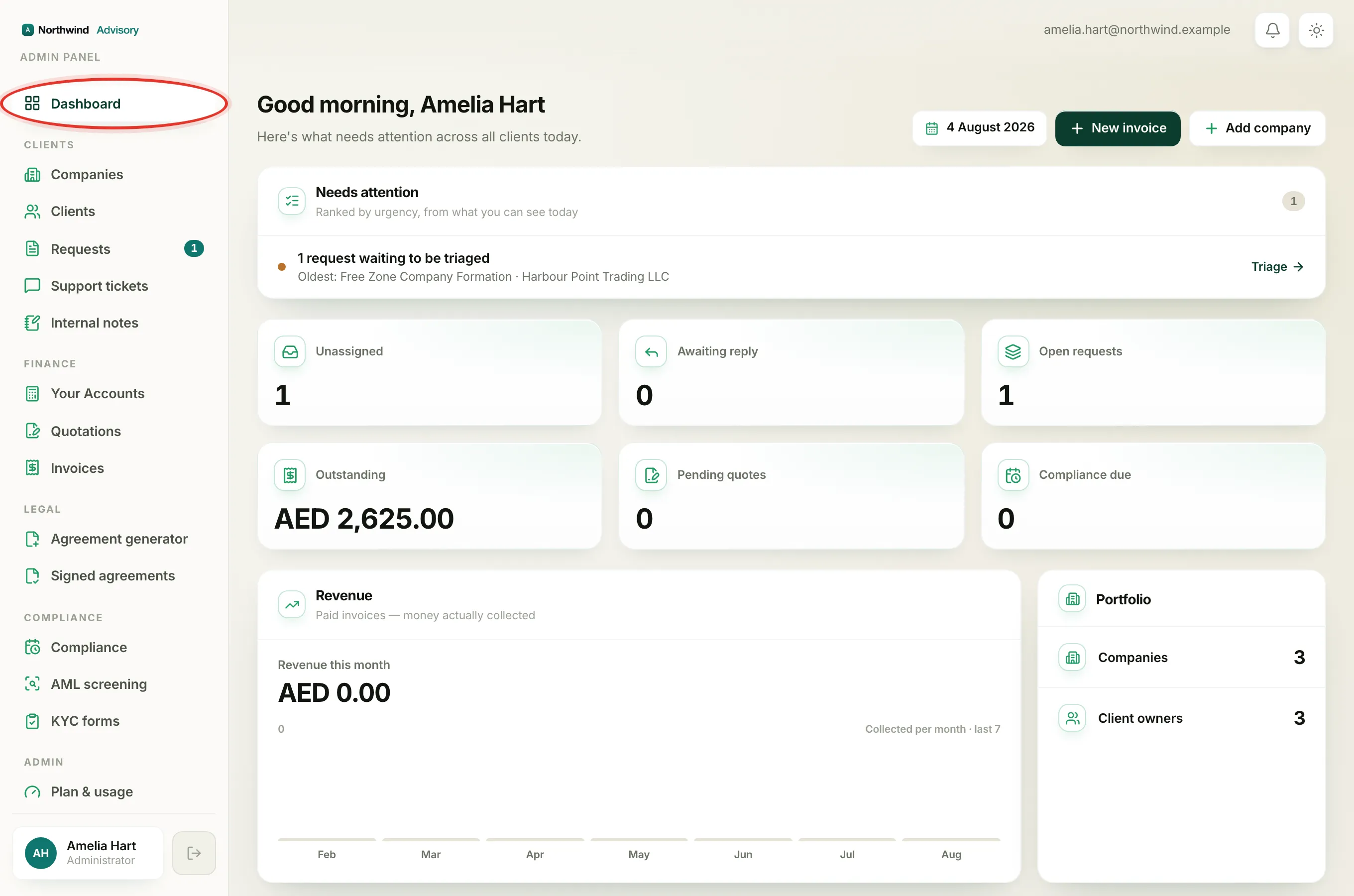
Dashboard sits on its own at the very top, with no group heading. It is your home screen. It shows your headline numbers, a list of things that need attention and your recent activity. Clicking your firm logo, or Dashboard, always brings you back here.
Clients
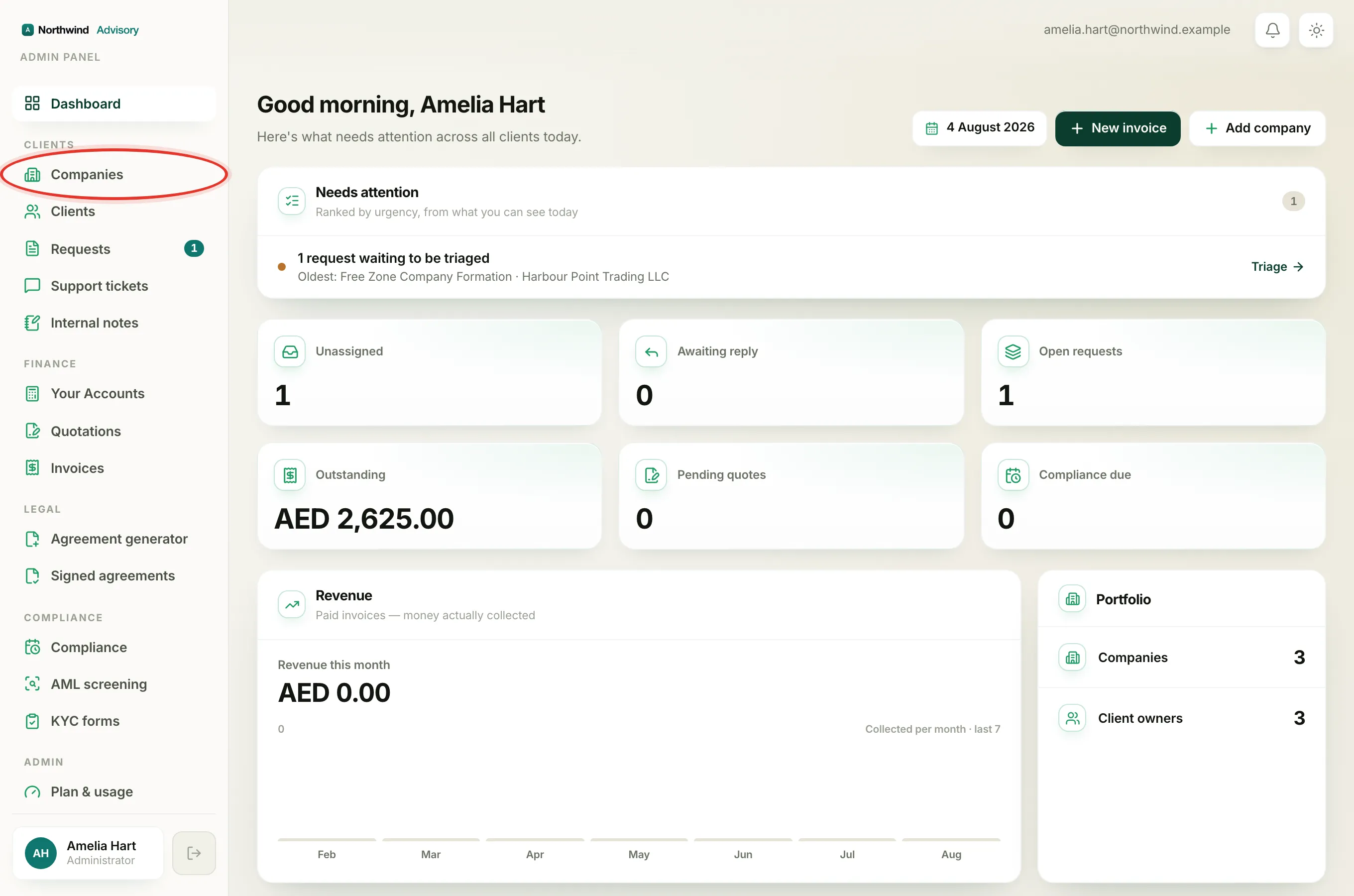
This group is where you look after the businesses and people you serve.
- Companies is the full list of every company you work with. This is usually your starting point for any client.
- Clients is the list of the actual people who can log in to their portal.
- Requests is your work inbox. Every service request and job in progress lives here. A number badge next to it shows how many requests are waiting to be picked up.
- Support tickets is where client questions and chat threads are handled.
- Internal notes is a private, staff-only feed of notes left on tickets. Clients never see any of it.
Finance
This group is money and billing.
- Your Accounts opens your full book-keeping area: reports, banking, VAT and more. It has its own separate look once you go in.
- Quotations is where you raise and track price quotes.
- Invoices is where you create invoices and see what has been paid.
Legal
- Agreement generator is where you build and send agreements for clients to sign.
- Signed agreements is the register of everything that has already been signed.
Compliance
- Compliance is your calendar of deadlines: licence renewals, filings and expiries across all your clients.
- AML screening is where you run anti-money-laundering checks on people and companies.
- KYC forms is where you build and send know-your-customer forms to collect client details.
Admin
This group is the settings for your firm itself.
- Plan & usage shows your current plan and how many staff seats and clients you are using.
- Brand is where you set your logo, colours and company details.
- Staff is where you add teammates and set what each one can do.
- Subscriptions is where you manage subscription packages.
Help Centre and your profile
At the bottom of the menu, on its own, is the Help Centre (these articles).
Right at the foot of the menu you will also find your own name and role in a small card. Click it to open your profile and account settings. The button beside it signs you out.
Note
You may not see every group listed here. The menu only shows what your role is allowed to use, so a whole section can be hidden for you. That is normal and explained in Why a menu section is missing for you.