The card on file pays for your own izzytap plan. If a charge is declined, izzytap does not lock you out on the spot. You get a grace period while we retry the card, plus a clear reminder to update it. This guide explains what happens and how to fix it, from login.
Nothing locks straight away
When a subscription charge fails, your plan moves to a Payment due state, and your workspace keeps working. You and your team can carry on as normal, and nothing you have created is touched.
Behind the scenes, we keep retrying the card automatically for a while (usually a couple of weeks). Many failed payments clear on their own once there are funds in the account or the bank approves the charge.
At the top of your Plan and usage screen you will see a reminder titled We couldn't take your last payment. It tells you "Your workspace still works and we'll keep retrying", and it has an Update your card button.
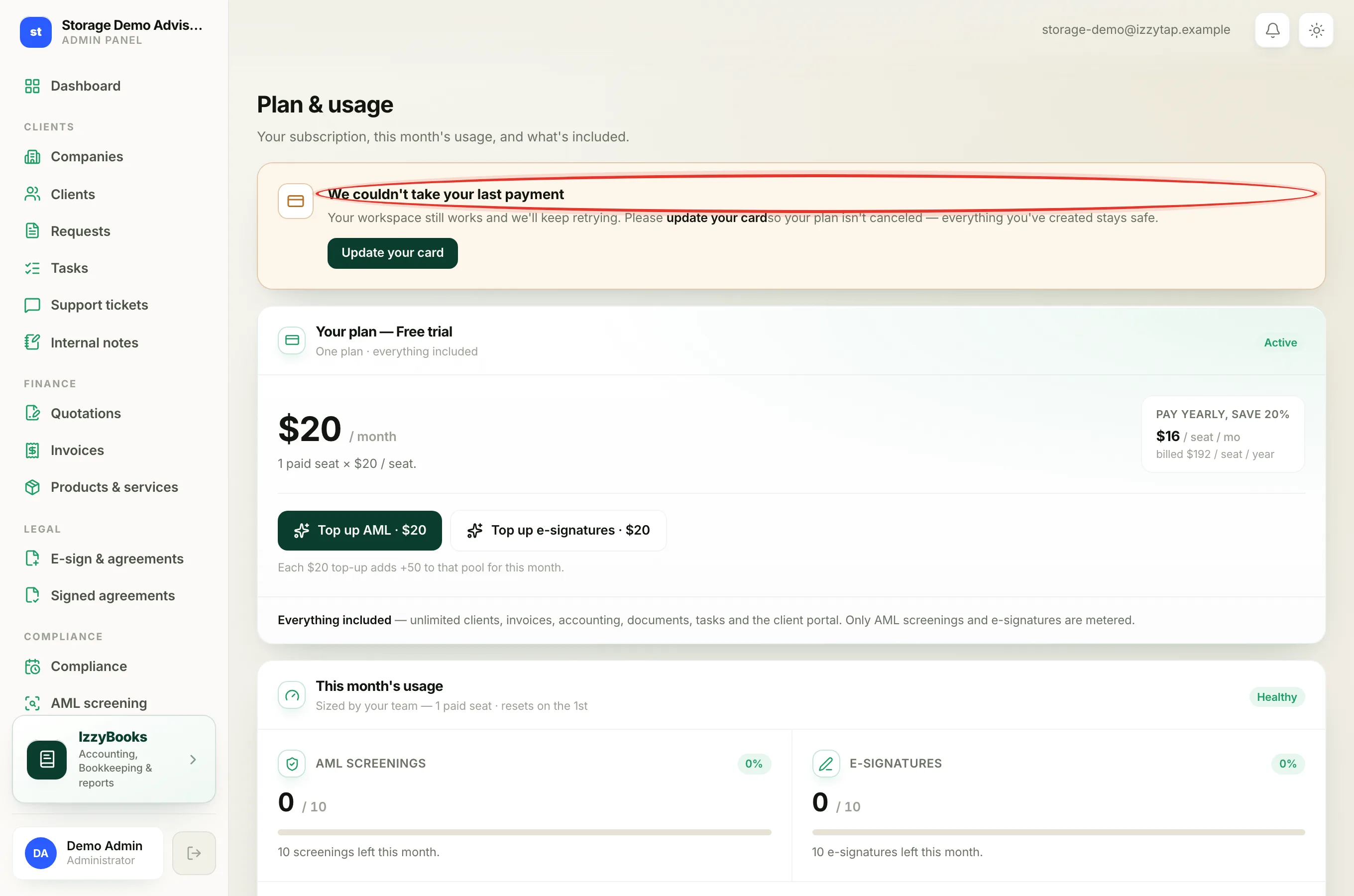
The reminder we send you
We also email your firm's admins and add a notice inside izzytap. The email subject and heading are We couldn't take your payment. The message tells you:
"We tried to charge your card for your izzytap subscription, and it didn't go through."
"Please update your payment method so we can try again. Your workspace keeps working for now, but if the payment keeps failing your plan will be canceled and your paid features will pause until you start a plan again. Everything you've created stays safe."
At the bottom is an Update your card button that opens your Subscription page.
Update your card
- Log in to your workspace.
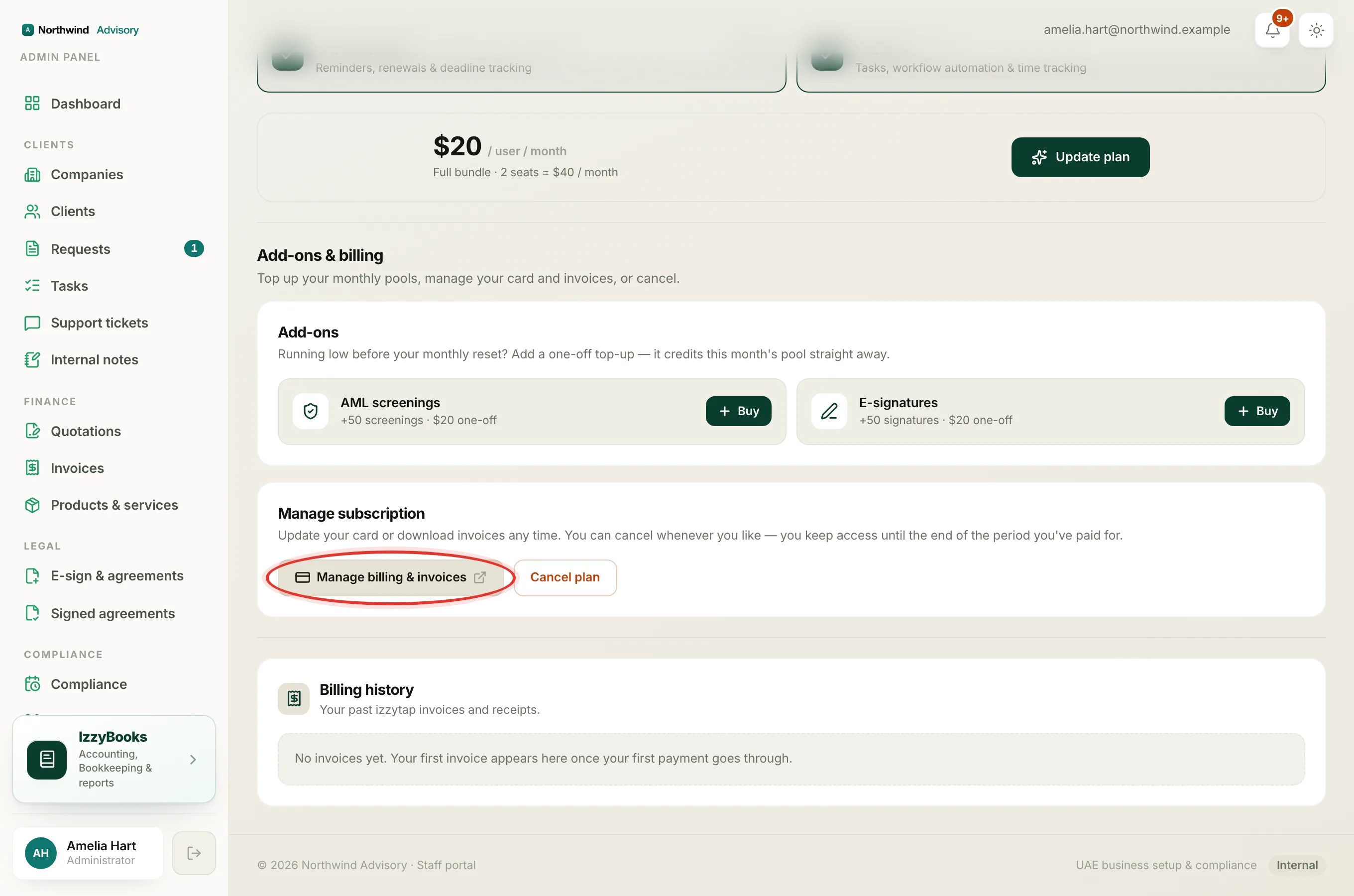
- In the left menu, under Admin, click Subscription. You can also click Update your card on the reminder, which brings you to the same place.
- Scroll to Add-ons and billing, then to Manage subscription.
- Click Manage billing and invoices. This opens your secure billing portal.
- Update the card on file, then save.
Once the new card is accepted, your plan returns to Active on its own. The next retry goes through, the reminder clears, and nothing was ever lost.
Note
The secure billing portal is also where you can download any past invoice or receipt. You do not need to enter card details anywhere else in izzytap.
What happens if the card keeps failing
The grace period does not last forever. If every retry fails, izzytap cancels your subscription. At that point:
- Your paid features pause until you start a plan again. You cannot create new invoices, quotations, KYC forms, AML screenings, e-signatures or tasks.
- Everything you have created stays safe. Your clients, documents, invoices and books are untouched, and adding clients and storing documents keep working.
You can start a plan again at any time to switch everything back on. Nothing is lost, so you pick up exactly where you left off. See What happens when your trial ends, which describes the same paused state.
Important
A failed payment never deletes anything. Even if your plan is cancelled, your clients, documents, invoices and books stay exactly as they are. Starting a plan again switches your paid features back on.
This is your izzytap bill, not your clients' invoices
This guide is about the payment for your own izzytap subscription, the card that pays izzytap for your plan each month or year.
It is not about the invoices you send to your clients, and it is not about your clients' own subscriptions. Those are separate, and a problem with one never affects the other. If a client has a billing question, that is covered in the client billing guides.
Related
- Update your card, download invoices, or cancel. See Manage your subscription.
- See your status and this month's usage. See Read your Plan and usage screen.
- Change what your plan includes. See Choose or change your plan.