When a client tells you the quotation link does not work, it is almost always one of a few simple things. Here is how a quotation reaches a client, and how to get a working link back in front of them.
How a client opens a quotation
When you send a quotation, IzzyTap emails the recipient a secure link. They do not need a login or a password. They click the link, review the service, the total and the valid-until date, then accept and sign. An invoice is raised the moment they accept.
Tip
The accept link works on any phone or computer with no sign-in. If a client says the page is asking them to log in, they are probably clicking a portal link, not the quotation link. Point them back to the quotation email.
First check: was an email address on the quote?
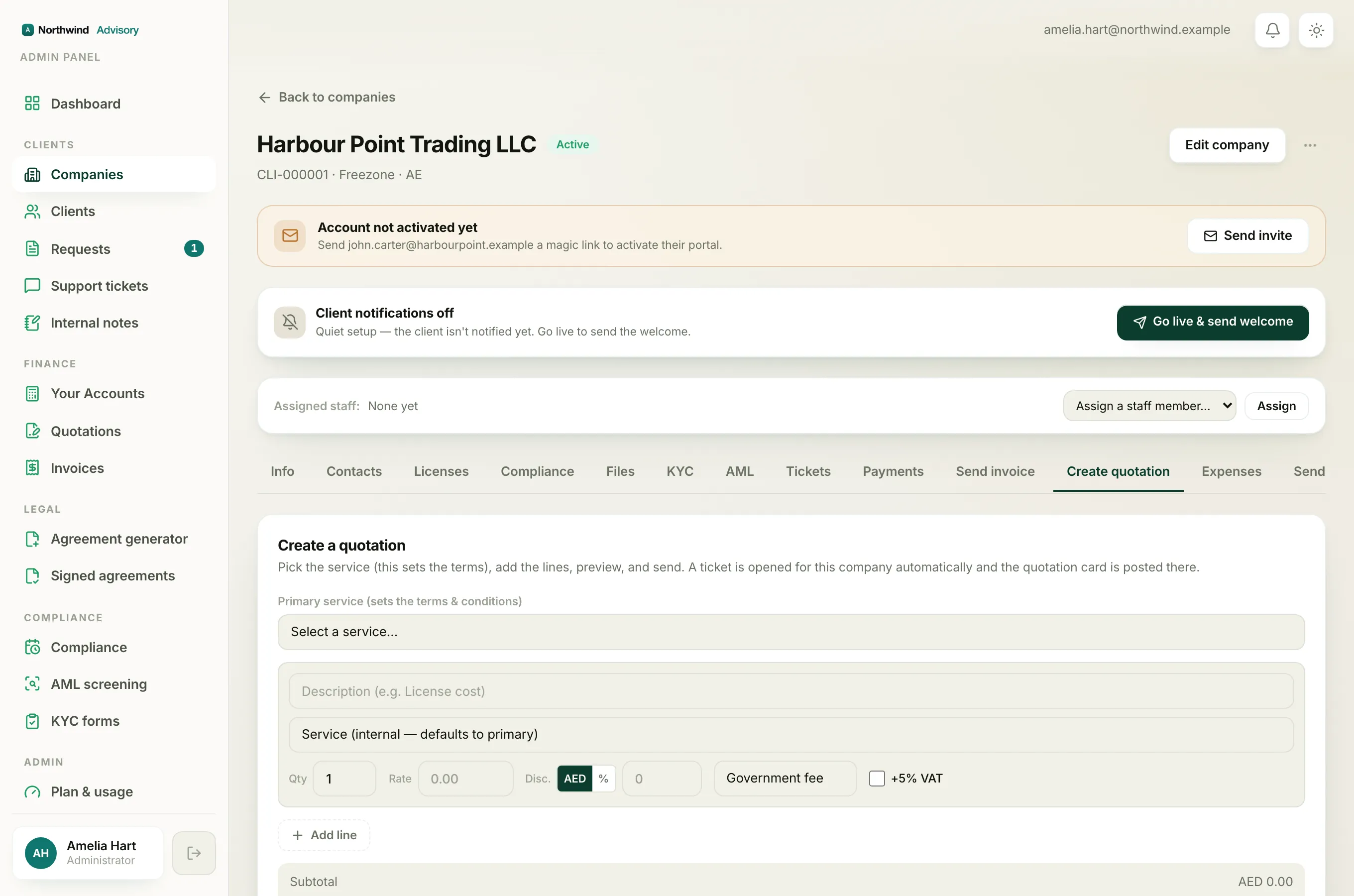
The accept link only ever goes out by email. If the email box was blank or mistyped, no link was sent at all.
- For a quote to a brand-new lead, the address goes in the Email (for the accept link) box when you build the quote. If that was left empty, the client received nothing.
- For a quote raised from a request or a company, the link goes to the contact's email, or to the company owner's email if the request has no contact. If neither has an email on file, nothing was sent.
The fix is to raise a fresh quotation with the correct email address. Each send emails a new accept link.
The link says the quotation is no longer valid
A link that looks fine can still stop opening. The usual reasons:
- Expired. A quotation is valid for 30 days from the quotation date. After that the link stops working. See When a quotation expires.
- Withdrawn. If you cancelled (withdrew) the quotation, the link goes dead straight away and the client sees an "no longer valid" page. See Withdraw a quotation you have sent.
- Already accepted. If the client already accepted, the link now shows a thank-you page instead of the accept screen. That is normal, and it means the quote is done.
- Already declined. If the client declined earlier, the link shows a declined page.
What to ask the client to try
- Open the most recent email from you and click the link there. An older email may hold a link that has since expired.
- Check the spam or junk folder.
- Confirm the email address you sent to is the one they actually use.
Getting them a working link
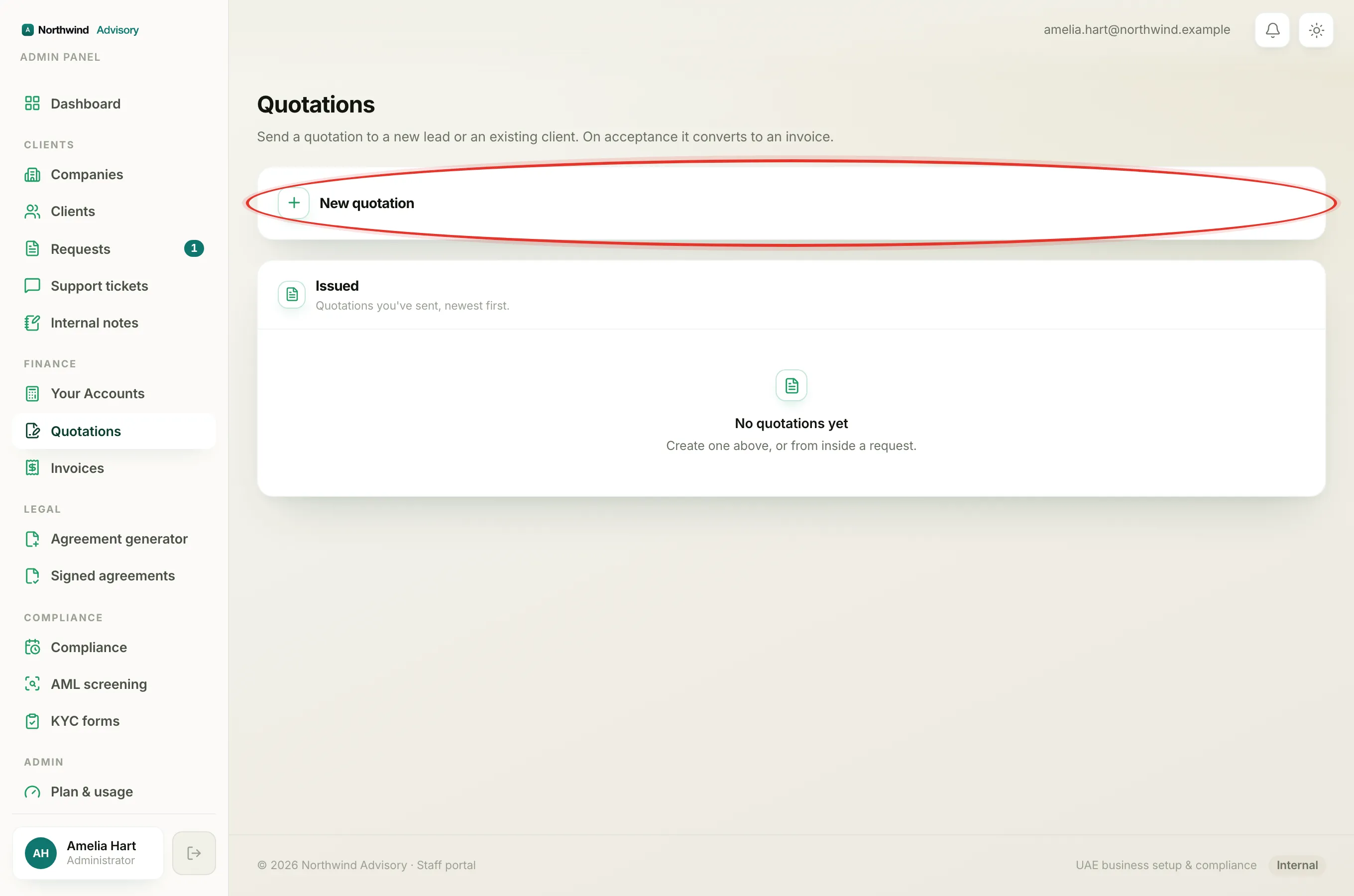
There is no separate resend button for a quotation. To put a fresh, valid quote in front of a client, create a new quotation to the correct email address. Every send emails a new accept link. See Create a quotation.
Note
An expired or withdrawn quote cannot be brought back to life. Raising a new one is the correct and tidy way to re-quote, and it gives the client a clean link and a fresh 30-day window.