Once you have filed a VAT return or signed off a set of numbers, you do not want anyone changing an invoice or expense in that period afterwards, because it would no longer match what you filed. The closing date locks everything up to and including a date you choose. After that, nothing dated on or before it can be posted or altered.
Note
The Your Accounts area is only visible to staff with the Admin role, and this screen needs your books to be switched on.
Open the period lock screen
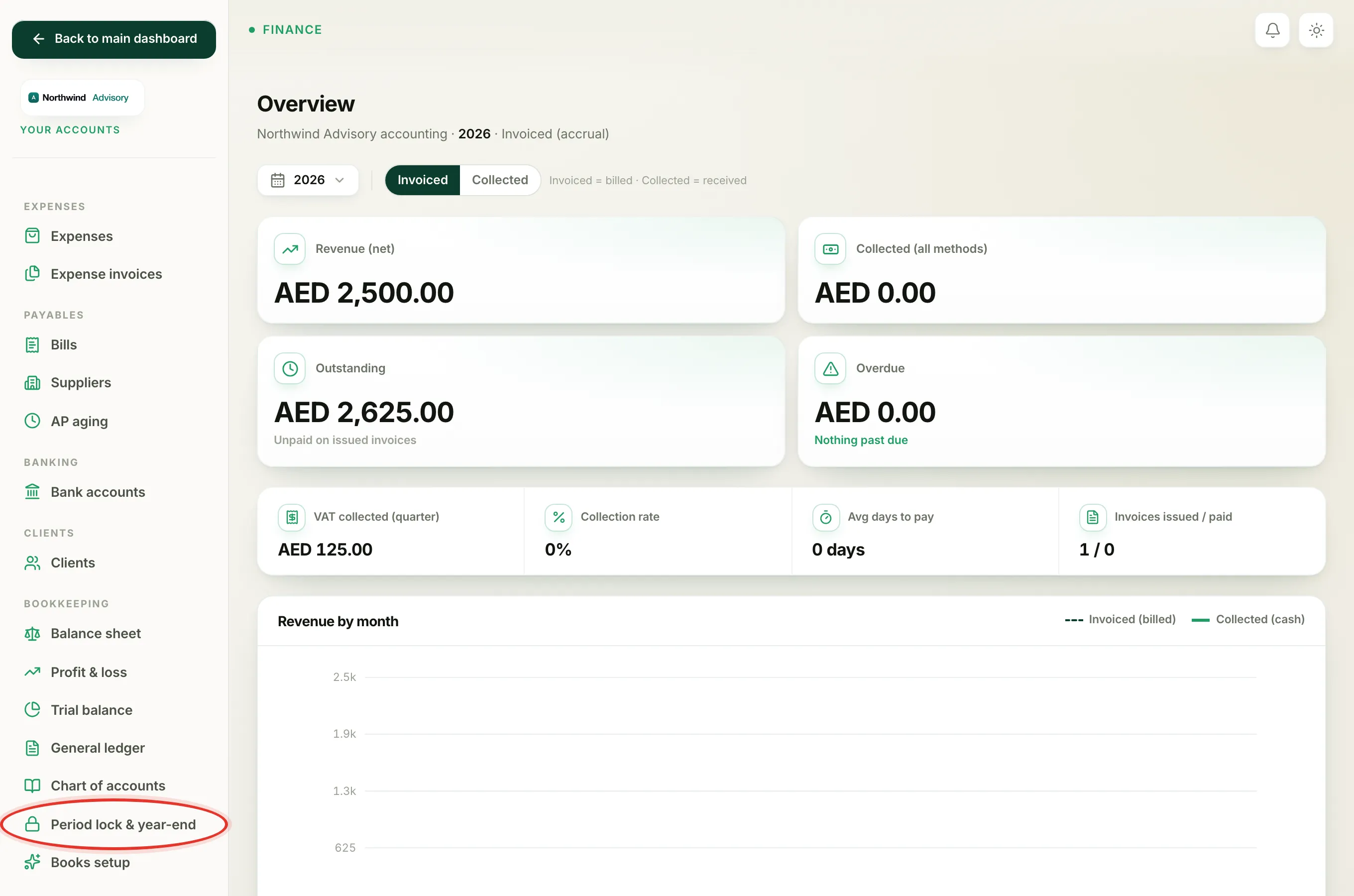
- Log in to your workspace.
- In the left menu, under Finance, click Your Accounts.
- In the accounting menu, under Bookkeeping, click Period lock & year-end.
The Closing date panel at the top shows the current state. If nothing is locked yet it reads Open, nothing is locked yet.
Set the closing date
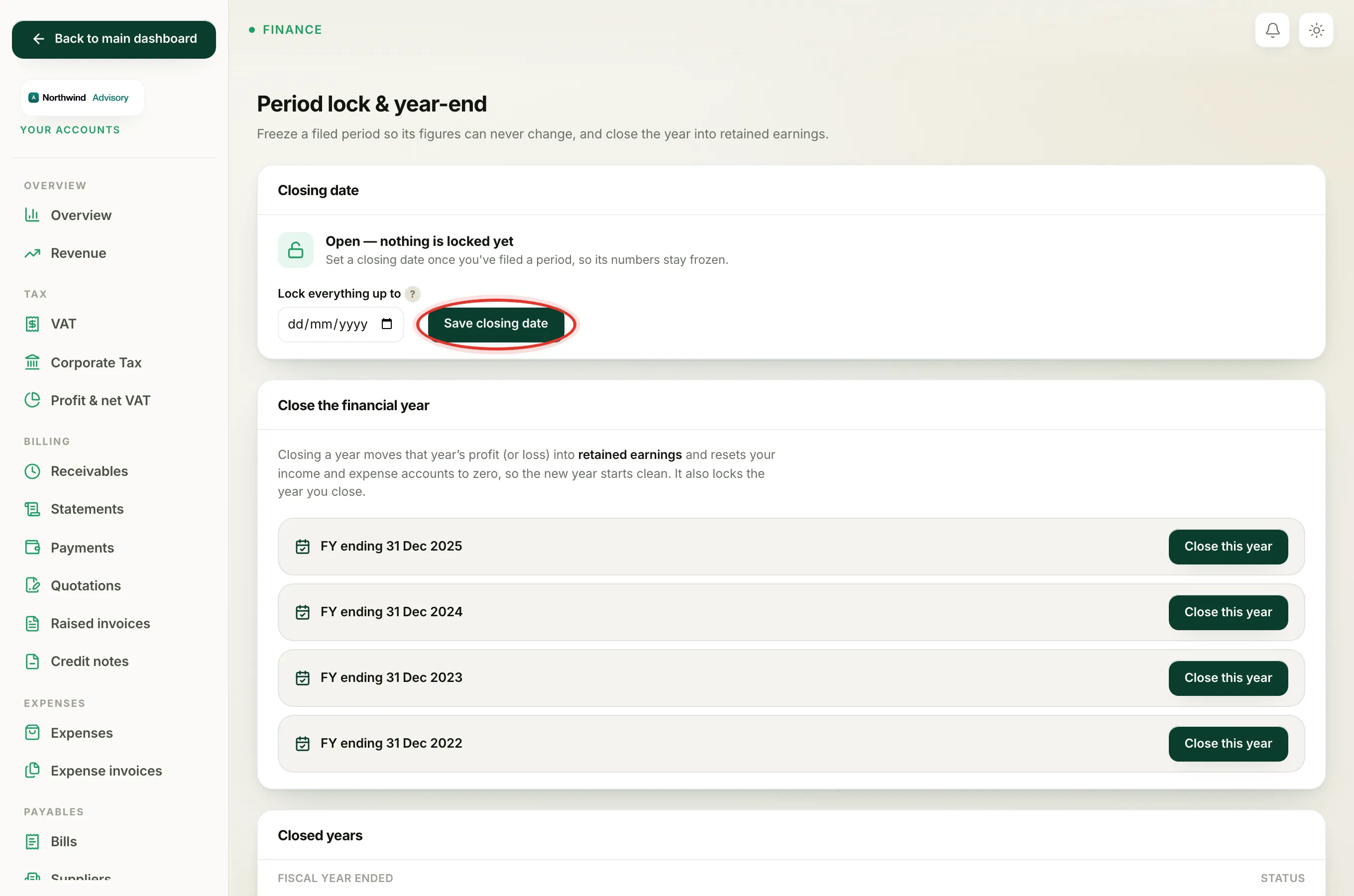
- In the Lock everything up to date box, pick the last day of the period you have filed. For a VAT quarter, that is the quarter-end date.
- Click Save closing date.
The panel changes to Books are locked through that date, with an amber lock. From now on, no entry dated on or before the closing date can be added, edited or deleted.
Important
The closing date can only be today or earlier, never a future date. Pick the end of a period that has actually finished and been filed.
What the lock does and does not stop
The lock only protects the past. You carry on working in the current open period exactly as before. If you find a mistake in a locked period, you do not reopen it and edit the old entry. Instead you post the correction in today's open period, so your filed figures stay untouched. For the message you will see if you try to save something into a locked period, read why you cannot post to a locked period.
Later on
When the next period is filed, come back and move the closing date forward to that period's end. If you ever genuinely need to correct a filed period, you can reopen a locked period, but only briefly and with care.
At the end of your financial year there is a bigger step. See close your financial year, which sweeps the year's profit into retained earnings and locks the year for you.