What Receivables shows
The Receivables report is your list of money still owed to your firm. It gathers every invoice that has been sent but not fully paid, adds up the balance still outstanding, and sorts it by how overdue each one is. It is the report to open when you want to chase unpaid invoices.
Note
Receivables and Payments are two sides of the same coin. Receivables is money still owed to you. Payments is money you have already received.
Open the report
- Log in to your workspace.
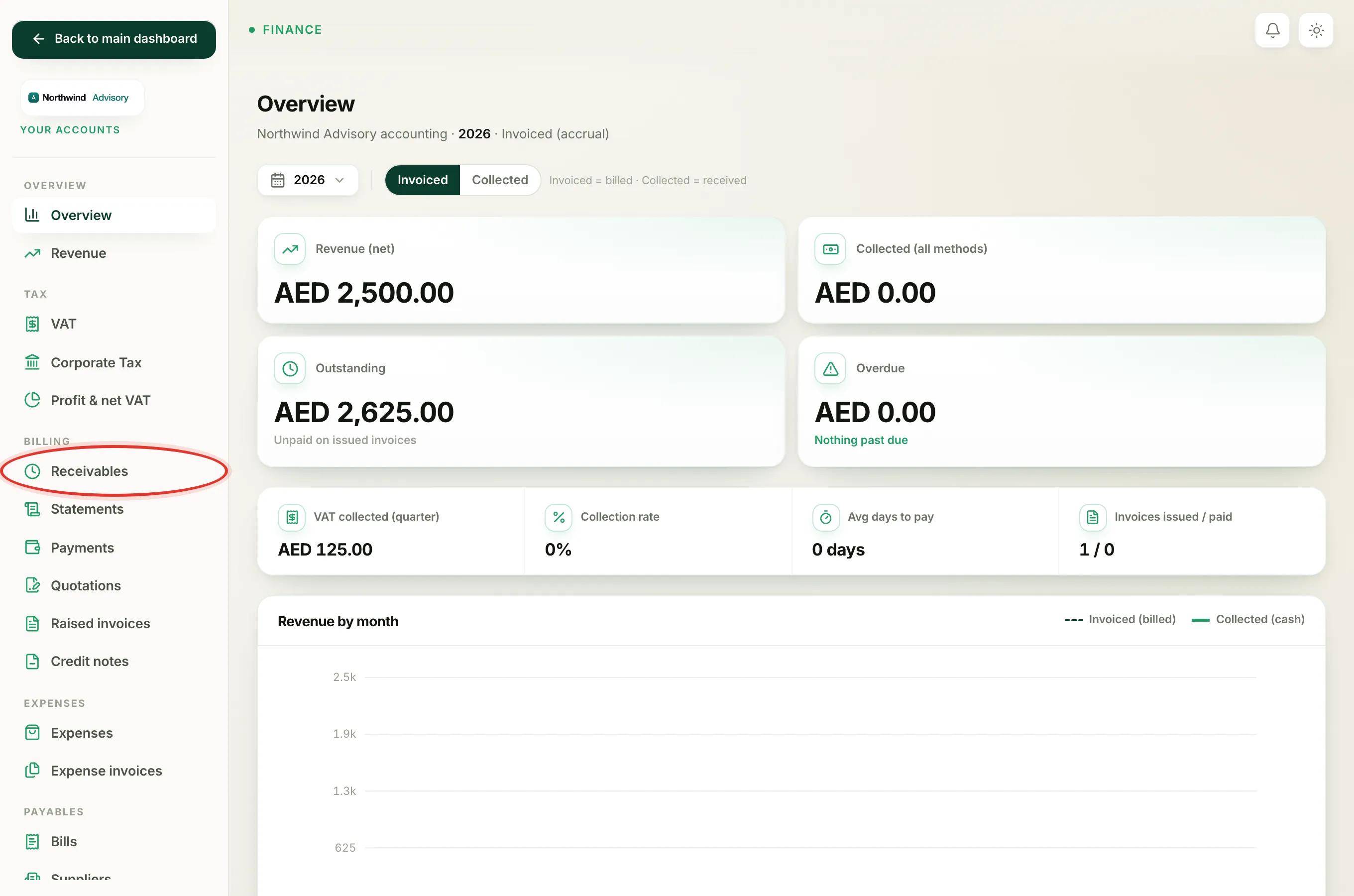
- In the left menu, under Finance, click Your Accounts.
- In the accounts menu, under Billing, click Receivables.
The report is aged as of today, so the numbers are always current.
The four tiles at the top
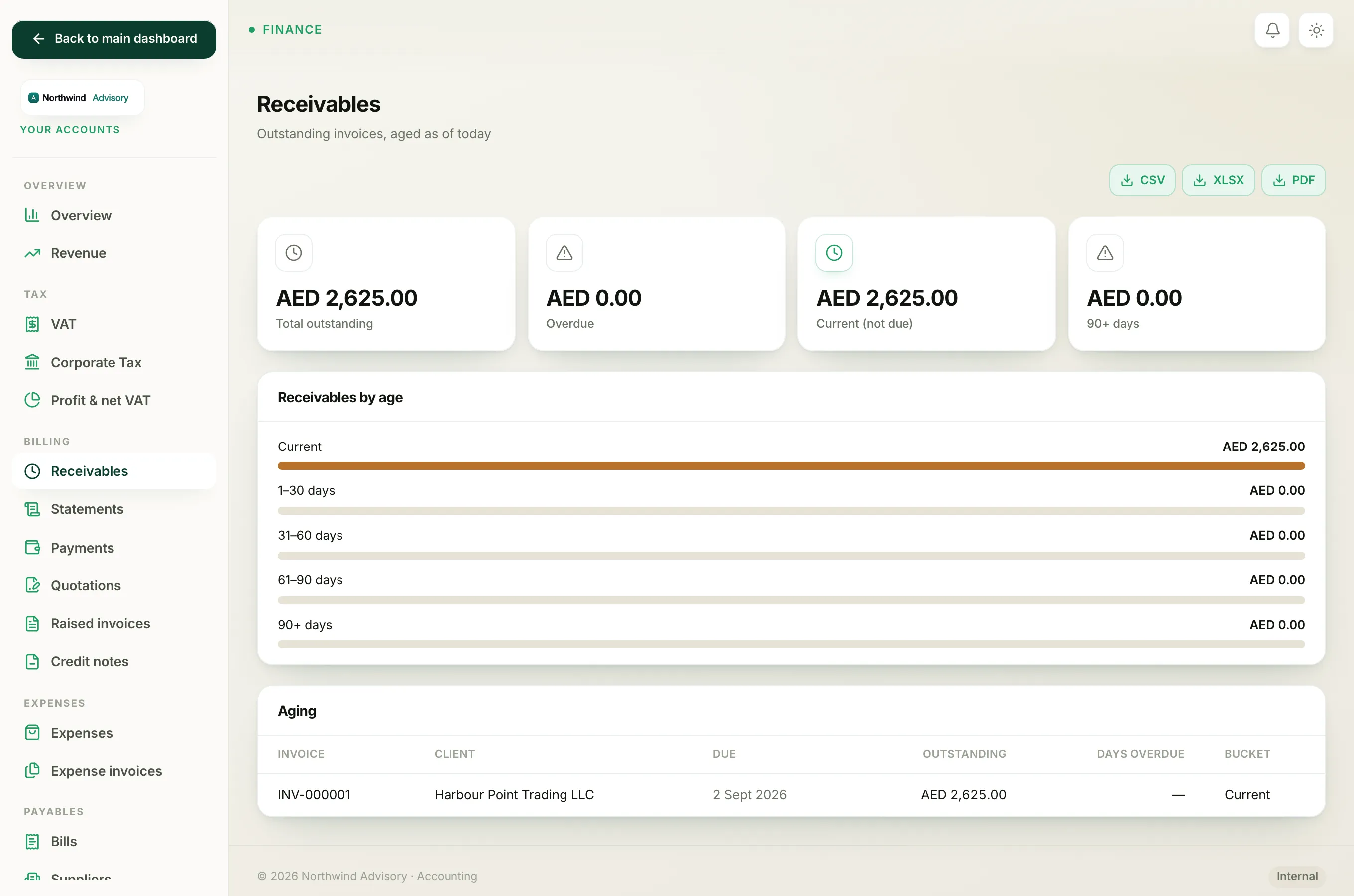
- Total outstanding is the full balance every client still owes you across all unpaid invoices.
- Overdue is the part of that total that is already past its due date. It turns red when there is anything overdue.
- Current (not due) is the part that is not overdue yet, so nothing to chase.
- 90+ days is the balance that is more than ninety days past due. It turns red when there is anything in it, because this is the money most at risk.
Receivables by age
Below the tiles, the Receivables by age bar splits everything owed into five age bands so you can see where the risk sits:
- Current means not due yet.
- 1-30 days means up to a month overdue.
- 31-60 days and 61-90 days are further behind.
- 90+ days is more than three months overdue.
The aging table
The Aging table lists each unpaid invoice, one per row, with:
- Invoice number.
- Client name.
- Due date.
- Outstanding, the balance still owed on that invoice. If a client has part-paid, this is only the remaining amount, not the full invoice.
- Days overdue. A dash means it is not overdue yet.
- Bucket, the age band it falls into.
The most overdue invoices sit at the top, so you always start with the oldest debt.
What is and is not counted
Only sent invoices with a balance still owing appear here. An invoice drops off this report the moment it is fully paid or cancelled, and drafts never appear because they have not been sent. This is why the due date matters: an invoice becomes overdue once its due date passes, which is thirty days after the invoice date. See why an invoice shows as overdue for how that date is set.
If everything is paid, the table shows "Nothing outstanding, all invoices are paid."
Export it
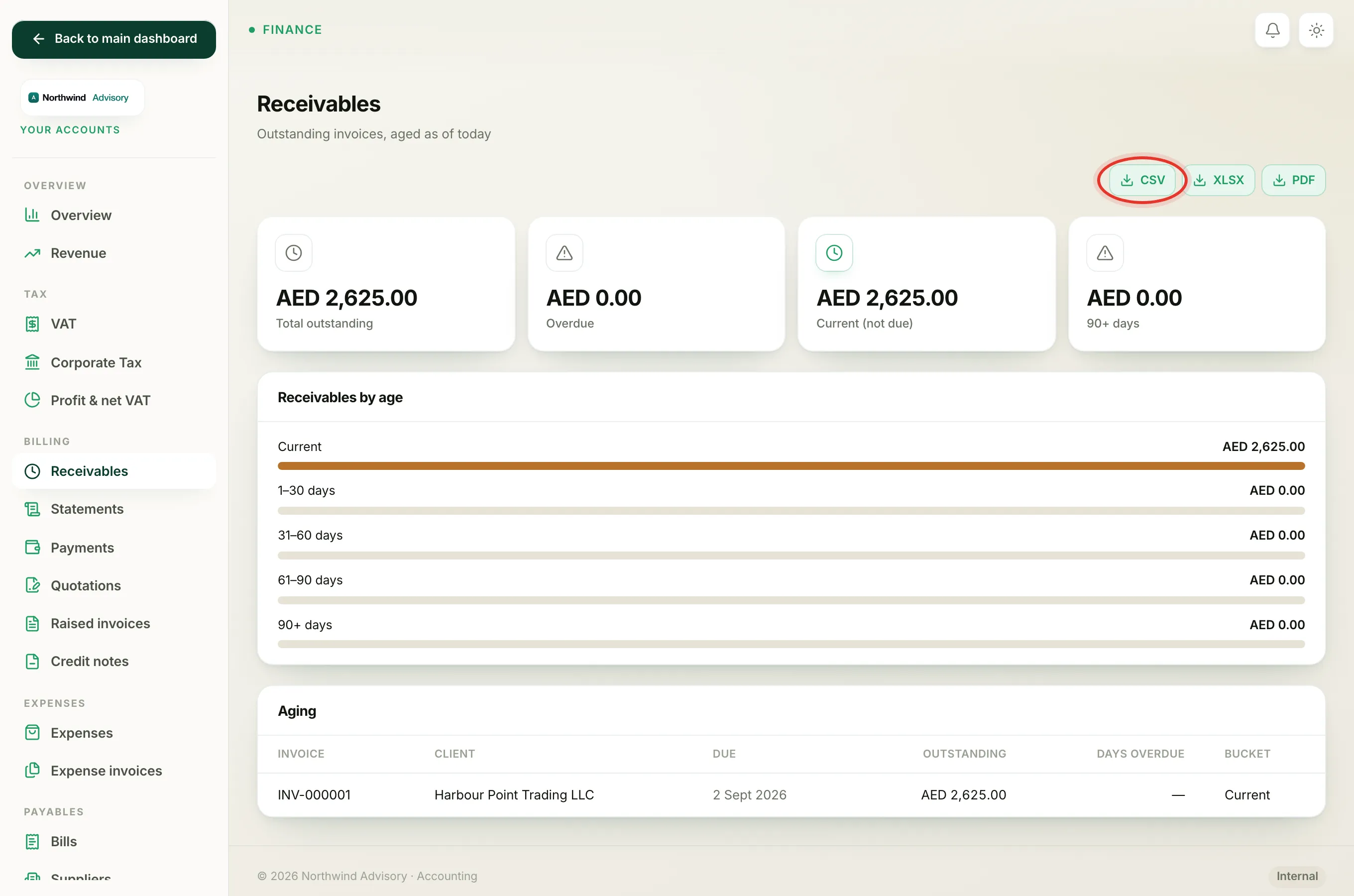
Use the export buttons at the top right of the filter bar to download the report as CSV, Excel or PDF, for example to attach to a collections email or hand to your accountant.
Note
Your Accounts, including this report, is only available to the firm owner. If a teammate cannot find it in their menu, see who can create invoices and record payments.