Recording a payment against an invoice is a money action, so it is limited to the roles that handle billing. If a teammate says the Mark paid button is missing, it is almost always their role or their access scope. This page explains who can record payments and how to fix a missing button.
Which roles can record payments
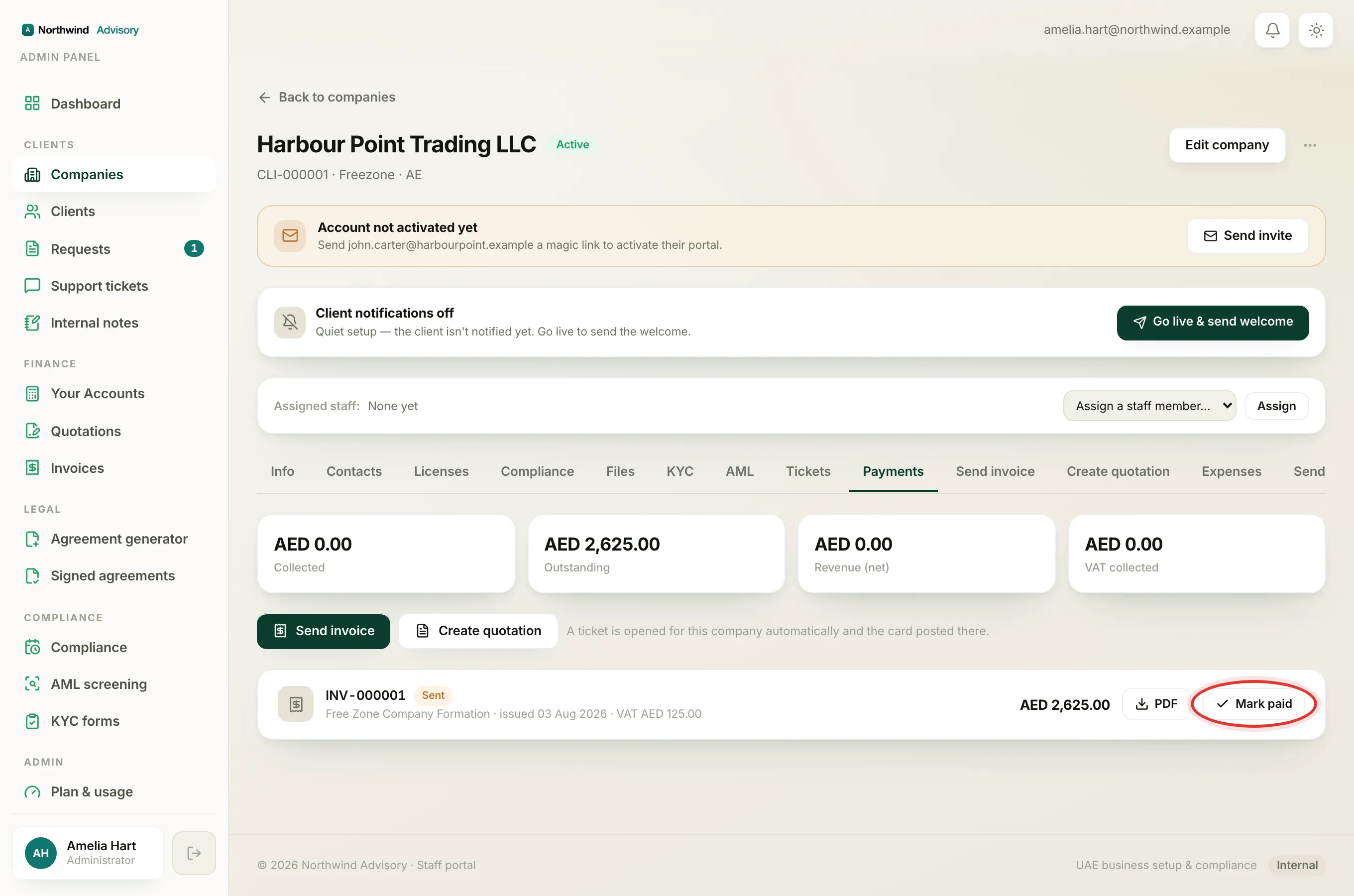
A person can record a payment and mark an invoice paid if their role holds the billing permission. These roles have it:
- Administrator can do everything, so recording payments is always allowed.
- Operations manager can record payments, on top of running the day to day.
- Case manager handles cases end to end, which includes requesting payment and marking invoices paid.
- Billing officer is the money-focused role. Recording payments is a core part of it.
The same permission also lets these roles request a payment inside a ticket and create invoices and quotations.
Which roles cannot
These roles do not have the billing permission, so they will not see the Mark paid button at all:
- Document officer, who is focused on paperwork, KYC and onboarding.
- Support agent, the lightest role, for ticket replies and documents only.
- AML compliance officer, a deliberately narrow role that only sees AML sign-off and none of your invoices.
To learn what each role can do, see Understanding staff roles and permissions.
Why a teammate can't see the button
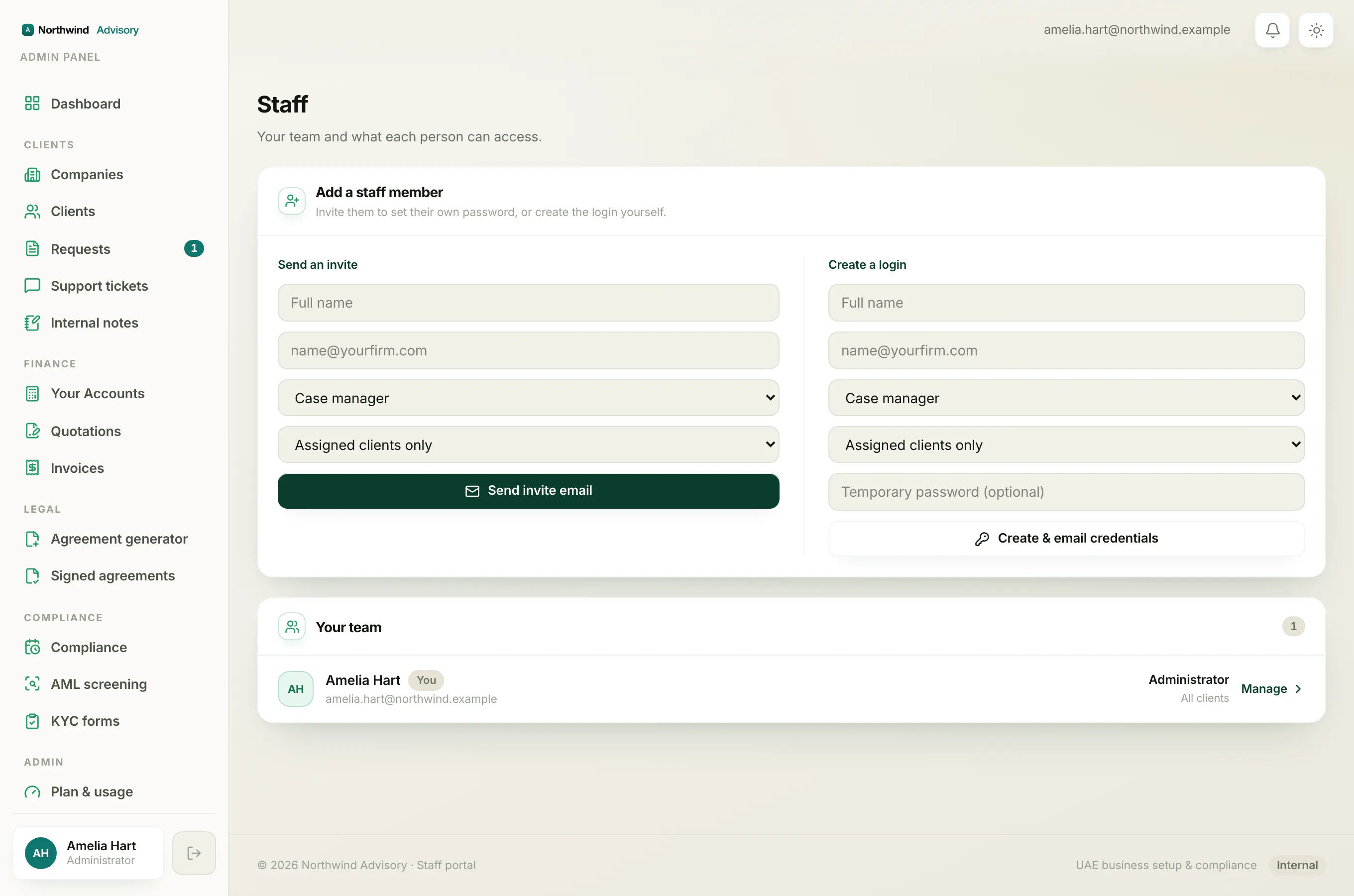
If someone should be able to record a payment but cannot, check these in order.
- Their role. If they are a document officer, support agent or AML compliance officer, the button is hidden on purpose. Give them a role that includes billing, such as billing officer or case manager. You change a role from the Staff page, under Admin then Staff.
- Their access scope. A person set to Assigned clients only sees just the companies handed to them. If the invoice belongs to a company they cannot see, they cannot open its Payments tab, so there is no button to press. Either assign that company to them or set their scope to All clients.
- The invoice is already settled. The Mark paid button does not show on an invoice that is already paid or cancelled, because there is nothing left to record.
Note
Only an administrator can change a person's role or scope. If you are not an admin, ask the firm owner to update it for you.