Why each line has a kind
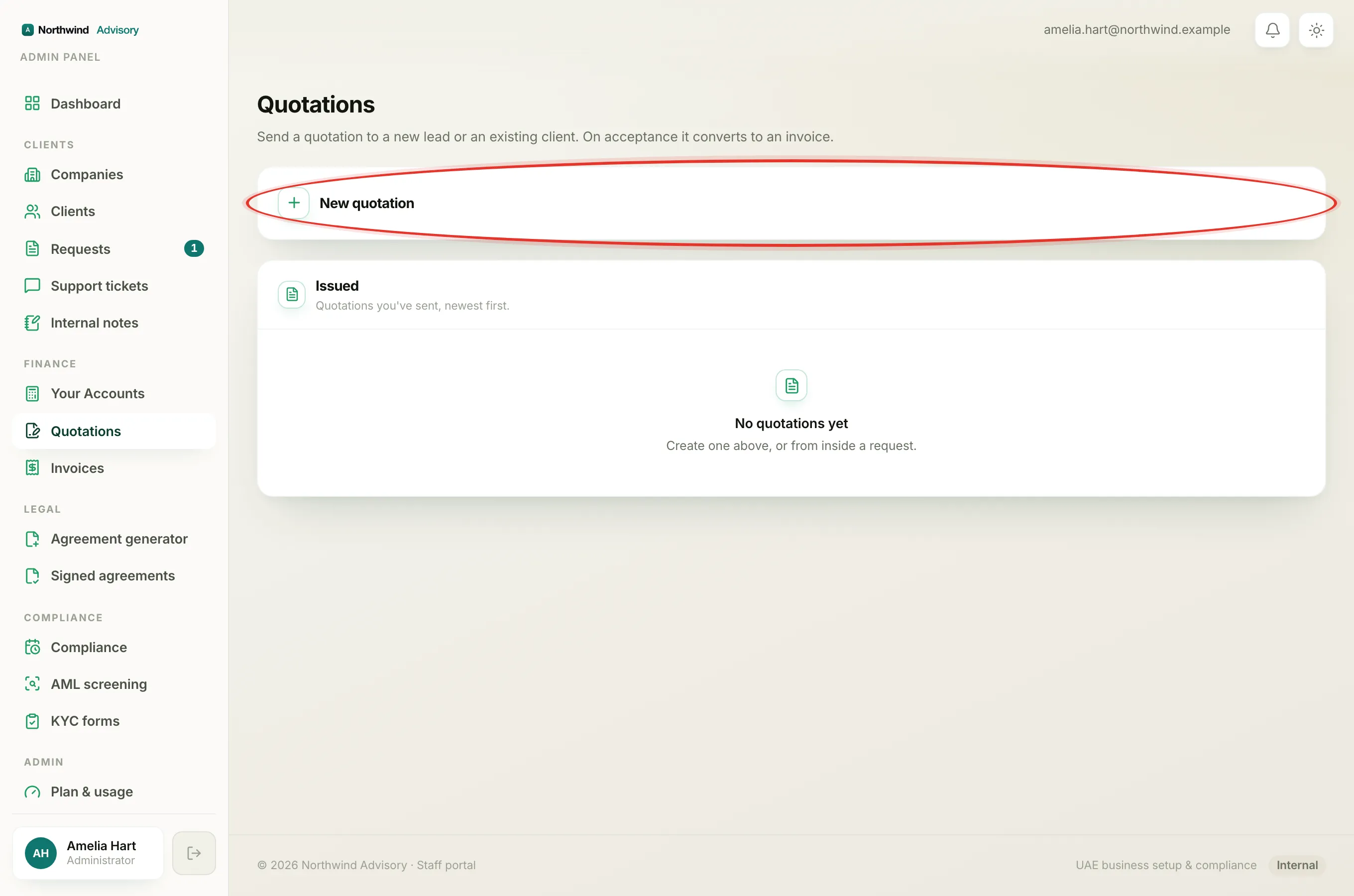
When you build a quotation, every line you add has a small dropdown that sets its kind. The kind tells IzzyTap what sort of charge the line is, which in turn controls whether 5% VAT is added. Getting the kind right keeps your totals correct and your quotation honest about which charges are your fee and which are simply passed on.
To see the dropdown: log in, then in the left menu under Finance click Quotations, click New quotation, and add a line. The kind dropdown sits on the same row as the quantity and rate.
The three kinds
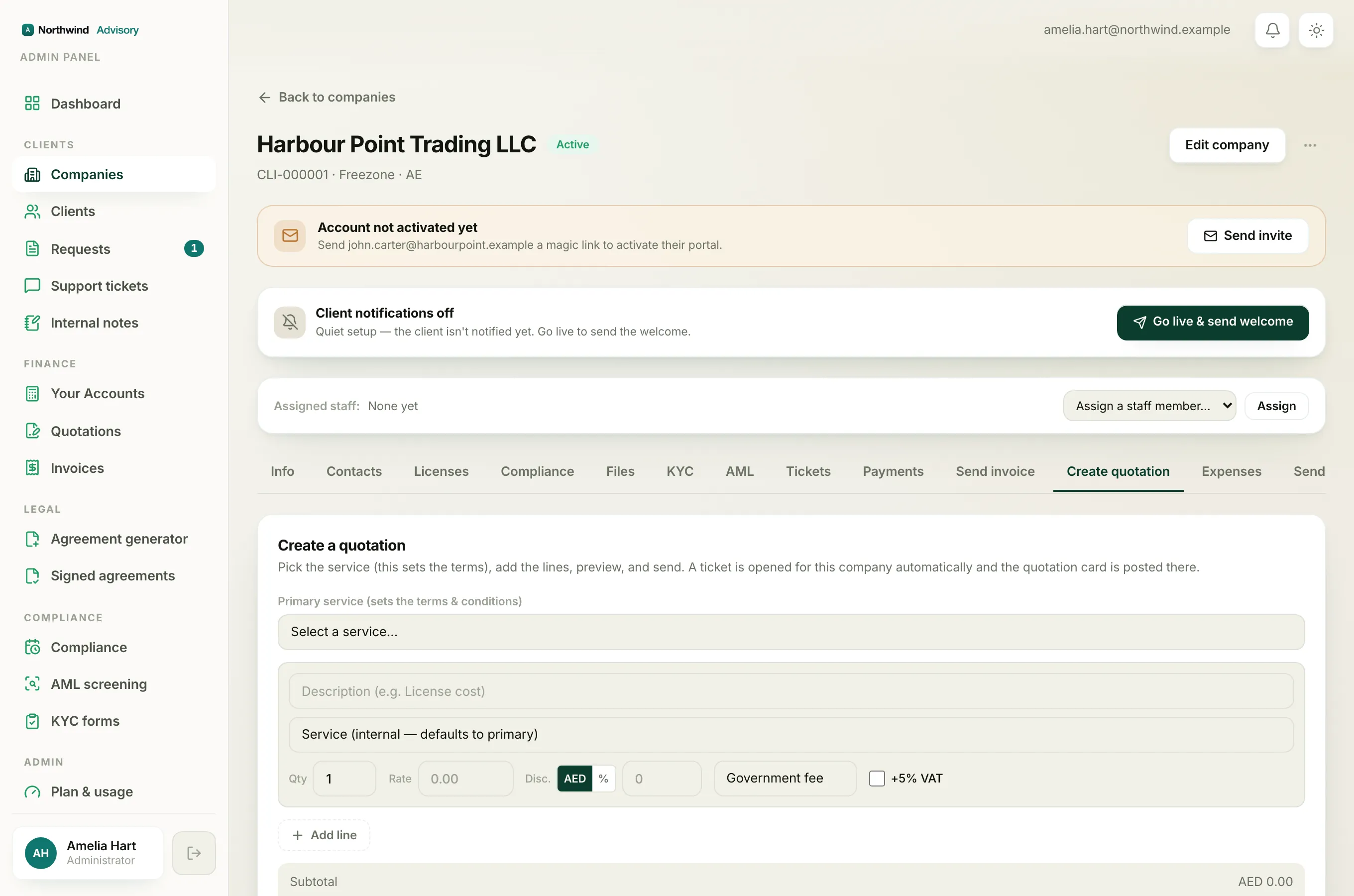
- Government fee. A charge that is not your money. It is a cost from a government or authority (a licence fee, an immigration fee, and so on) that you are passing straight through to the client. VAT is not added, because you are not charging your own service on it.
- Service charge. Your own professional fee for doing the work. This is your revenue. Because it is a service you are supplying in the UAE, it normally carries 5% VAT, so choosing this kind ticks the VAT box for you automatically.
- Other. Anything that does not fit the two above. VAT is not ticked automatically; you decide whether it applies.
Note
Choosing Service charge switches the +5% VAT tick on for that line by itself. If you switch a line back to Government fee or Other, the tick is cleared. This is just a helpful default.
The +5% VAT checkbox
Next to the kind dropdown is a +5% VAT checkbox. This is what actually decides whether 5% VAT is added to the line. The kind sets a sensible starting point, but the checkbox always wins, so you can override it.
For example, if a particular service charge is genuinely outside the scope of VAT, pick Service charge and then untick +5% VAT for that line. The VAT total at the bottom updates as you go. See Charging VAT on an invoice for how the 5% works.
The internal Service tag
Under each line's description there is a second dropdown labelled as the service for that line. This is different from the kind. It is an internal tag that says which of your services this line's money belongs to, so your revenue reports split correctly when one quotation bundles several services together.
Two things to know about it:
- It never prints on the quotation. The client does not see it. It is only for your own reporting.
- If you leave it alone, the line is counted under the primary service you chose at the top. You only need to set it when a line belongs to a different service than the primary one.
Tip
On a simple single-service quotation you can ignore the per-line service tag entirely. It matters most on a bundled quote, for example a company formation plus a visa, where you want each part to show up under the right service in your reports.
A quick example
Say you are quoting a free zone formation:
- A Service charge line for your professional fee, with +5% VAT ticked.
- A Government fee line for the free zone's licence cost, with no VAT.
The total the client sees adds VAT only on your fee, which is exactly right. If you need to knock money off, add a discount on the line rather than editing the rate. See Add a discount.