The Revenue report is the clearest view of what your firm is really earning. It keeps your own professional fees apart from government fees you only collect on a client's behalf, so your income is never overstated.
Open the report
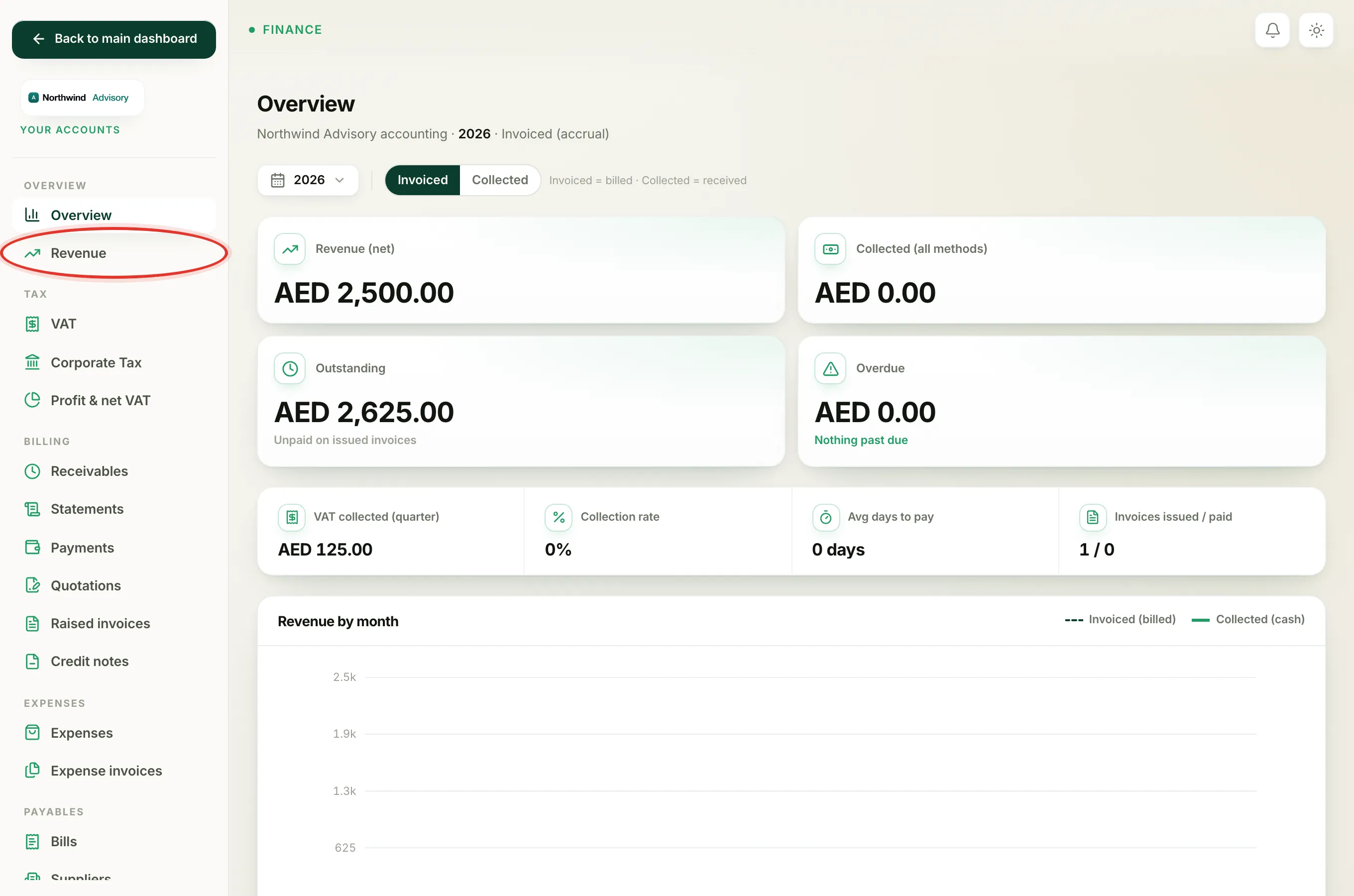
- Log in to your workspace.
- In the left menu, under Finance, click Your Accounts.
- In the accounts side menu, under Overview, click Revenue.
At the top you can choose the period and switch between the Invoiced and Collected basis.
The four figures at the top
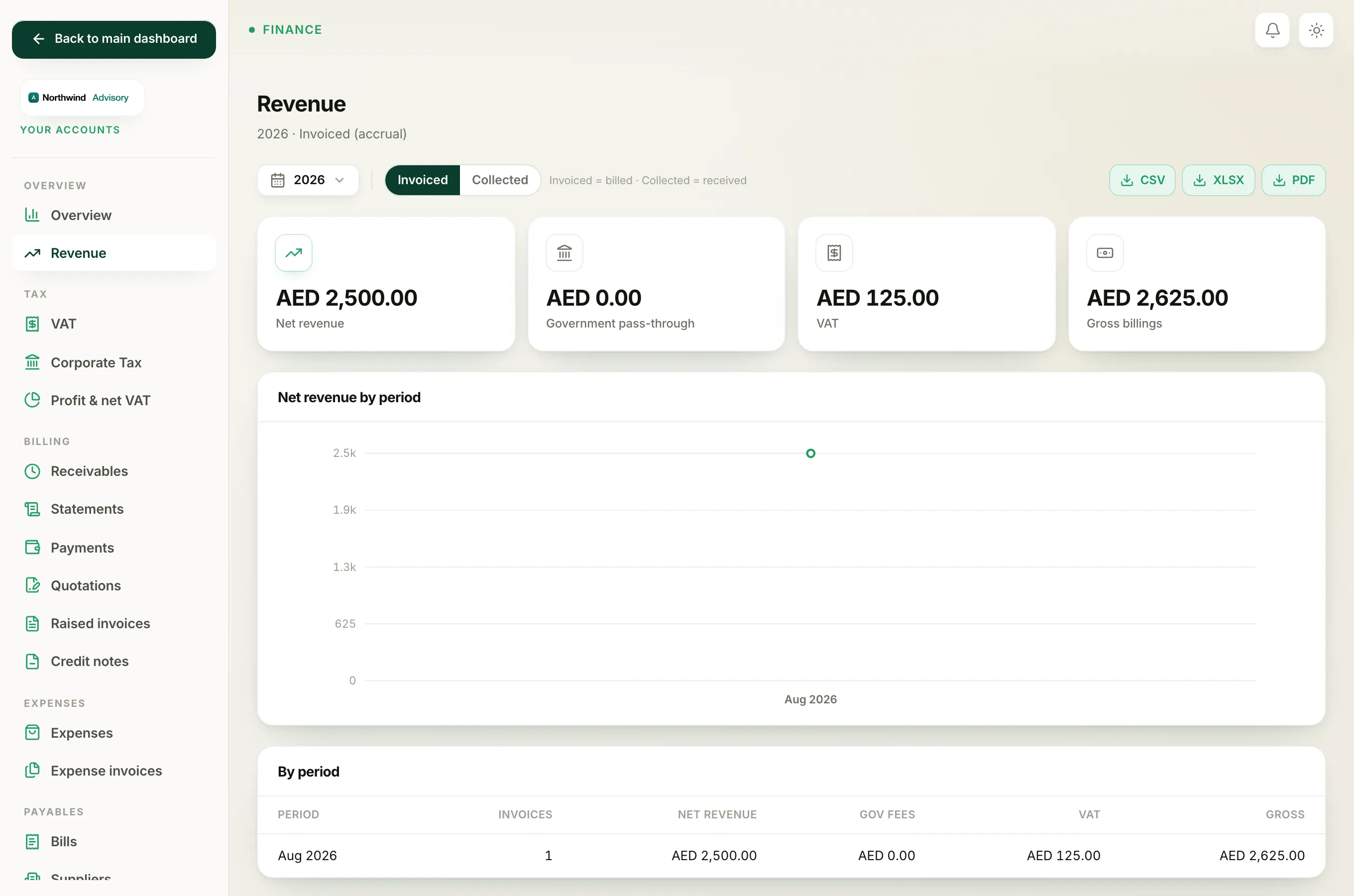
- Net revenue is your real income, the professional service fees you charge. This is the number that matters most.
- Government pass-through is authority and government fees you rebilled to clients. This is money you pass on, not income. See what government pass-through means.
- VAT is the output VAT you charged on your invoices.
- Gross billings is the total of everything you billed, that is net revenue plus government fees plus VAT.
The chart
The Net revenue by period chart plots your net professional-fee revenue only. Government fees are left out of the chart on purpose, because they can swing widely from month to month and would otherwise flatten the scale and hide the trend in your real income. The full breakdown, including gross, stays in the tables below.
The tables
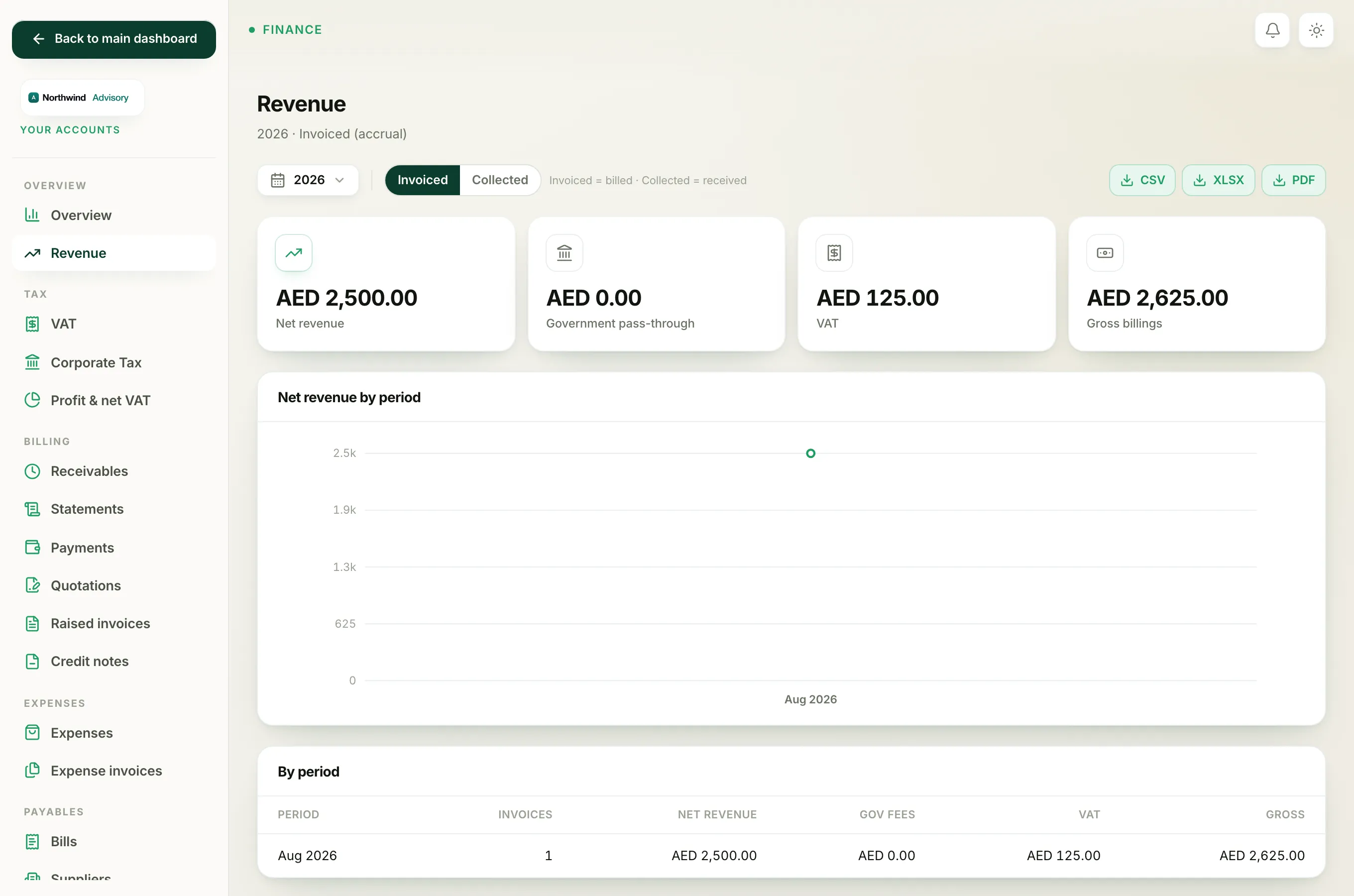
By period lists each month in the window with its invoice count, net revenue, government fees, VAT and gross.
By service shows how your net revenue splits across the services you sell, with each service's share as a percentage. If an invoice bundles more than one service, its revenue is divided correctly across those services, so the shares always add back up to the total.
By client shows net revenue per client, plus how much each client still has Outstanding, and each client's share of the total.
What counts
Only real, issued invoices are included. Drafts and cancelled invoices are never counted. On the Collected basis, only fully paid invoices count, and each is placed in the period it was paid.
Export it
Use the CSV, XLSX or PDF buttons at the top right to download the report for the period and basis you are viewing.