The three company statuses
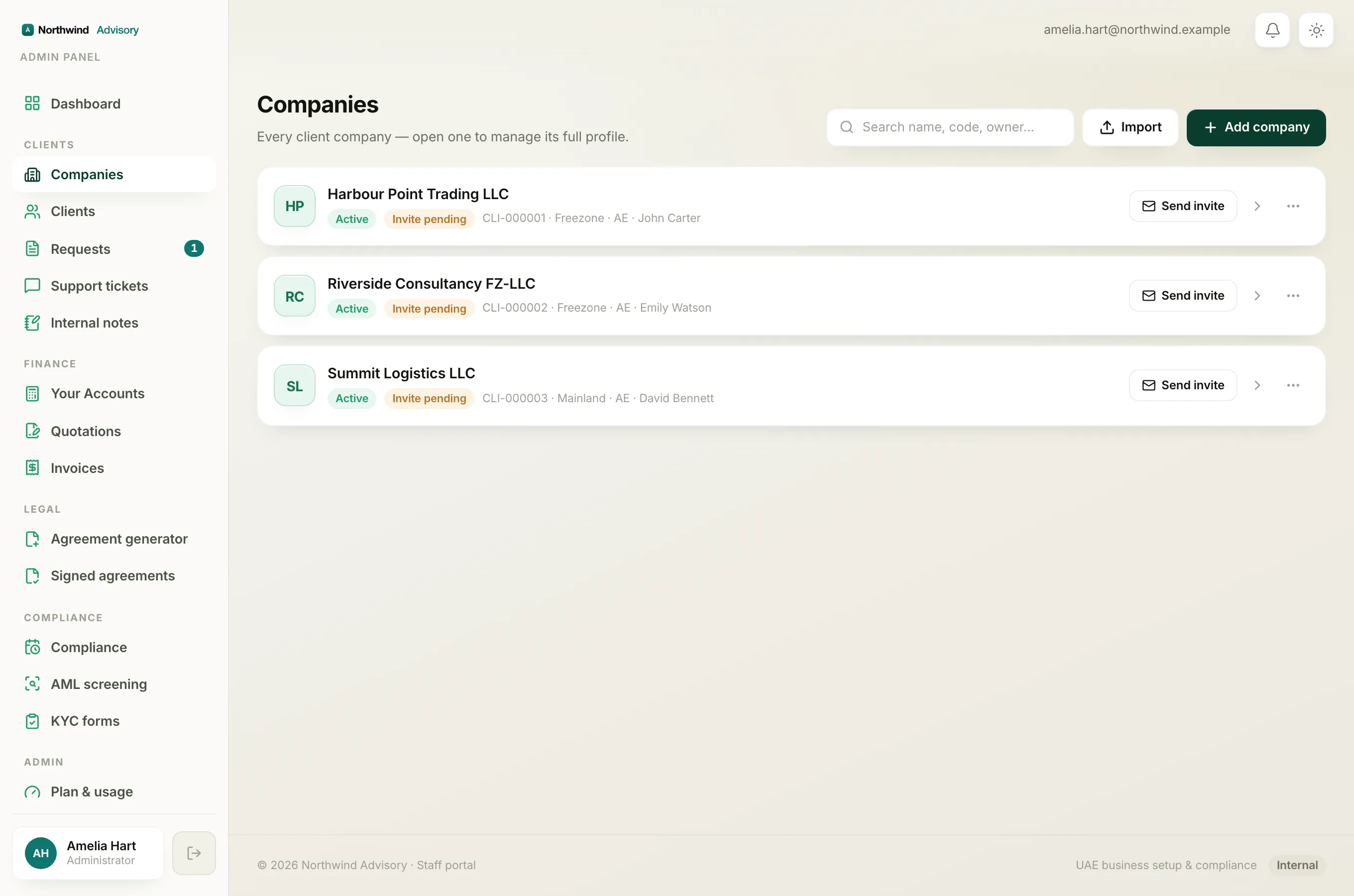
Every company on your workspace is always in one of three states. You can see the status as a small coloured chip on each company card, and again at the top of the company's own page.
- Active (green Active chip). This is the normal state. The client can use their portal, their services run as usual, and compliance reminders are sent.
- Suspended (red Suspended chip). The company is paused. Portal access, services and compliance reminders are all switched off for that client. Nothing is deleted, and you can turn it back on at any time.
- Archived (grey Archived chip). The company is retired. It is hidden from your main list, but every record is kept and it can be restored later.
Note
Inside the system the suspended state is stored as "blocked", so you may see that word in an audit entry. On screen it always reads Suspended.
Where you see the status
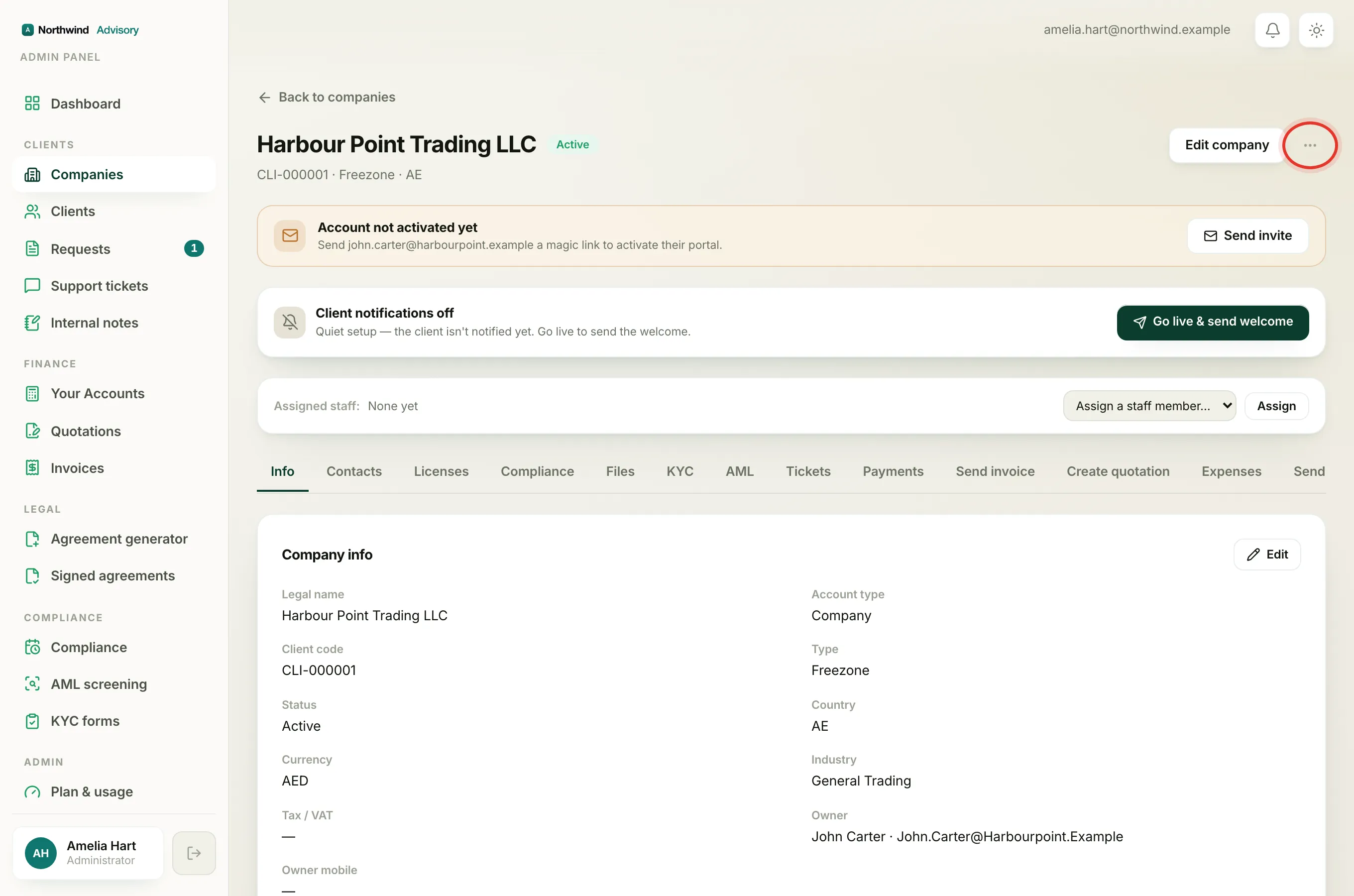
- Log in to your workspace.
- In the left menu, under Clients, click Companies.
- Each card shows the status chip next to the company name. The company page (open a company to reach it) shows the same chip at the top, beside the Actions menu.
What each status changes
Active
- The owner and contacts can sign in to their portal.
- Requests, invoices, KYC and documents all work normally.
- Licence, visa and filing reminders keep going out.
Suspended
- The client's portal access is paused, so they cannot sign in to that company.
- Services are paused.
- Compliance reminders stop while the company is suspended.
- All data stays exactly as it was. Re-enabling brings everything back. See Suspend a company (and re-enable it).
Archived
- The company drops out of the default Companies list.
- It no longer clutters your active view, but nothing is lost.
- You can bring it back with all records intact. See Archive a company (and restore it).
Chips that are not a status
Two other chips can appear on a company card. They are not the company status:
- Invite pending (amber). This is about the owner's login, not the company. It means the owner has not yet activated their portal account. See Client statuses and how they joined.
- Individual (grey). This marks the account as a person rather than a company. See Individuals vs companies.
Tip
Status is about the company workspace. A person's ability to sign in is tracked separately, so a company can be Active while its owner is still "Invite pending", or a login can be blocked while the company stays Active. See Suspend or restore a client's login.