What the Heads up note is
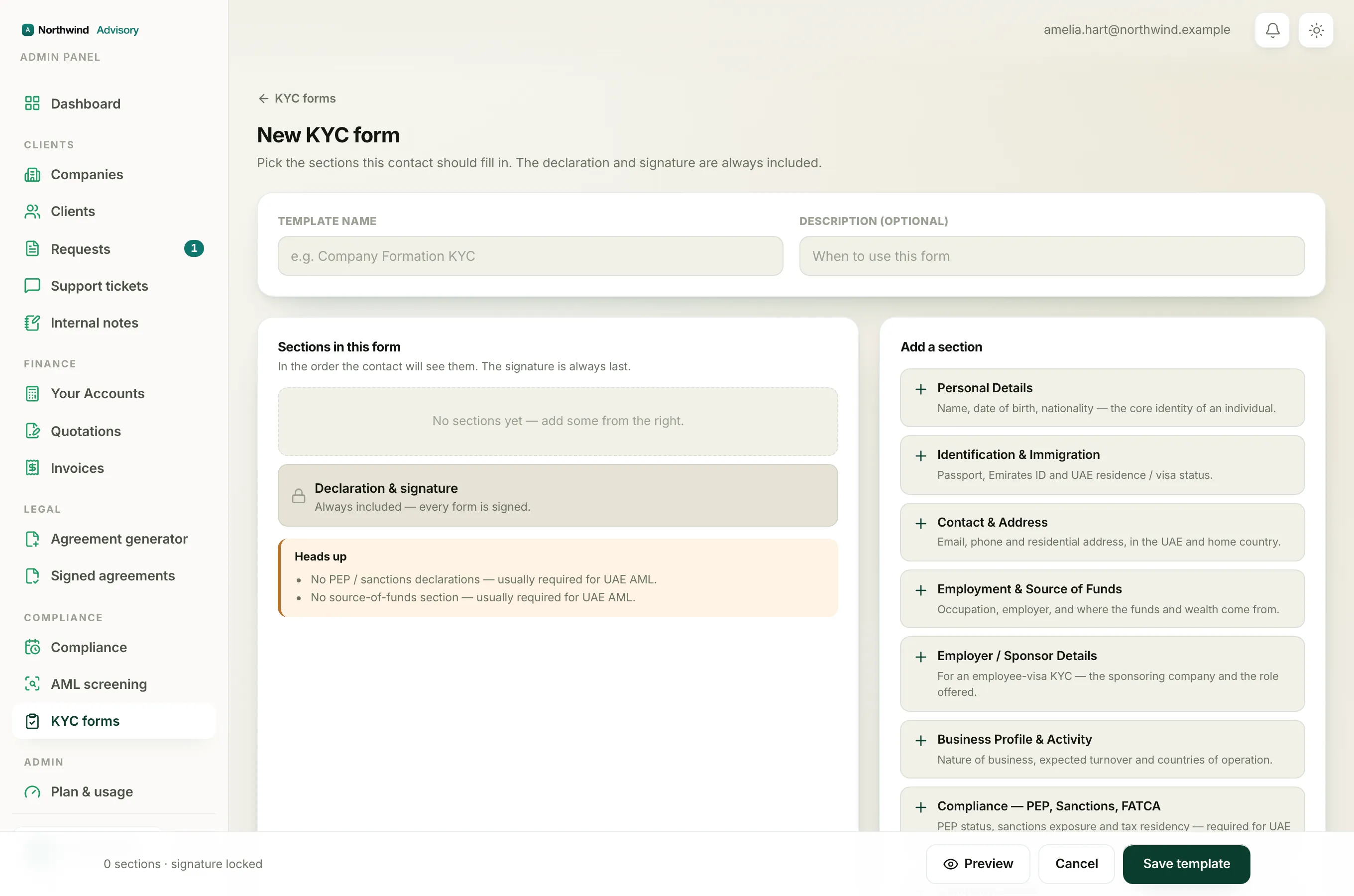
While you build a KYC form, IzzyTap watches the sections you have chosen. If you leave out a section that a UAE KYC usually needs, an amber box headed Heads up appears under your list of sections, with a short reminder for each missing piece.
It is only a reminder. It never stops you. You can still save the form and send it exactly as it is. Some firms deliberately use a shorter form for a low-risk case, so IzzyTap points out what is missing but leaves the choice to you.
The three reminders
You may see any of these in the Heads up box:
- "No PEP / sanctions declarations, usually required for UAE AML." This shows when your form has no Compliance, PEP, Sanctions, FATCA section. That section asks whether the person is a Politically Exposed Person, deals with sanctioned countries, and similar declarations.
- "No source-of-funds section, usually required for UAE AML." This shows when your form has no Employment & Source of Funds section, which asks where the person's money and wealth come from.
- "A company form with no UBO declaration, UBO disclosure is mandatory in the UAE." This shows only when your form has a Company Details section but no Ultimate Beneficial Owner (UBO) section. In the UAE you must record who ultimately owns or controls a company.
How to clear a warning
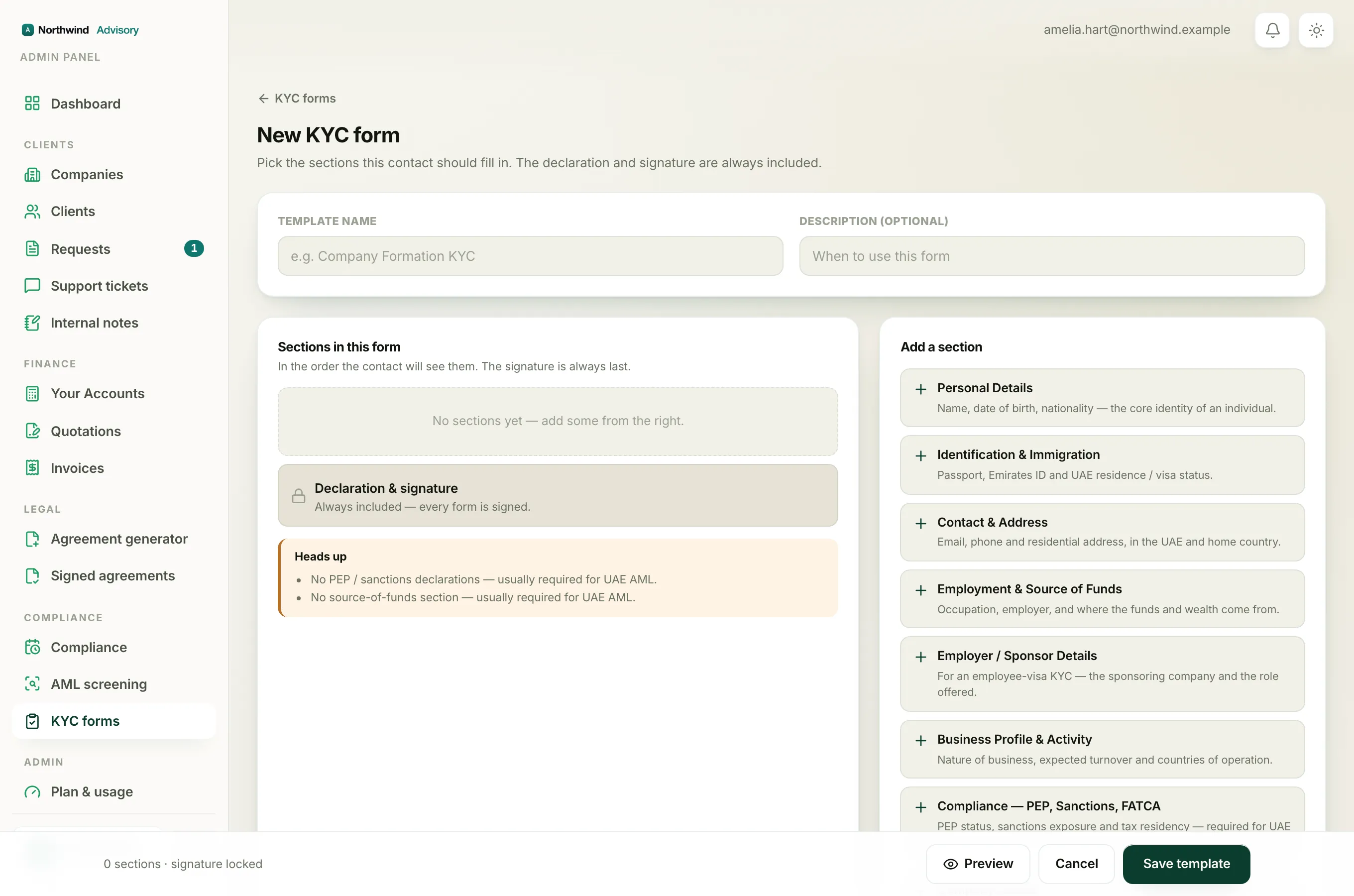
If you want a reminder to go away, add the section it is asking for.
- On the right, under Add a section, find the section named in the reminder, for example Compliance, PEP, Sanctions, FATCA, Employment & Source of Funds, or Ultimate Beneficial Owner (UBO).
- Click it to add it to your form.
The Heads up note updates as you add sections, and disappears once nothing important is missing.
Important
The Heads up note is about what your form asks for. It is not a background check. To actually screen a person against sanctions, PEP and adverse-media lists, run an AML screening. See Run an AML screening.
For the full list of what each section collects, see Every KYC form section and what it collects. To build the form itself, see How to build your own KYC form.