Why re-screen
An AML check is a snapshot of the day you ran it. Sanctions lists, PEP records and adverse media change over time, so a person who was clear last year may appear on a list today. Most firms re-screen for one of two reasons:
- Periodic review: a routine re-check of an existing client on a set schedule.
- Trigger event: something has changed, such as a new shareholder, a change of activity, or news about the person.
Each time you run a check, IzzyTap saves a new, separate screening record. Re-screening never overwrites the earlier one, so you keep the full history of every check you have run on that person.
Re-check a contact on a company
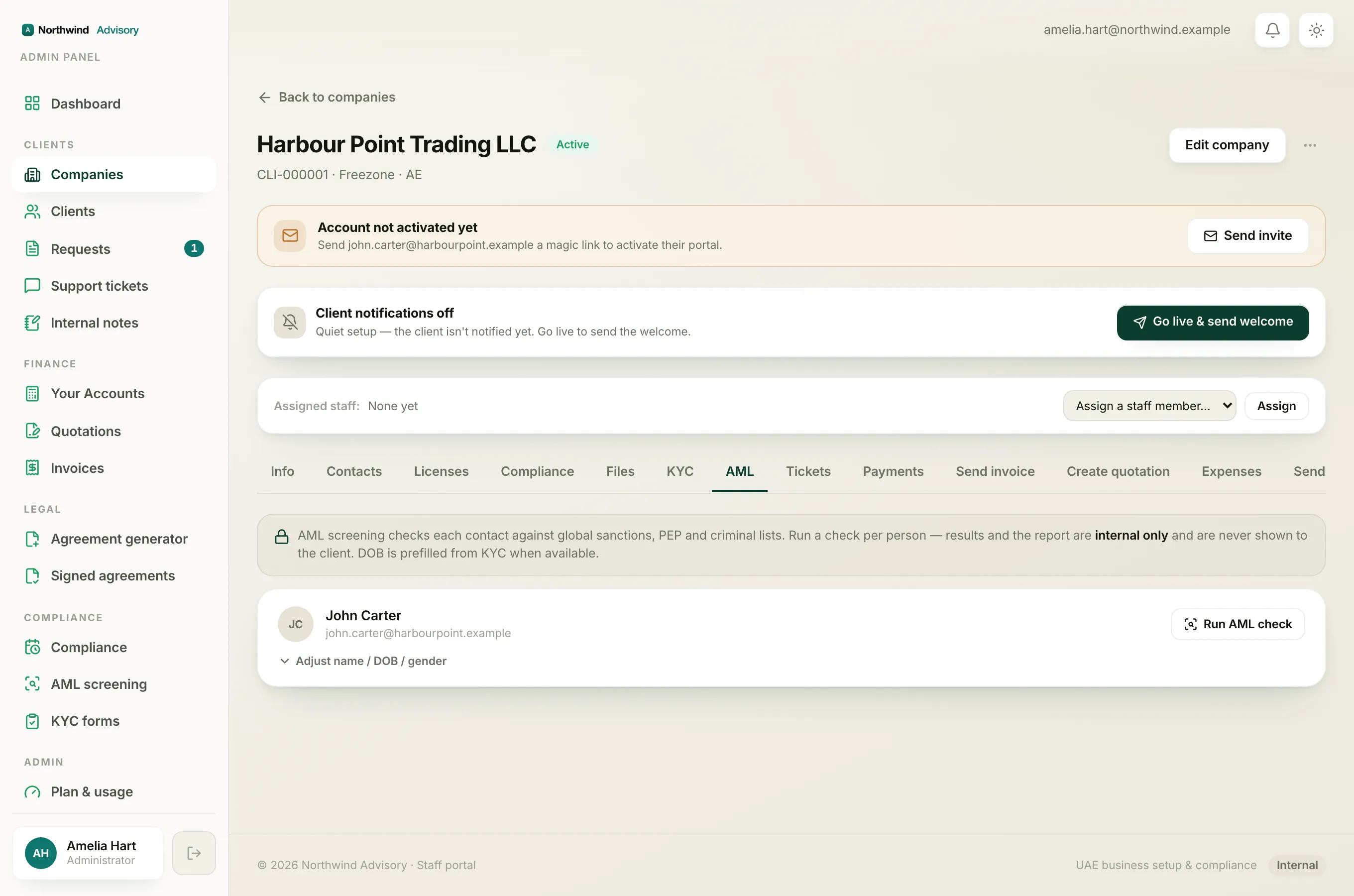
Use this when the person is a contact of a company you already have on file.
- Log in to your workspace.
- In the left menu, under Clients, click Companies, then open the company.
- Open the AML tab.
- Find the contact. Because they have been screened before, the button reads Re-check instead of Run AML check.
- If any detail has changed, click Adjust name / DOB / gender and correct it before you run.
- Click Re-check. The button shows "Screening..." while it works, then the new result and status chip appear.
Tip
Adding a date of birth makes a big difference. It is the single most useful detail for ruling out people who happen to share the name, so a check with a DOB returns far fewer alerts to review. The DOB is prefilled from KYC when it is on file.
Re-screen from the AML workspace
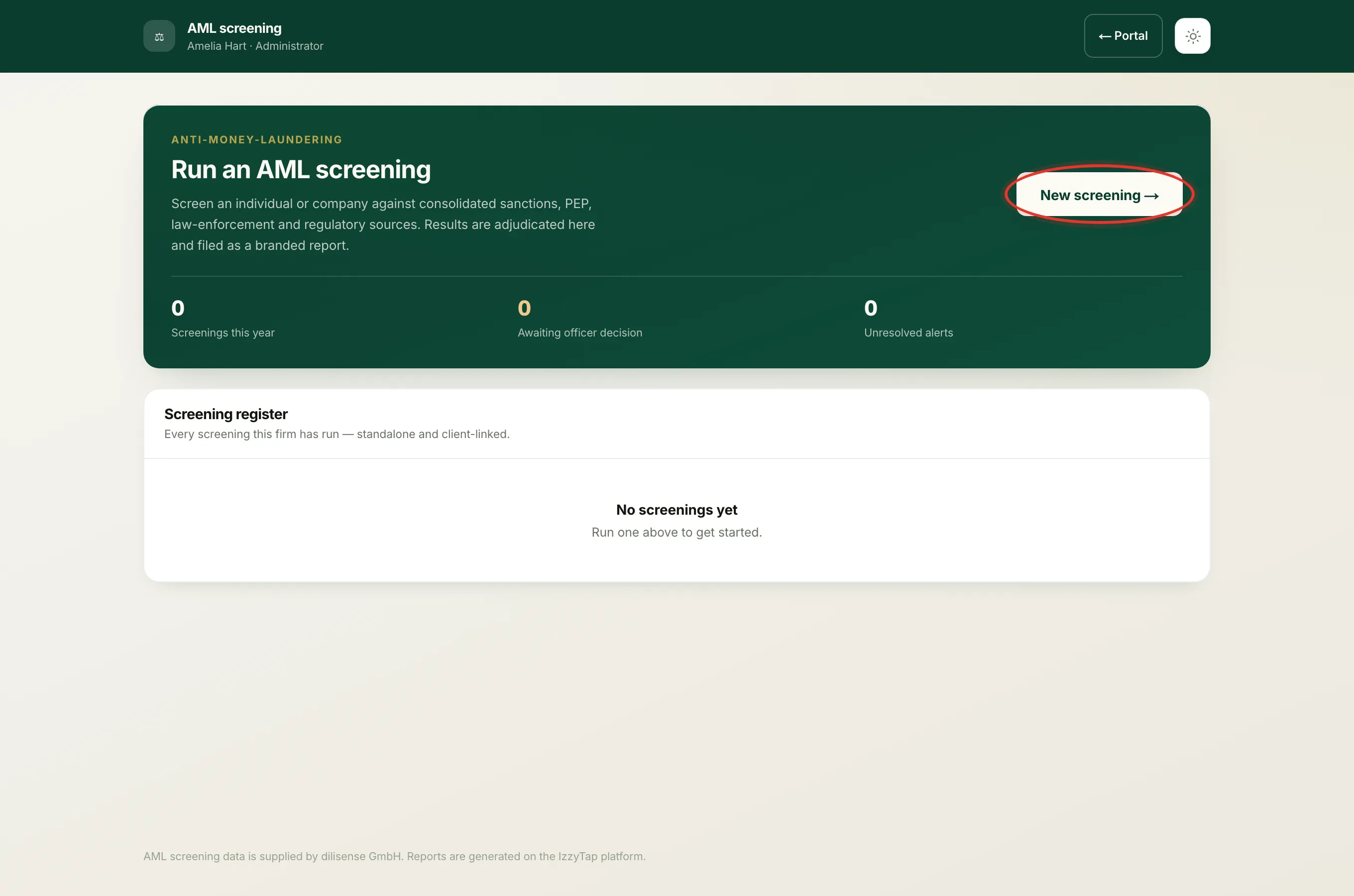
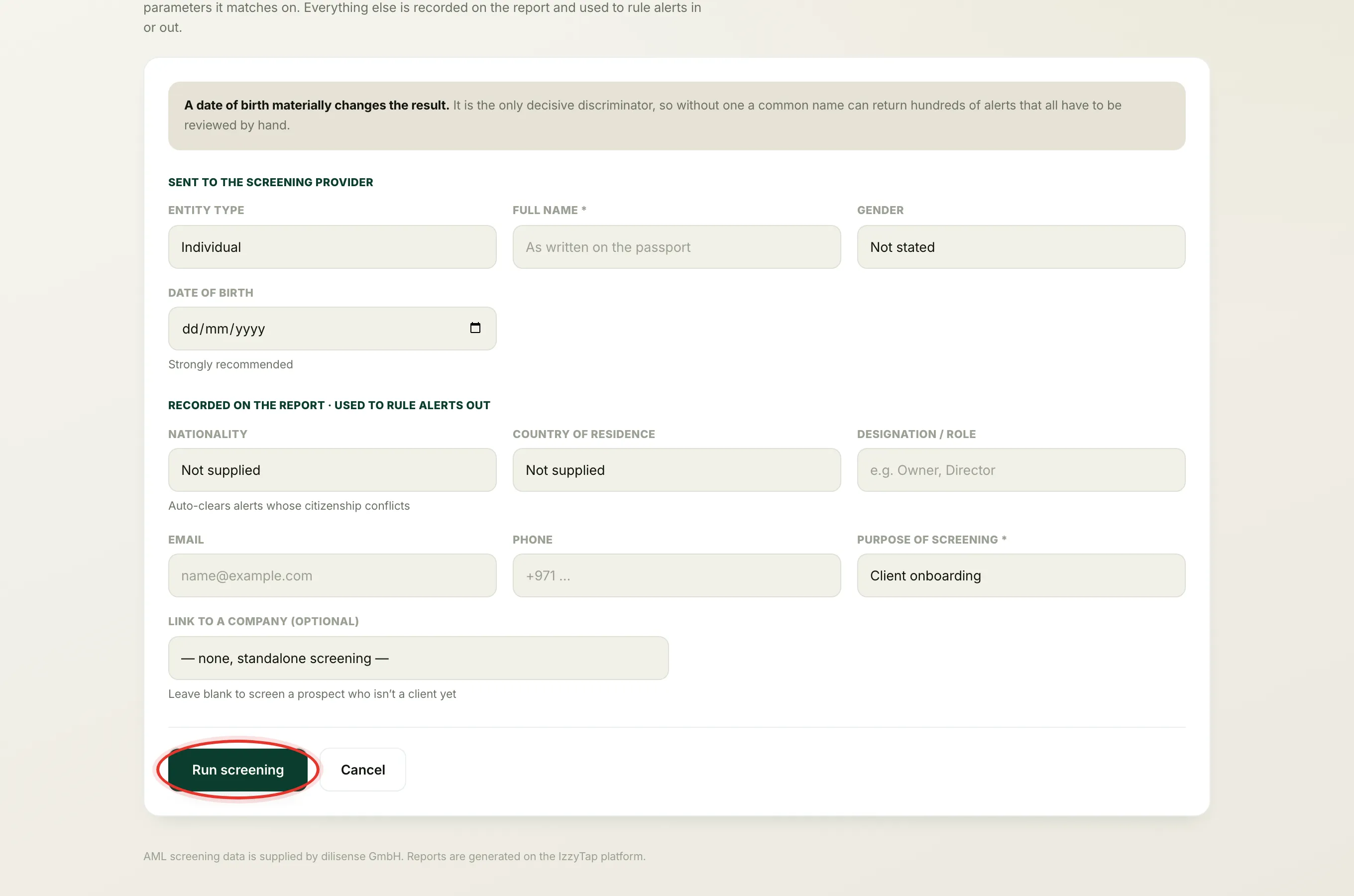
Use this for a fresh, standalone check, including a prospect who is not a client, or when you want to record the purpose of the review.
- Log in to your workspace.
- In the left menu, under Compliance, click AML screening.
- Click New screening.
- Fill in the name, and ideally the date of birth and gender, which are the details sent to the screening provider.
- Under Purpose of screening, choose Periodic review or Trigger event so the reason is recorded on the report.
- Optionally link it to a company under Link to a company.
- Click Run screening. A short progress screen runs while the check completes, then the new report opens.
"Just screened, wait a moment before running it again"
To protect the screening service, there is a short cooldown after each check on the same contact. If you click Re-check again within about half a minute, you will see this message. Wait a few seconds and try again.
Who can re-screen
Running a check needs the same permission as running the first one. If you do not see the Re-check or New screening controls, your role may not include running AML. See Why you can't run, refer or open a screening and Two ways to run an AML check.