What closing a year does
Closing a financial year is the last step of your bookkeeping year. When you close a year, IzzyTap does three things for you:
- It works out the year's profit or loss.
- It moves that profit or loss into your retained earnings account (the owner's built-up stake in the business).
- It resets your income and expense accounts back to zero, so the new year starts with a clean slate.
Closing a year also locks it. Once a year is closed, nothing dated in that year can be changed. This keeps your filed figures safe.
Note
This only applies if you keep your books in IzzyTap. If your books are not switched on yet, this screen will show a setup message instead. See Corporate Tax needs your books switched on.
Before you start
A year can only be closed after it has fully finished. IzzyTap uses your firm's financial year start month to work out when each year ends. A year that is still running will not appear in the list.
It is good practice to reconcile your bank and finish recording the year's invoices, payments, bills and expenses before you close, so the profit that gets swept across is complete.
Close the year
- Log in to your workspace.
- In the left menu, under Finance, click Your Accounts.
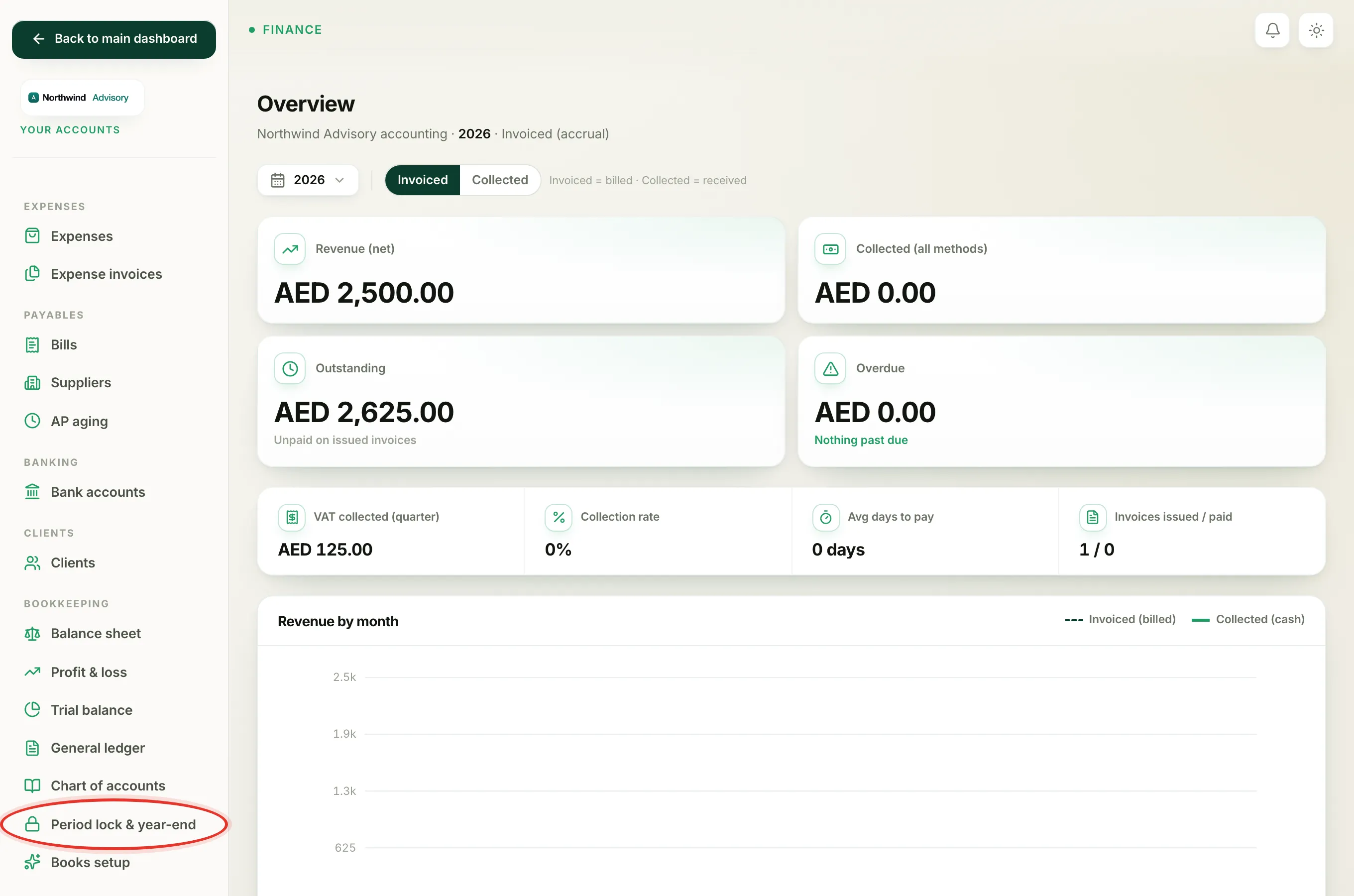
- In the accounts menu, under Bookkeeping, click Period lock & year-end.
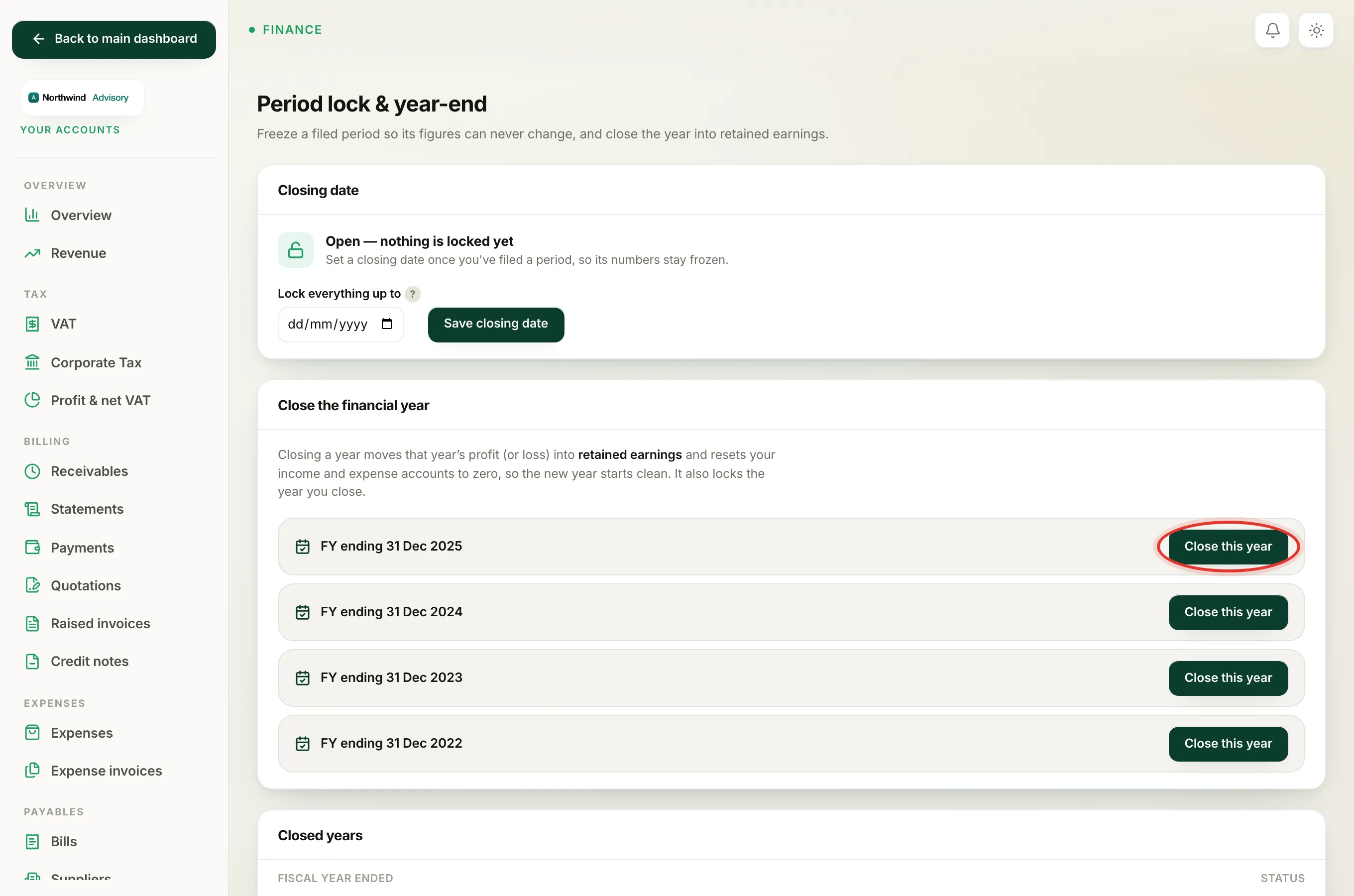
- Scroll to the Close the financial year panel. Every finished year that has not been closed yet is listed here, newest first, each shown as FY ending with its end date.
- Find the year you want to close and click Close this year.
You will see a green confirmation that the year's profit was swept to retained earnings and the period was locked. The year then moves into the Closed years panel below, with a green Closed & locked chip.
What changes on your reports
After closing, your income and expense accounts read zero from the start of the new year, so your profit & loss report for the new year starts fresh. The profit you built up now sits inside retained earnings on your balance sheet. Nothing is deleted, and you can still open the old year's figures in the general ledger.
Good to know
- You can catch up. If you skipped a year, IzzyTap offers the last few finished years, so you can close them one at a time, oldest first.
- Closing sets a lock. Closing a year moves your closing date forward to that year's end. From then on, no entry dated on or before that date can be posted. This works just like the closing date described in Lock a period you've filed.
- Made a mistake? If you need to correct a closed year, you can lift the lock again. See Reopen a locked period.
Heads up
Messages you may see instead of a confirmation: That fiscal year is already closed means the year was closed before. Nothing to close means there was no income or expense in that year. No retained-earnings account found means your chart of accounts is missing its retained earnings account, so contact support.