The short answer
Every staff member has an access scope. It decides which client companies they can open. There are two settings:
- All clients and administrators: they see every company in your workspace.
- Assigned clients only: they see only the companies that have been put in their hands.
So if a teammate says a company is missing, it is almost always because they are on Assigned clients only and that company has not been assigned to them yet. This is on purpose. It keeps each person's list focused on their own work and keeps client information need-to-know.
Note
This is about what someone can see, not what they can do. A person's role controls the actions they can take. Their scope controls which clients appear at all. The two work together.
Check a teammate's scope
- Log in to your workspace.
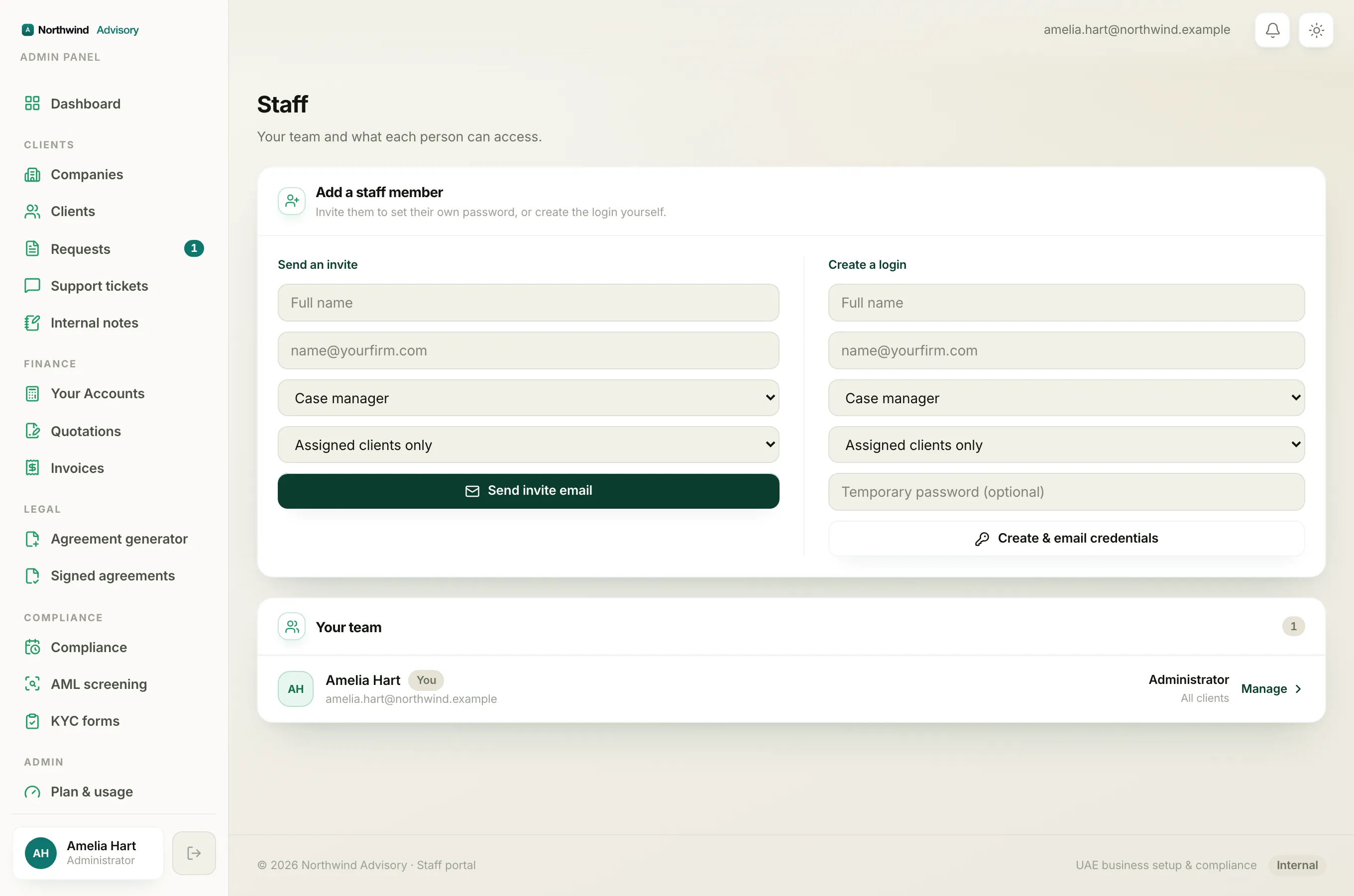
- In the left menu, under Admin, click Staff.
- Find the person in the Your team list. Their scope shows under their role as Assigned clients or All clients.
If it reads Assigned clients, that is why the company is hidden from them.
What counts as assigned
When someone is on Assigned clients only, a company shows up for them if either of these is true:
- The company has been assigned to them directly.
- They are the assigned owner of an open request on that company.
Anything else stays out of their list. If they try to open an out-of-scope company by pasting a direct link, they get a not-found page. This is enforced on our servers, so it is real protection and not just a hidden button.
Three ways to give them access
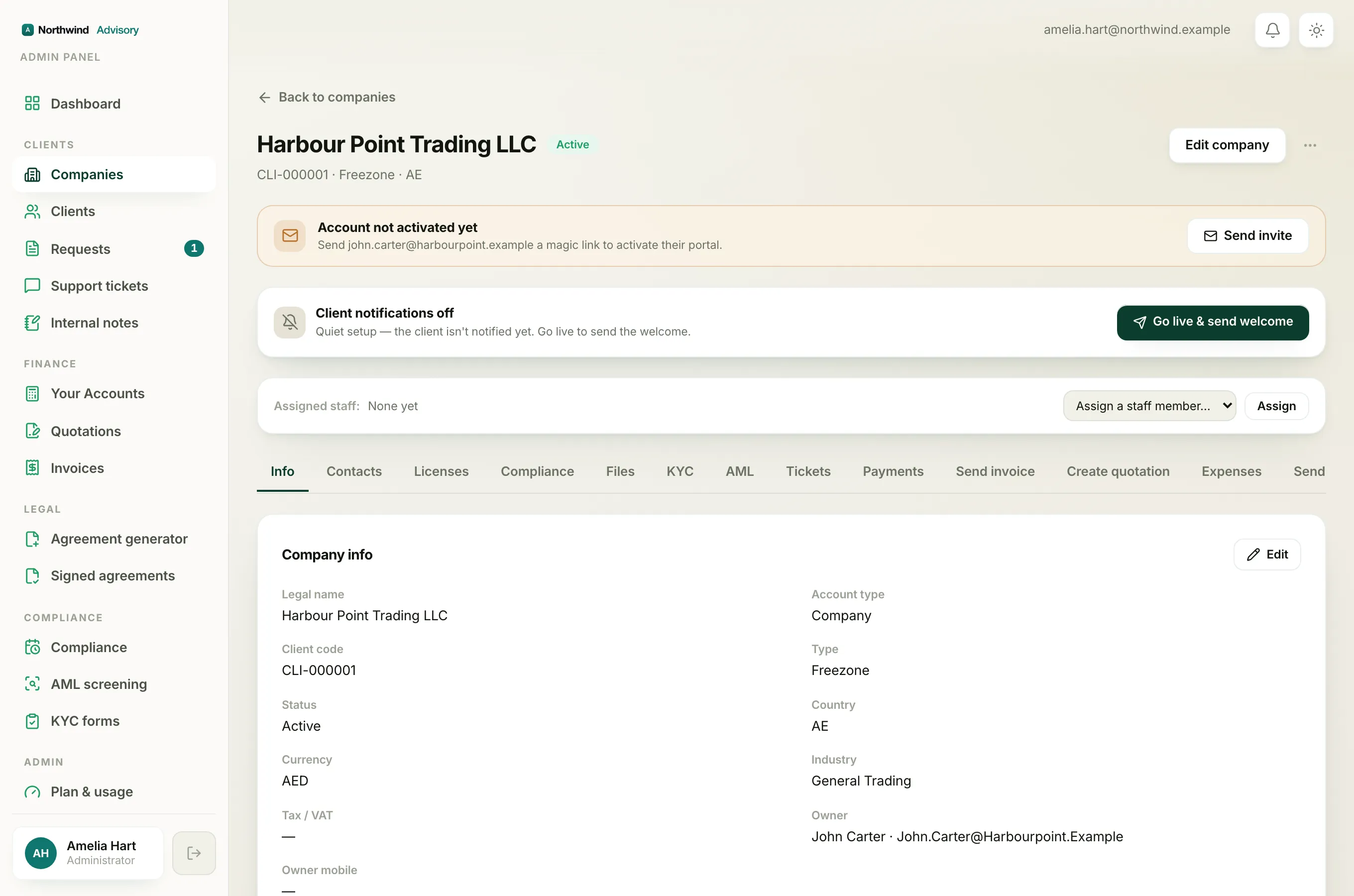
Option 1: assign the company to them. This is the usual fix when someone should own a client for the long run. See Assign a company to a teammate.
Option 2: assign them a request. If they only need to handle one job for that client, assign them the request instead. The company appears in their list for as long as they hold that request.
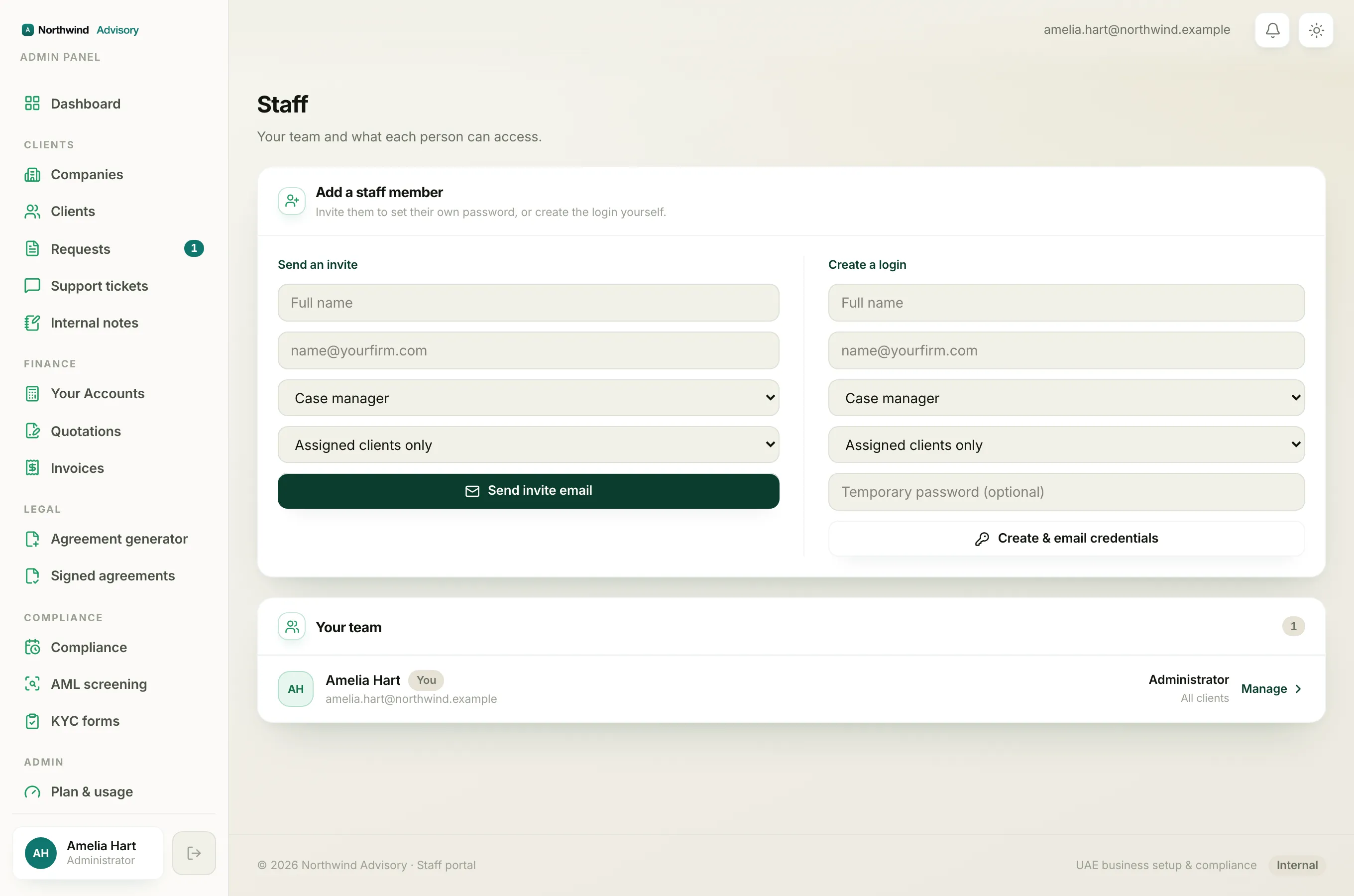
Option 3: change their scope to All clients. If the person should see every company (for example a senior teammate), switch their scope:
- In the left menu, under Admin, click Staff.
- On the person's row, open the second dropdown and choose All clients.
- Click Save.
Tip
Only an administrator can change roles and scope, or assign companies. If you do not see the dropdowns and the Save button on the Staff page, you are not signed in as an administrator.
A quick way to tell them apart
If one teammate cannot see one company, it is a scope or assignment matter, fixed by the steps above. If everyone suddenly cannot see a company, the company itself has probably been suspended or archived. See Why a teammate cannot see a client for the scope side, and check the company's status if the whole team has lost sight of it.
See also Why your dashboard differs from a teammate's for how scope also changes the numbers and queues each person sees.