What a customer statement is
A customer statement is a plain account of one client's money with you over a period: what they owed at the start, what you invoiced them, what they paid, and what they still owe at the end. It is the document a client asks for when they want to see everything on one page.
Open the statements page
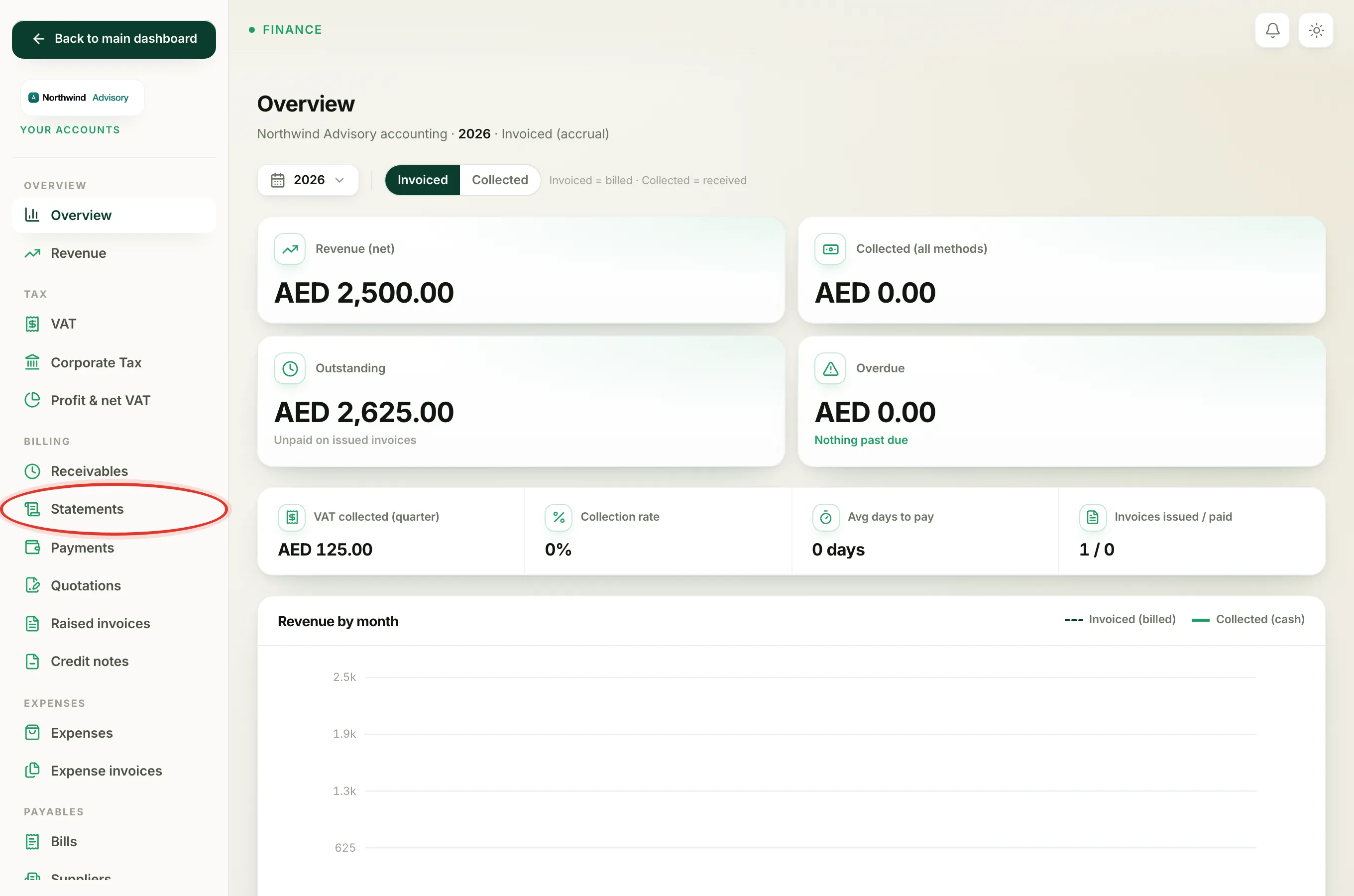
- Log in to your workspace.
- In the left menu, under Finance, click Your Accounts.
- In the accounts menu, under Billing, click Statements.
Only clients you have invoiced appear here. If you have not raised any invoices yet, the page tells you so and there is nothing to show.
Pick a customer and a period
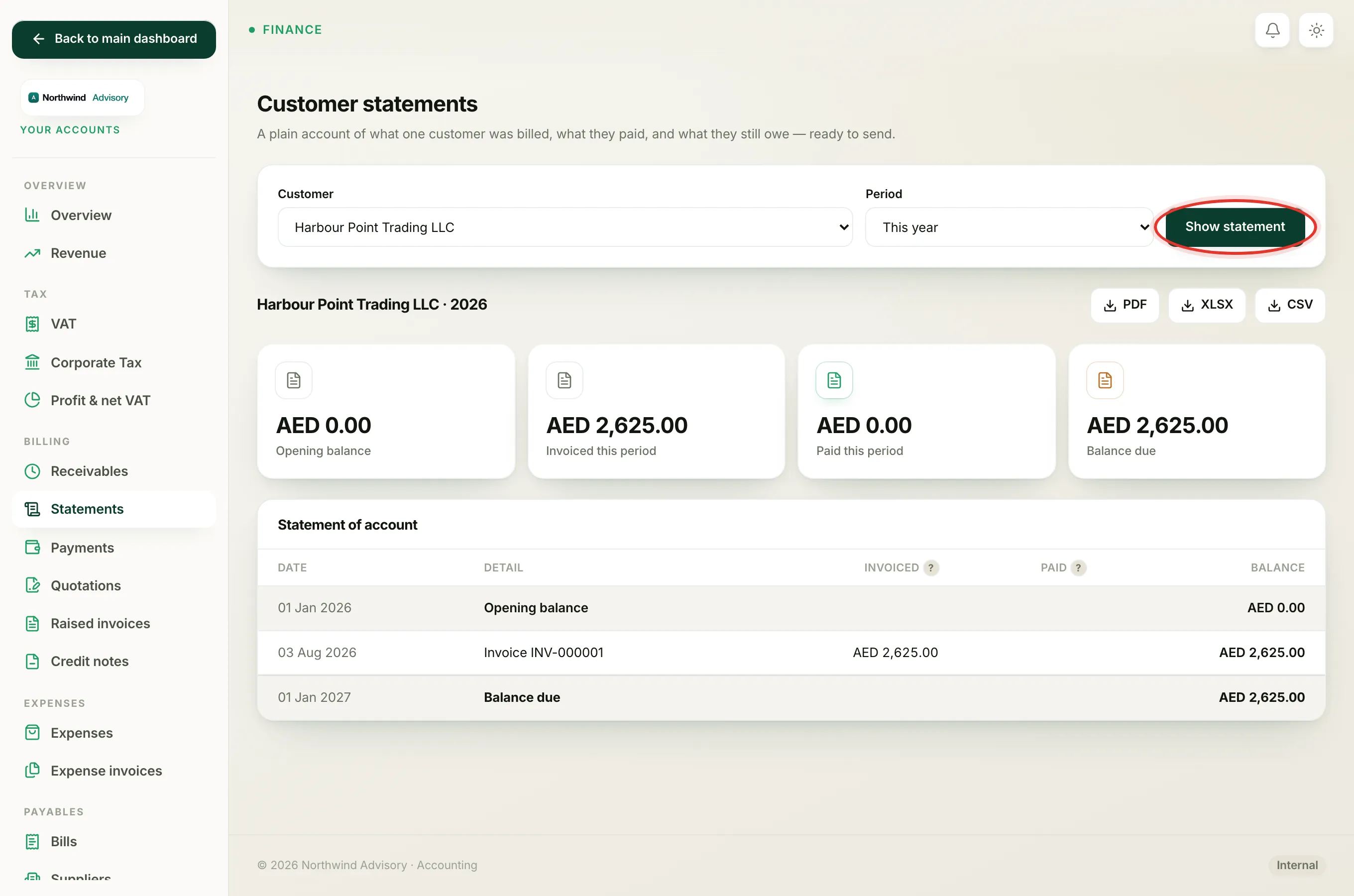
At the top is a short form:
- Choose the client from the Customer list.
- Choose the period from the Period list, for example This year or Last quarter.
- Click Show statement.
The heading below shows the client's name and the period you chose, and the whole statement refreshes to match.
The four tiles
- Opening balance is what the client already owed on the first day of the period, carried over from before.
- Invoiced this period is the total of new invoices you raised inside the period.
- Paid this period is the total the client paid inside the period.
- Balance due is what they still owe at the end. It shows amber when money is outstanding and green when the account is clear.
Opening balance, plus Invoiced, minus Paid, equals the Balance due.
The statement of account
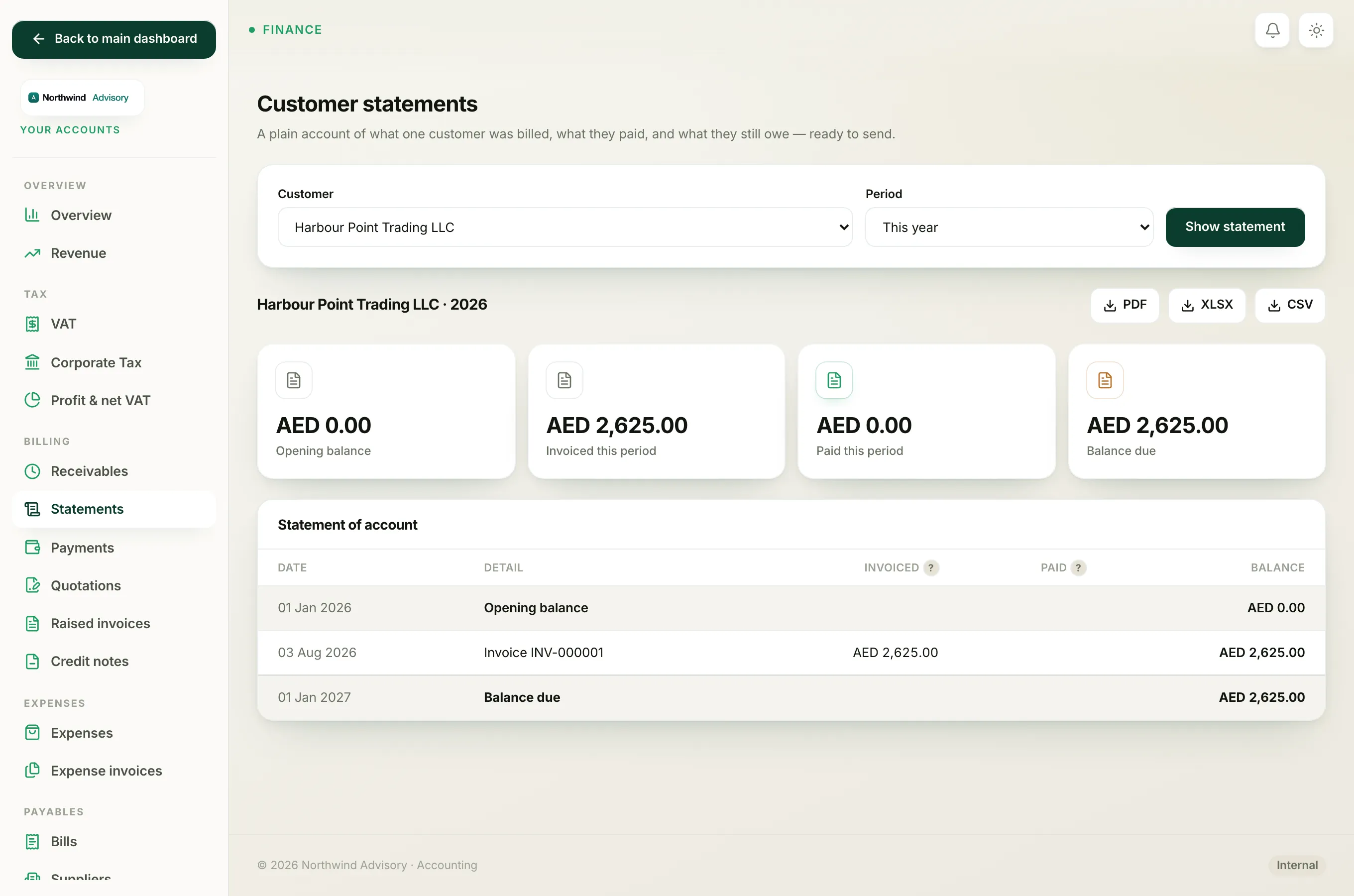
Below the tiles is the Statement of account table. It reads top to bottom like a bank statement:
- The first row is the Opening balance, dated the first day of the period.
- Each line in between is one event, in date order. An Invoice shows its amount in the Invoiced column. A Payment shows its amount in the Paid column.
- The Balance column on the right is the running total after each line, so you can watch the debt rise and fall.
- The final row is the Balance due, dated the last day of the period. This is the figure the client needs to settle.
If nothing happened in the period, the table simply shows the opening and closing balance with a note that there were no invoices or payments in between.
Next steps
To hand this statement to the client, see send a customer statement. To chase everyone who owes you at once, rather than one client at a time, see read the receivables aging report.