Turning on your books starts the accounting engine behind the scenes. From your start date, every invoice, payment, and expense you handle is recorded to a proper double-entry ledger for you. Nothing about your day-to-day work changes. Your invoices and quotations keep working exactly as they do now.
Important
You can only turn on your books once. Take a minute to get your currency, financial year, and opening figures right before you finish.
Before you start
Have these ready:
- Your bank balance on the day your books will start.
- Any unpaid invoices clients owe you, and any unpaid bills you owe suppliers.
- What the owner has put into the business (the owner's capital).
Do not worry if you are unsure of a figure. You can leave anything at zero and refine it later, and your accountant can tidy the rest.
Turn on your books
- Log in to your workspace.
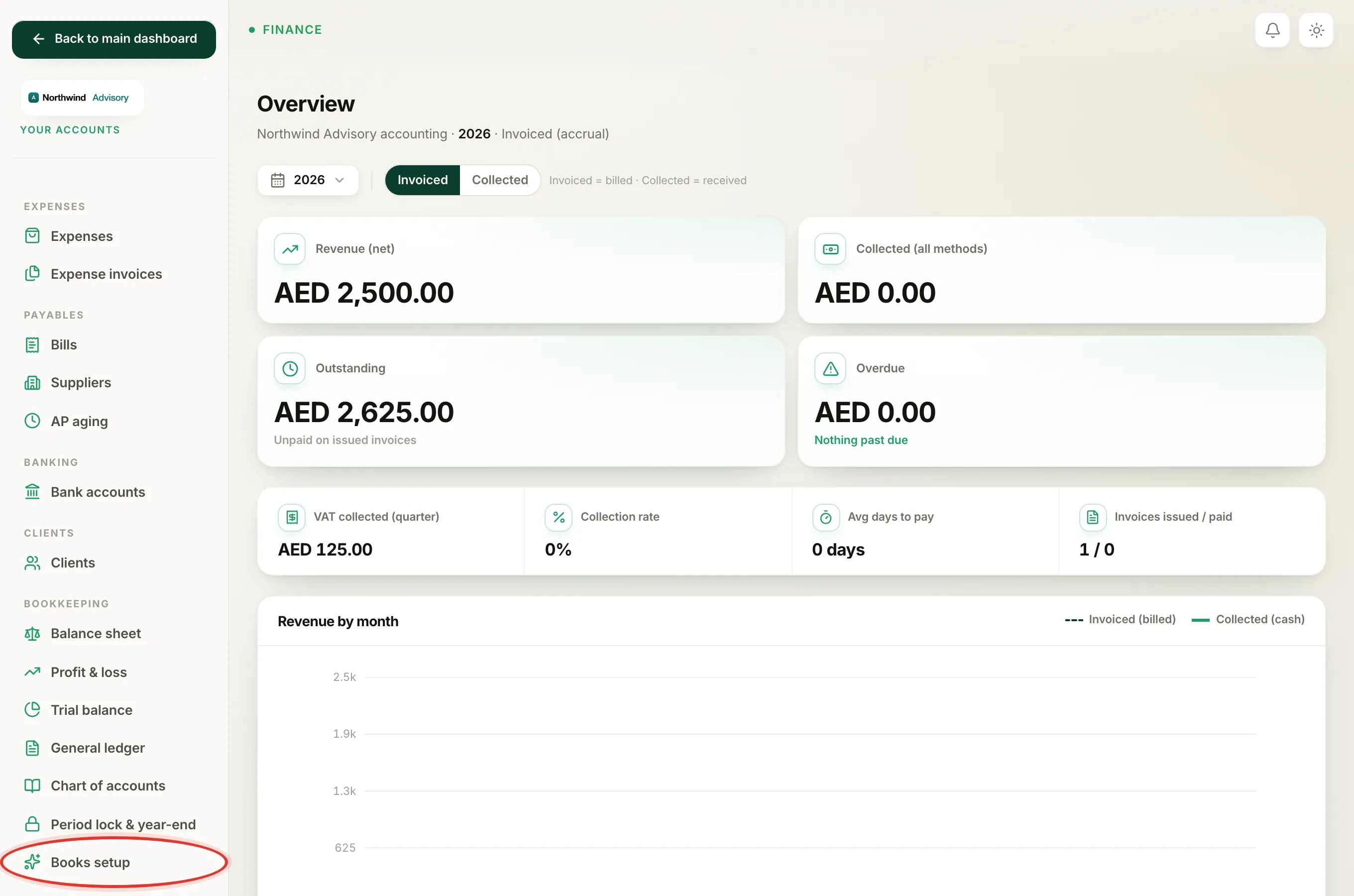
- In the left menu, under Finance, click Your Accounts. This opens your accounting workspace, which has its own menu down the left side.
- In the accounting menu, under Bookkeeping, click Books setup.
- You land on the Set up your books page. Read the short note at the top so you know what activation does.
Fill in the basics
In the The basics box, set three things:
- Your currency. This is the currency your books are kept in. It shows AED by default.
- Financial year starts. Pick the month your financial year begins. Most UAE businesses use January.
- Books start date. This is the first day your books cover. Everything before this date is captured by the opening balances below.
Enter where you stand on day one
In the Where you stand on day one box, type what each item was worth on your start date. Leave anything that does not apply at zero.
- Money in your bank account is your bank balance on the start date.
- Petty cash on hand is any physical cash float.
- Money clients owe you is your unpaid invoices.
- VAT you can reclaim is input VAT you have not claimed yet.
- Money you owe suppliers is your unpaid bills.
- VAT you owe the FTA is output VAT you have not paid yet.
- Owner's capital in the business is what the owner has put in.
Note
Anything that does not add up is parked in an account called "Opening balance equity". That is normal. It is a holding account your accountant clears once the figures are confirmed.
Finish
- Click Activate my books.
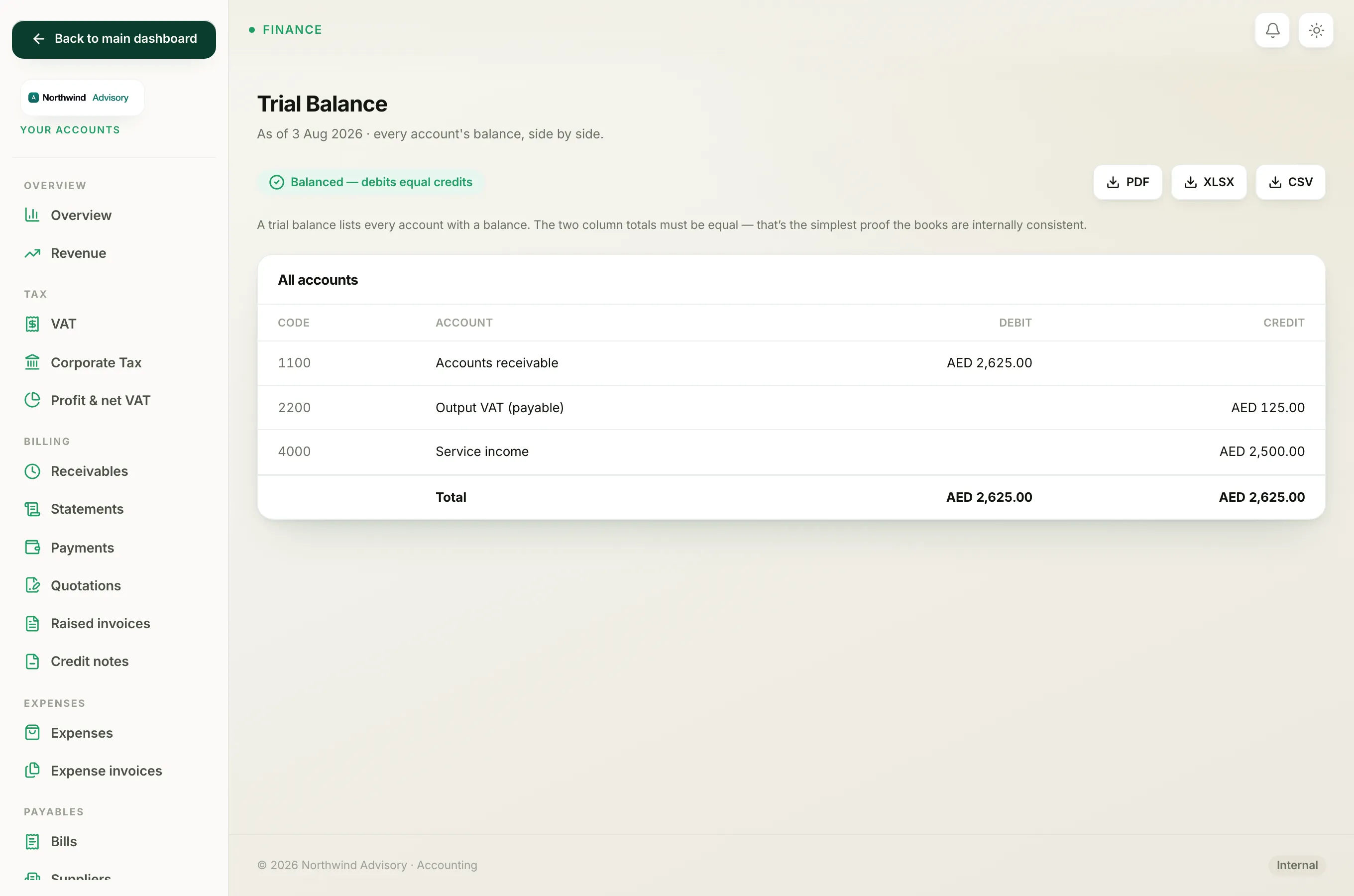
- You are taken straight to your Trial Balance, which proves your books balance from the very first day.
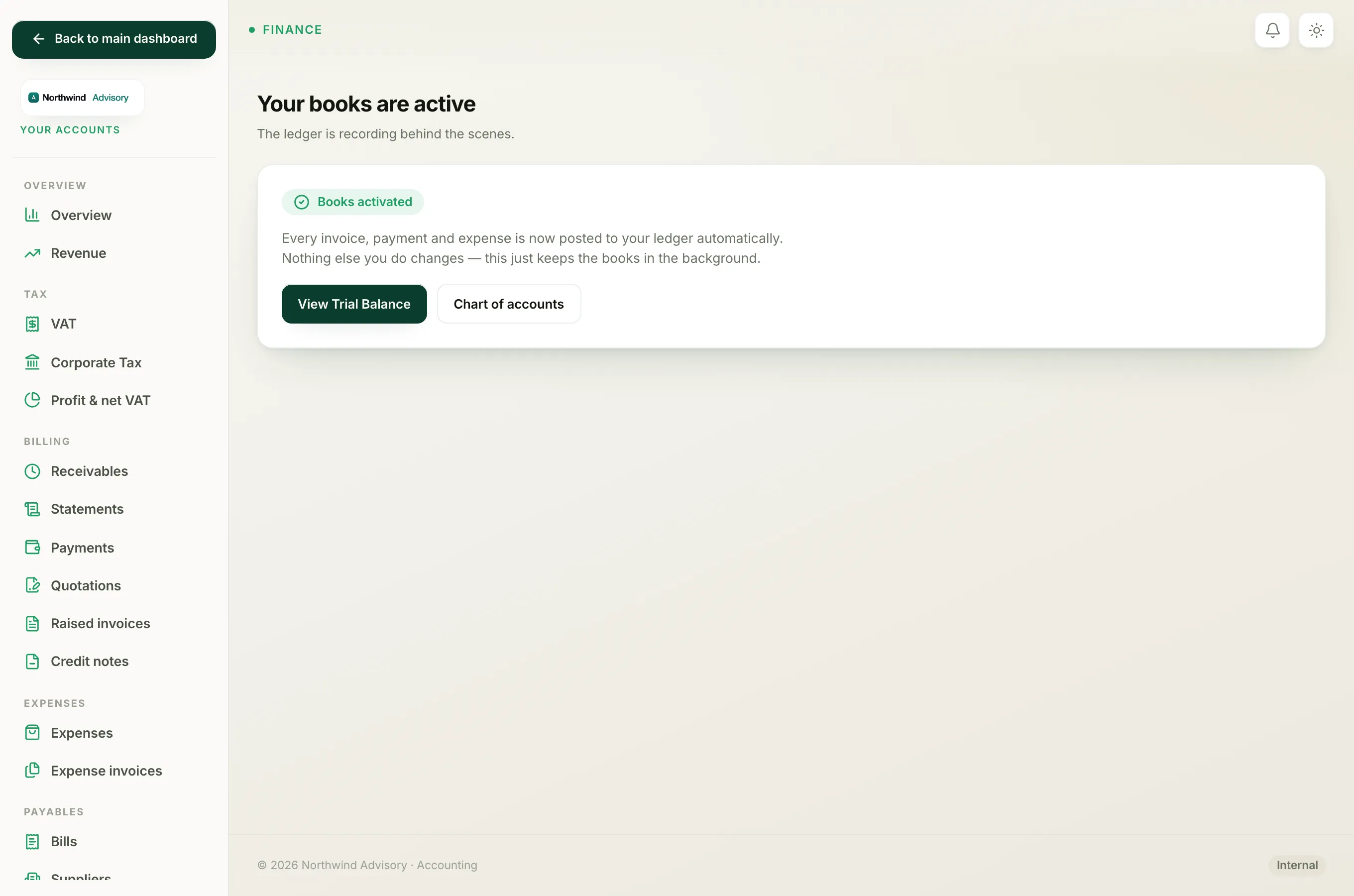
Once active, the Books setup page changes to a confirmation that reads Your books are active, with quick links to View Trial Balance and Chart of accounts.
What happens next
From now on, your books build themselves as you work. When you create an invoice, record a payment, or record a supplier bill, the ledger updates on its own. You can look at your Chart of accounts, Profit and Loss, and Balance Sheet at any time.