Two things to set up
Before you start referring screenings for sign-off, it helps to set up who signs them off. There are two separate pieces:
- An AML compliance officer on your team, who approves or declines screenings.
- A saved default officer email, so the referral form fills in the address for you every time.
You can do either, both or neither. An outside officer with no login can still decide from a secure link, which is covered in Send a screening to an outside compliance officer.
Add an AML compliance officer to your team
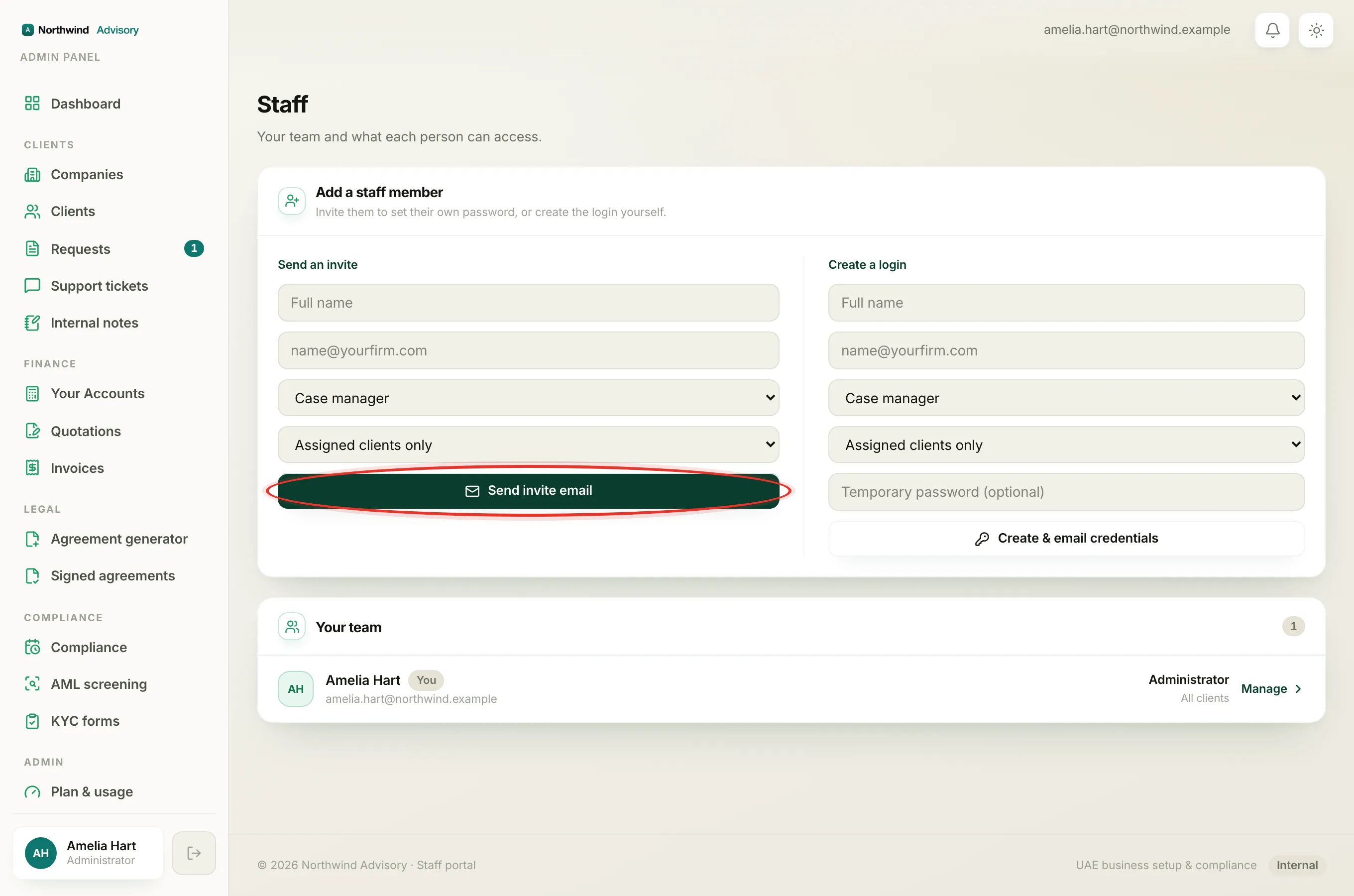
Give a teammate the compliance officer role so they can decide screenings inside their own workspace.
- Log in to your workspace.
- In the left menu, under Admin, click Staff.
- In the Add a staff member panel, type the person's Full name and Email.
- In the role list, choose AML compliance officer.
- Leave the client scope as it is (it does not affect this role) and click Send invite email.
The person receives an invite to set their password and sign in.
Important
The AML compliance officer sees AML cases and nothing else. They cannot see your clients, companies, invoices, revenue or ticket threads. This is on purpose, so you can hand sign-off to a part-time or outsourced officer without opening the rest of your firm to them. They can open a screening to read what they are approving, but they cannot change its alerts or dispositions.
For how each role works, see Staff roles and Add a team member.
Save a default officer email
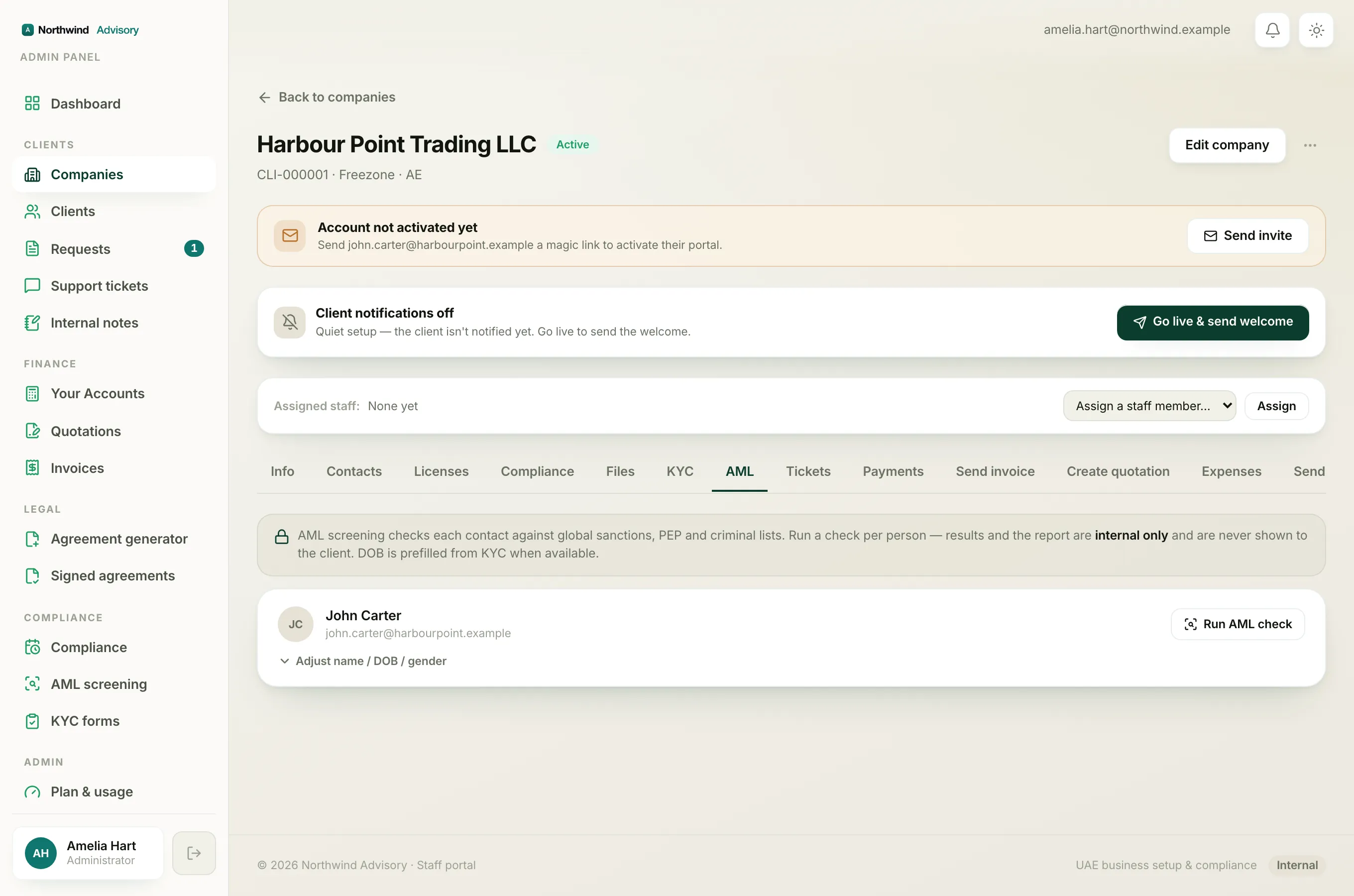
If your officer receives referrals by email, save their address once so you never retype it. There are two places to save it, and both set the same firm default.
From a company's AML screening tab
- Open a company and go to its AML screening tab.
- On a contact with a hit, open the review panel.
- Type the address in Email the report to the compliance officer.
- Click Save as default. The button changes to Firm default once saved.
From the screening workspace referral form
- Open a screening under AML screening and find the Refer for approval card.
- Choose External email and type the address.
- Leave Save as this firm's default ticked and click Refer for approval.
Either way, the next referral form opens with that address already filled in. To change it later, type a new address and save again.