Two places, two jobs
IzzyTap lets you screen a person or company for money-laundering risk in two places. They share the same screening engine, but they suit different moments.
- The AML screening workspace is the full tool. You type in a subject from scratch, work through every alert one by one, and refer the case to a compliance officer for a formal decision.
- The AML tab on a company is the quick check. It sits next to a company's contacts, prefills what it already knows, and lets you clear or escalate a hit in one place.
Results from both are internal only and are never shown to the client.
The AML screening workspace
- Log in to your workspace.
- In the left menu, under Compliance, click AML screening.
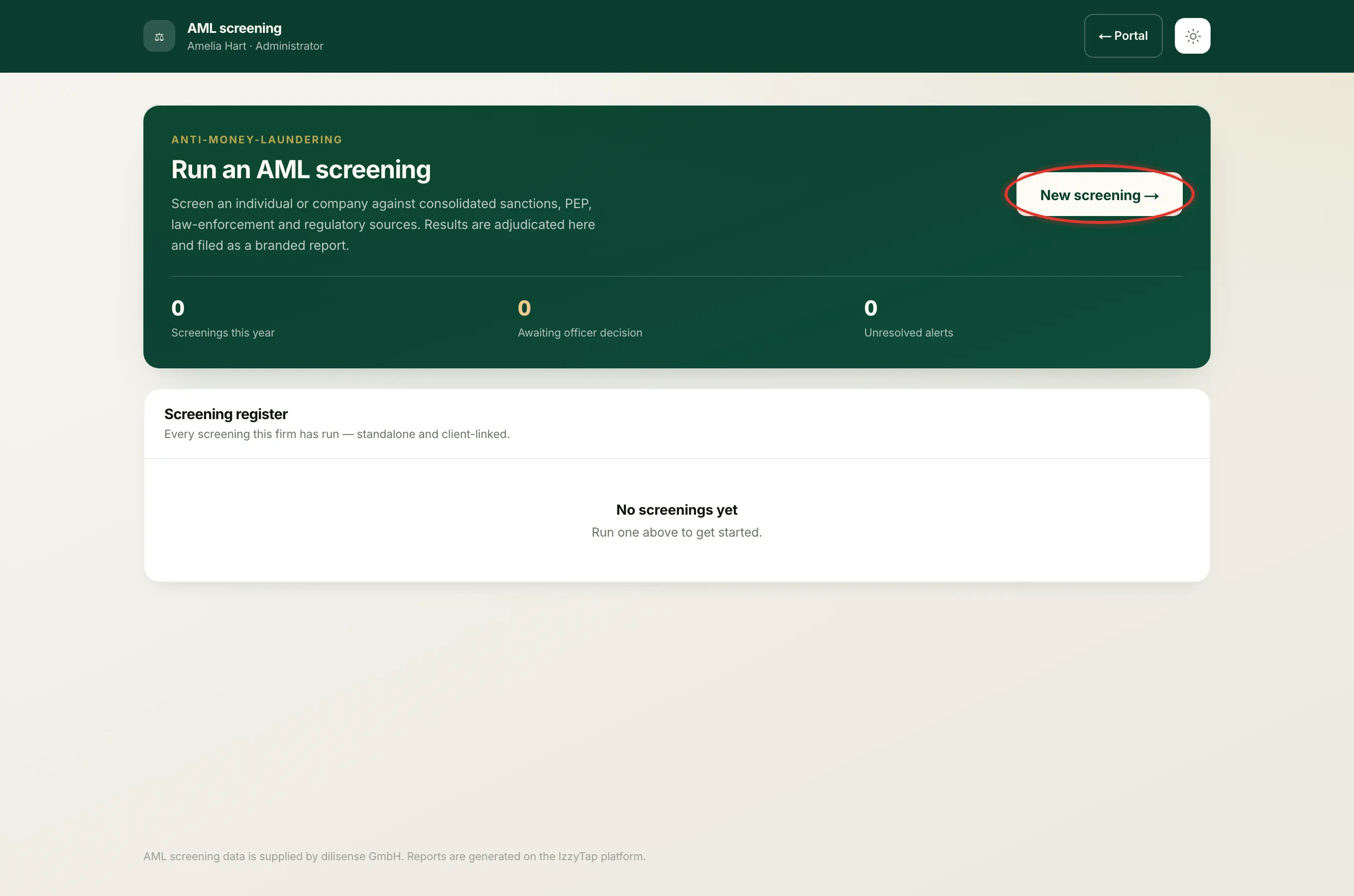
- Click New screening.
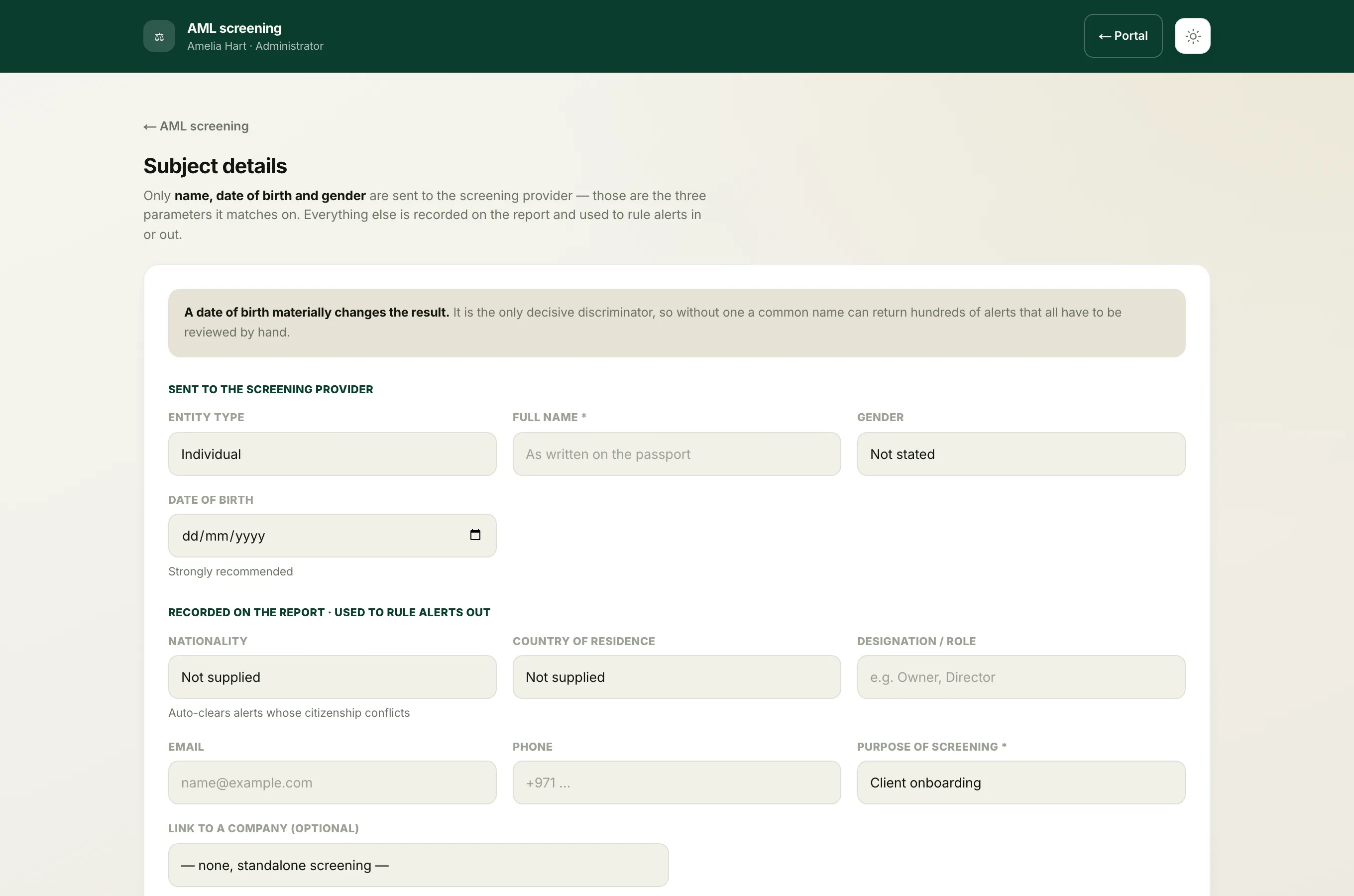
- On the Subject details form, choose the Entity type (Individual or Company), enter the Full name, and add any details you have such as gender, date of birth, nationality and the Purpose of screening. You can also link the screening to a company here.
- Run it, then work through the result.
Use the workspace when:
- The subject is not a saved contact of a company, for example a brand-new lead or a one-off check.
- You want the full record: a labelled decision on every alert (see the alert dispositions), and the formal sign-off.
- You need to send the case to a compliance officer to approve or decline. See send a screening to an outside compliance officer.
Every screening you run, from either place, is listed in the workspace's Screening register.
The AML tab on a company
- Log in to your workspace.
- In the left menu, under Clients, click Companies, then open the company.
- Go to the company's AML tab.
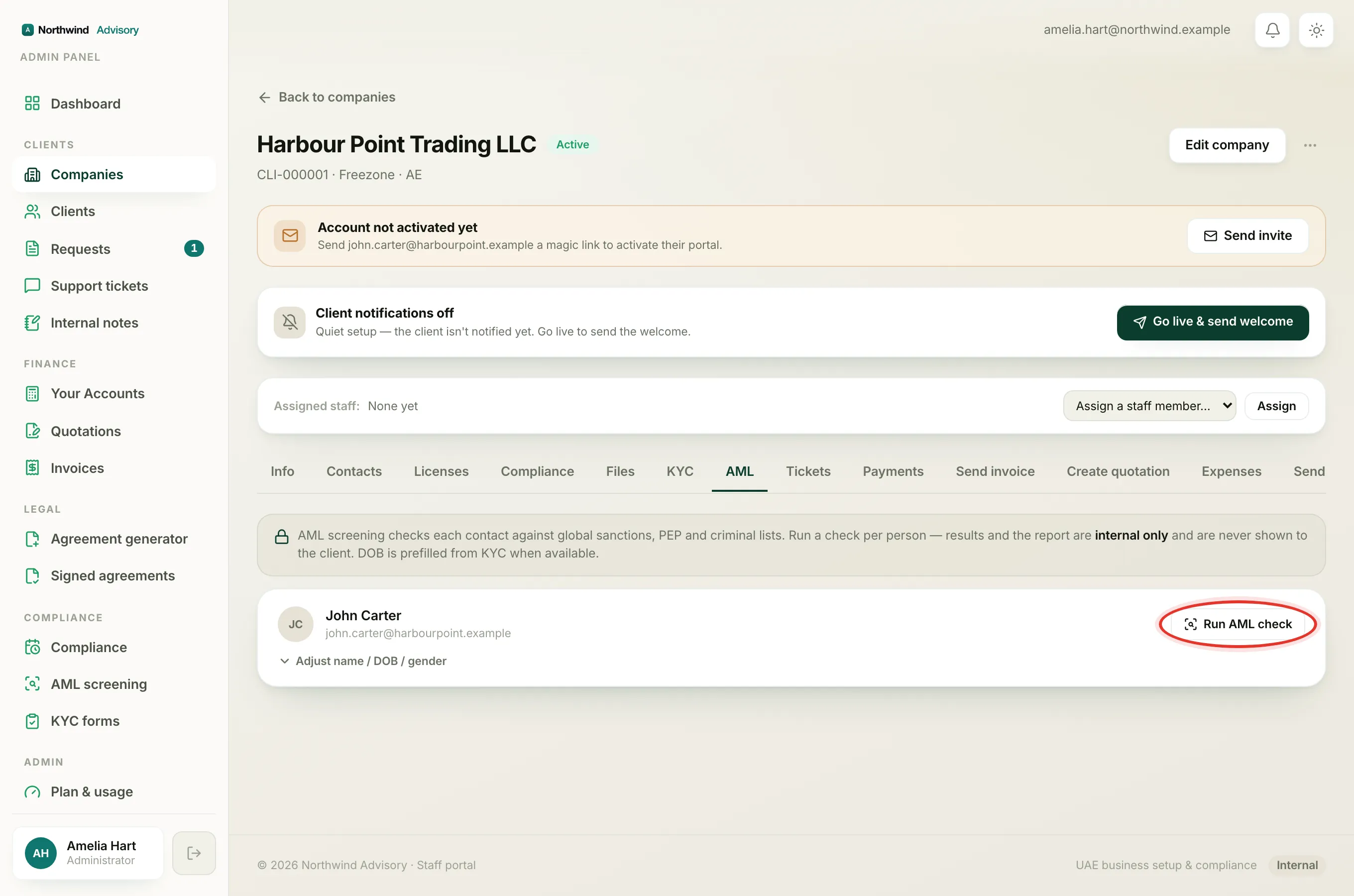
- Find the contact and click Run AML check (it reads Re-check if you have screened them before).
The tab shows each contact of the company as a row. Date of birth is prefilled from their KYC form when you have it, so a check is usually one click. If there is a hit, you record Cleared, false positive or Escalate with a short note, and you can email the report to your compliance officer.
Use the company tab when:
- You are screening the owners, partners or directors already saved on a company. See manage company contacts.
- You want the check tied to that company automatically and prefilled from KYC.
- You just need a fast clear-or-escalate on a single person.
Note
Both routes produce the same branded PDF report and feed the same register. To read a finished report, see read the AML report. If a button is missing for you, see why you can't run, refer or open a screening.