IzzyTap fills most of the return, not all of it
IzzyTap works out the boxes that come from your own invoices, expenses and supplier bills. That covers your standard-rated sales, the VAT you charged, and the VAT you can reclaim on purchases.
A few boxes on the FTA Form 201 cover situations that IzzyTap does not track, so they are left for you to complete on the FTA e-Services portal where the return is actually filed.
The boxes you finish on the portal
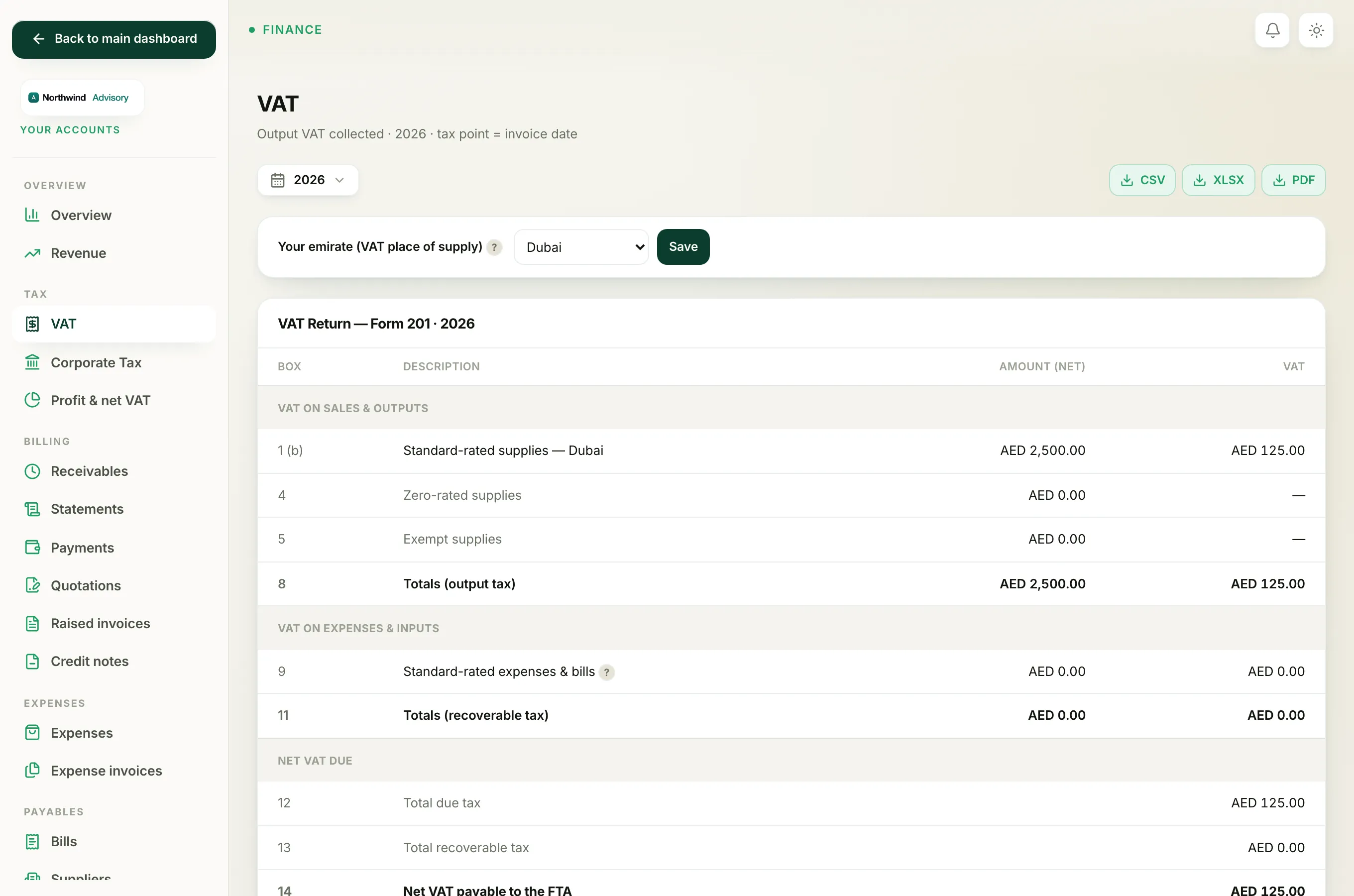
Under the return on the VAT page you will see this note:
Boxes 2, 3, 6, 7 and 10 (tourist refunds, reverse charge, imports) are completed on the FTA e-Services portal, where the return is filed.
Here is what each of those boxes is for:
- Box 2, Tax refunds for tourists. Only applies if you operate the tourist VAT refund scheme. Most service firms do not.
- Box 3, Supplies subject to reverse charge. For special reverse-charge sales you make.
- Box 6, Goods imported into the UAE. Pulled automatically by the FTA from your customs records.
- Box 7, Adjustments to goods imported. Corrections to that customs import figure.
- Box 10, Supplies subject to reverse-charge provisions. The input side of reverse charge, mainly on services or goods bought from outside the UAE. See How reverse charge and imports are handled.
Why they are not in IzzyTap
These boxes depend on data IzzyTap does not hold, such as customs import records the FTA already has, or reverse-charge transactions that are not part of a normal services firm's books. Rather than guess, IzzyTap reports them as zero and leaves them for you to enter on the portal if they apply to you.
Important
For most UAE corporate-service firms these boxes are genuinely zero and nothing needs doing. If your firm imports goods or has reverse-charge transactions, complete boxes 2, 3, 6, 7 and 10 on the FTA e-Services portal when you file. If you are unsure, ask your tax agent.
How to file
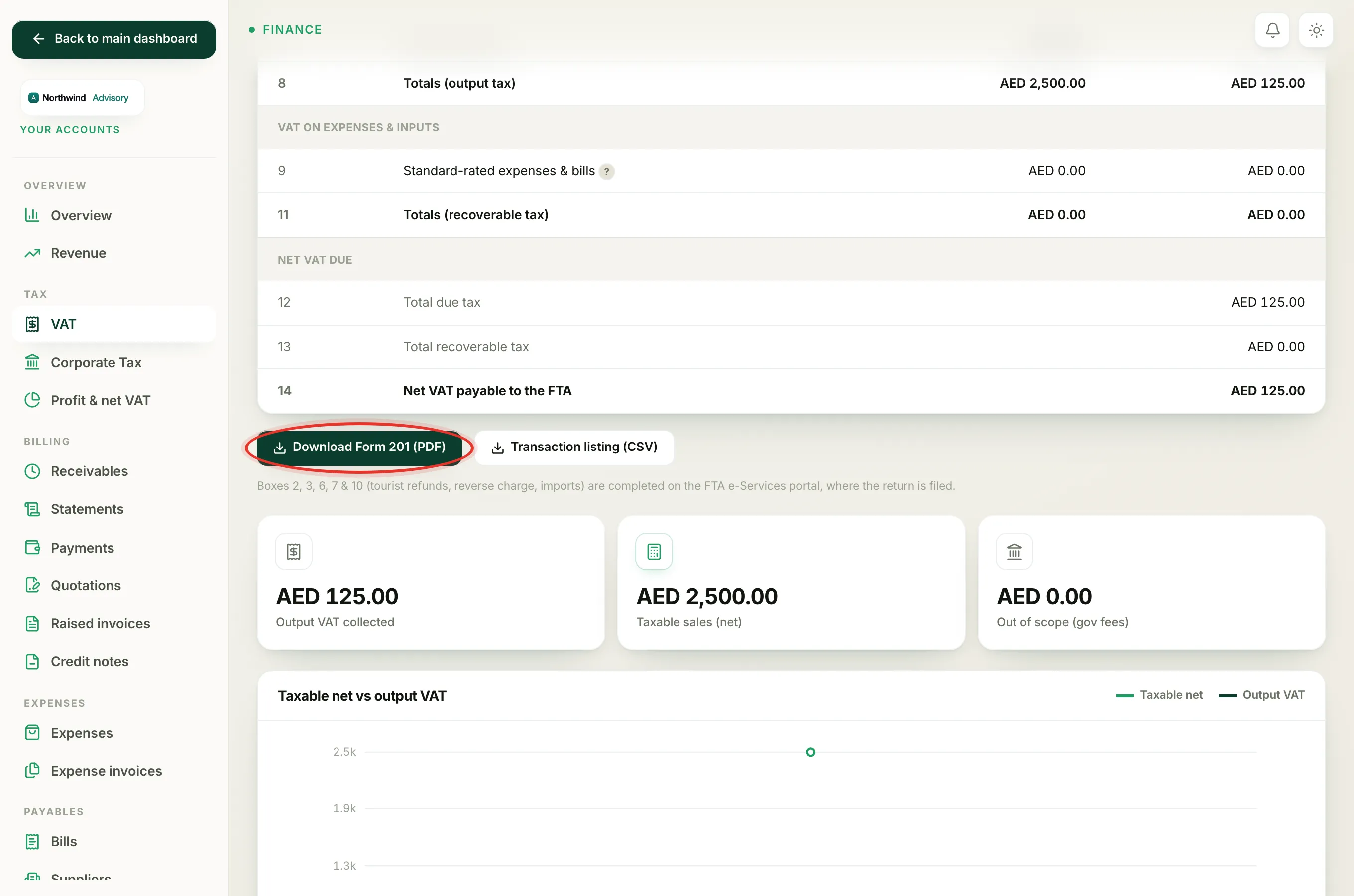
- Prepare the return in IzzyTap and click Download Form 201 (PDF) on the VAT page.
- Log in to the FTA e-Services (EmaraTax) portal separately.
- Copy across the boxes IzzyTap worked out, then complete boxes 2, 3, 6, 7 and 10 there if they apply.
Related: What each box on the VAT Form 201 means.