What this page shows
IzzyTap builds your UAE VAT return, the FTA Form 201, straight from your invoices, expenses and supplier bills. You do not type the figures in. IzzyTap works them out for you, so the numbers can never drift from your books.
The tax point for every supply is the invoice date. An invoice dated in a period counts in that period, even if it is paid later.
Note
The on-screen Form 201 and the downloadable PDF use the exact same engine, so they always show the same figures.
Open the VAT return
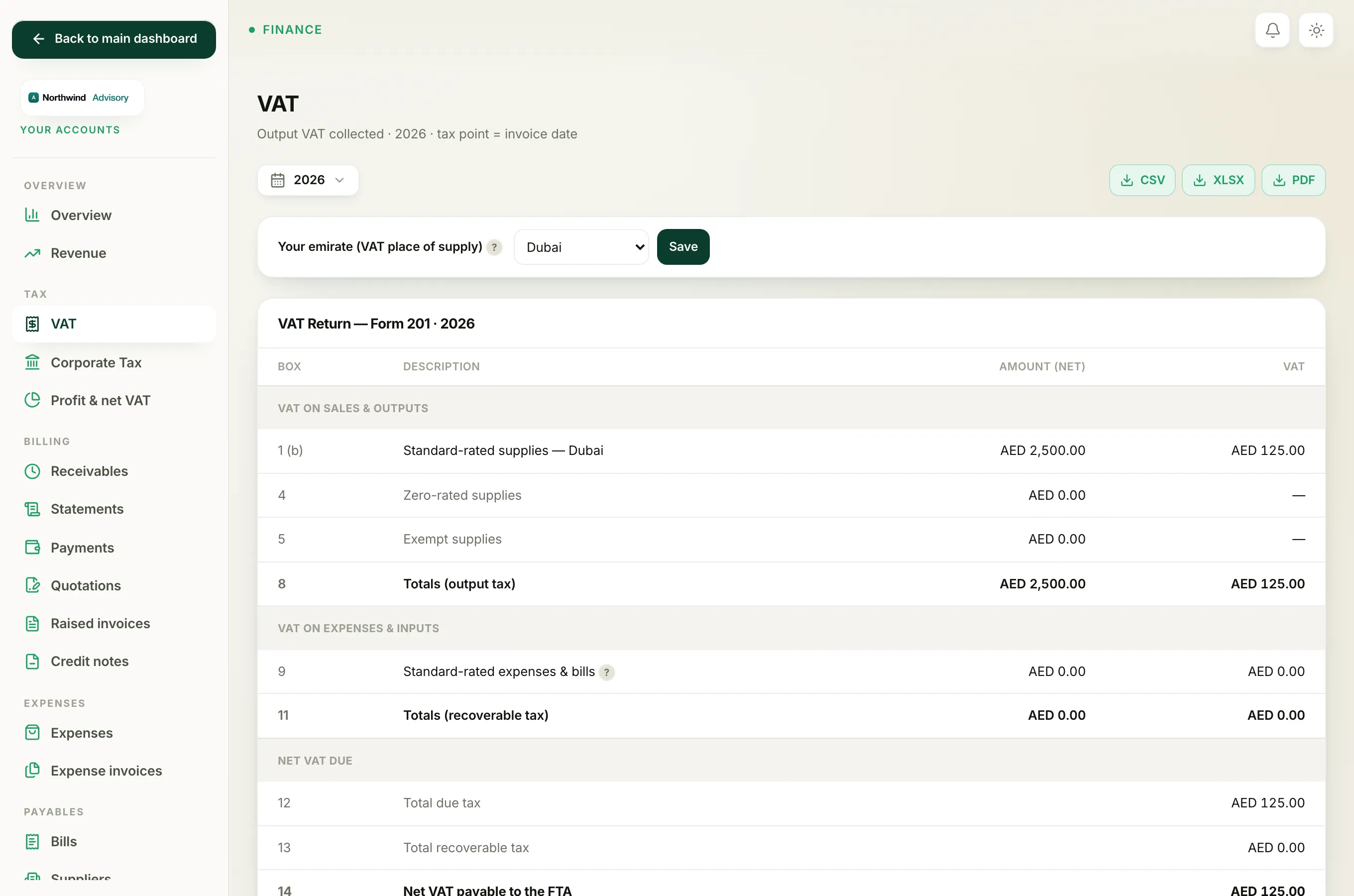
- Log in to your workspace.
- In the left menu, under Finance, click Your Accounts.
- In the accounts menu, under Tax, click VAT.
- At the top, pick the period you are filing with the filter bar (a month, a quarter, a year, or a custom range).
The panel titled VAT Return, Form 201 shows every box.
The two amount columns
Every row has two figures:
- Amount (net) is the value of the sale or purchase before VAT.
- VAT is the 5% tax on top of that net amount.
So a service charge of AED 1,000 shows 1,000 in the net column and 50 in the VAT column.
Box by box
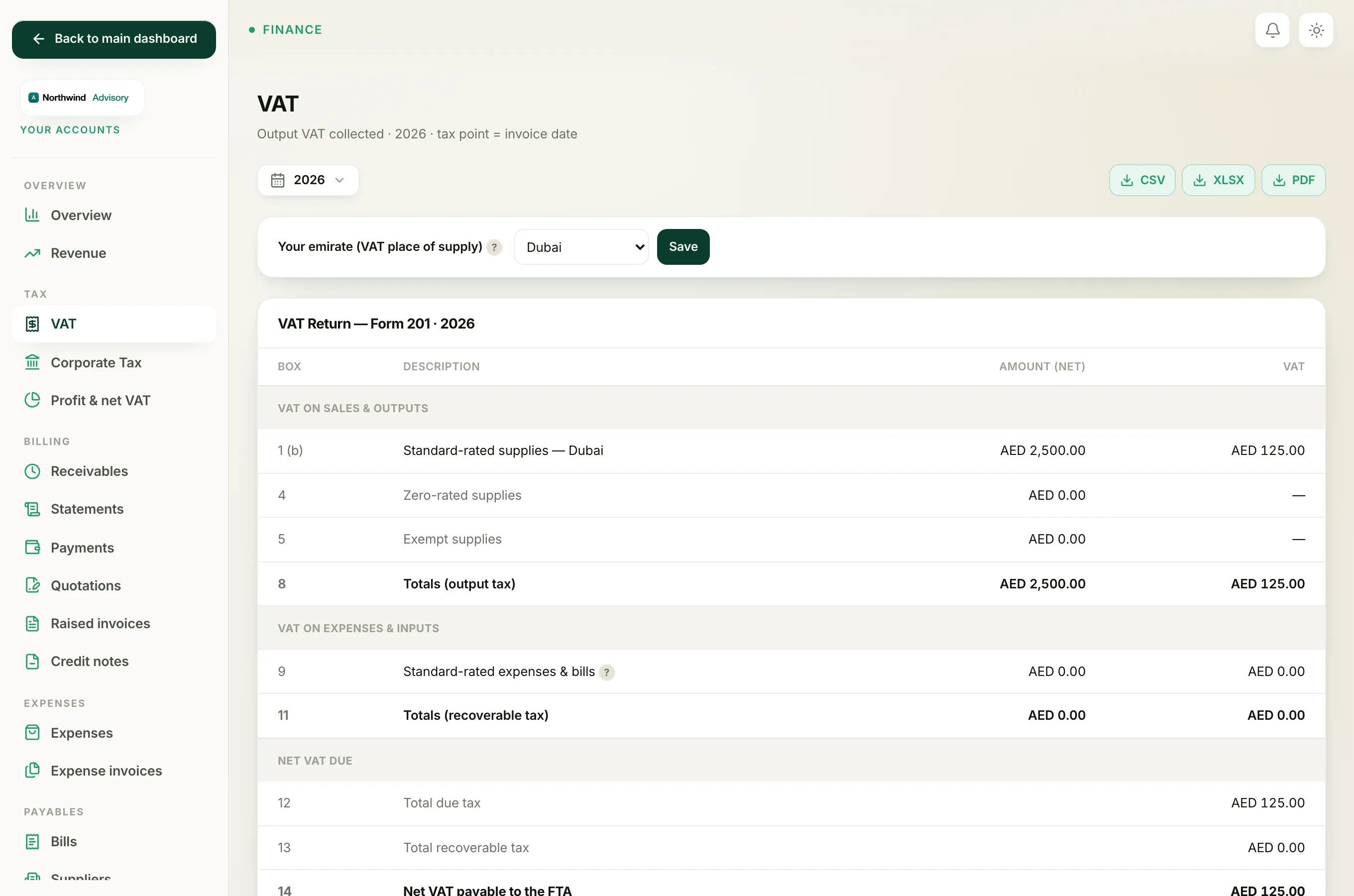
VAT on sales and outputs
- Box 1, Standard-rated supplies. The net value of everything you billed at 5% VAT, plus the VAT you charged. This is your firm's fee income. If you have set your emirate, the box shows a letter next to it (for example 1b for Dubai) and names the emirate, because the whole of box 1 is reported under your one place of supply. See Set your emirate for VAT box 1.
- Box 4, Zero-rated supplies. Supplies taxed at 0%. For a normal services firm this shows zero. See Zero-rated and exempt supplies.
- Box 5, Exempt supplies. Supplies with no VAT at all, such as certain financial services. This also shows zero for most firms.
- Box 8, Totals (output tax). The sum of your output side: total net supplies and total VAT you charged.
VAT on expenses and inputs
- Box 9, Standard-rated expenses and bills. The net value of the standard-rated purchases you can reclaim VAT on, plus that reclaimable VAT. This pulls from both your recorded expenses and your supplier bills. See Reclaim input VAT from expenses and bills.
- Box 11, Totals (recoverable tax). The sum of the input side: total net purchases and total VAT you can recover.
Net VAT due
- Box 12, Total due tax. The VAT you owe from sales (the same figure as box 8).
- Box 13, Total recoverable tax. The VAT you can reclaim on purchases (the same figure as box 11).
- Box 14, Net VAT payable or refundable. Box 12 minus box 13. If the result is positive the row reads Net VAT payable to the FTA in amber, meaning you owe. If it is negative it reads Net VAT refundable by the FTA in green, meaning the FTA owes you. See Net VAT payable or refundable.
Boxes IzzyTap does not fill
Boxes 2, 3, 6, 7 and 10 (tourist refunds, reverse charge and imports) are completed on the FTA e-Services portal when you file, not inside IzzyTap. See Which VAT boxes you finish on the FTA portal.
Download the return
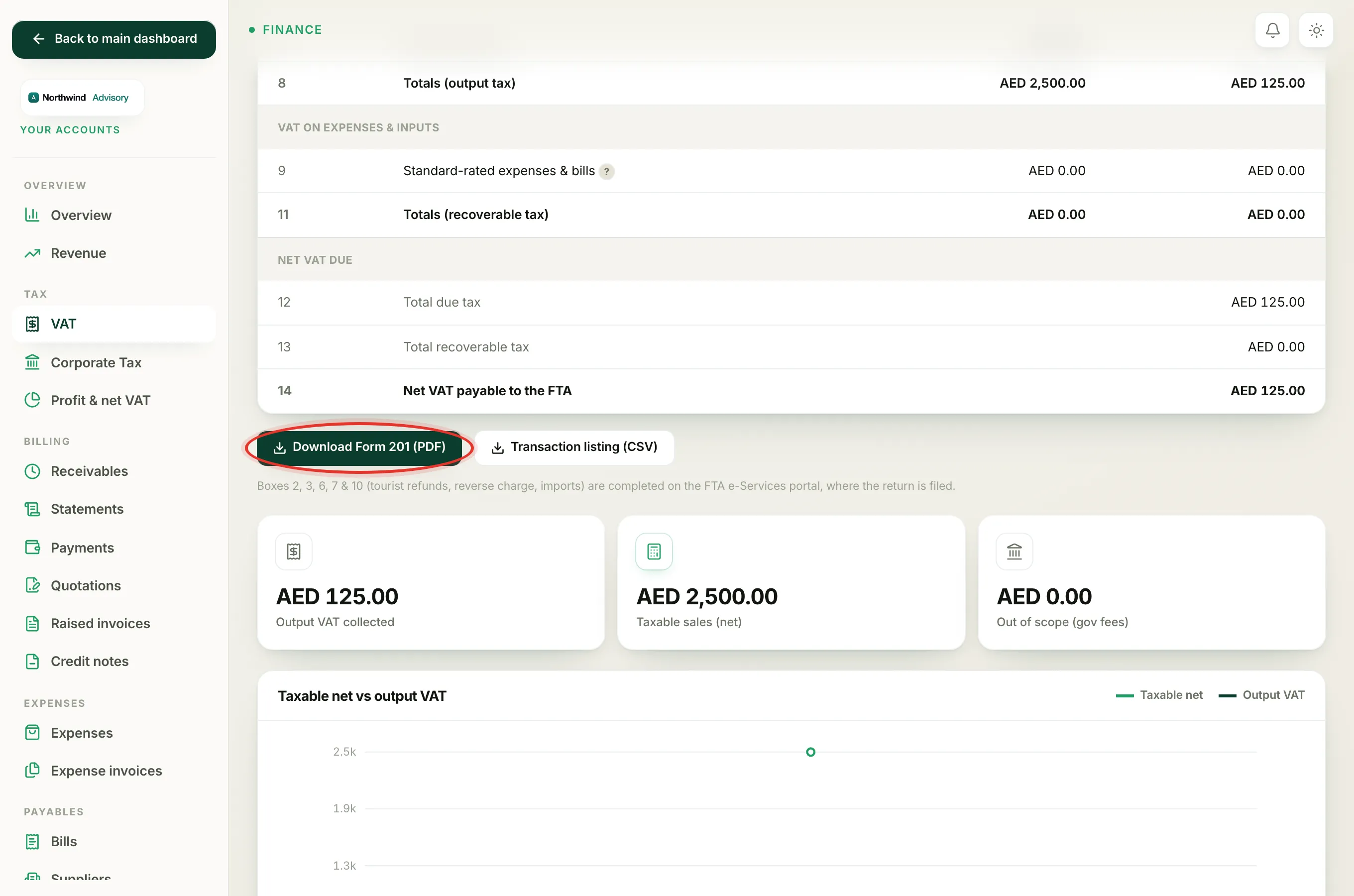
Under the table you can click Download Form 201 (PDF) to save the return, or Transaction listing (CSV) for the line-by-line audit trail behind it.
Important
IzzyTap prepares your return. The filing itself is submitted on the FTA e-Services portal. Always check the figures against your own records before you file.
Related: Prepare your VAT return and Charge VAT on an invoice.