You choose what your firm pays for, and you can change it yourself any time. You can take the full bundle with everything in it, or build your own plan from the modules you want. This guide walks you through it from login.
Open your subscription
- Log in to your workspace.
- In the left menu, under Admin, click Subscription.
- The top of the page shows your current plan. Below it is Change your plan, where you pick what you want.
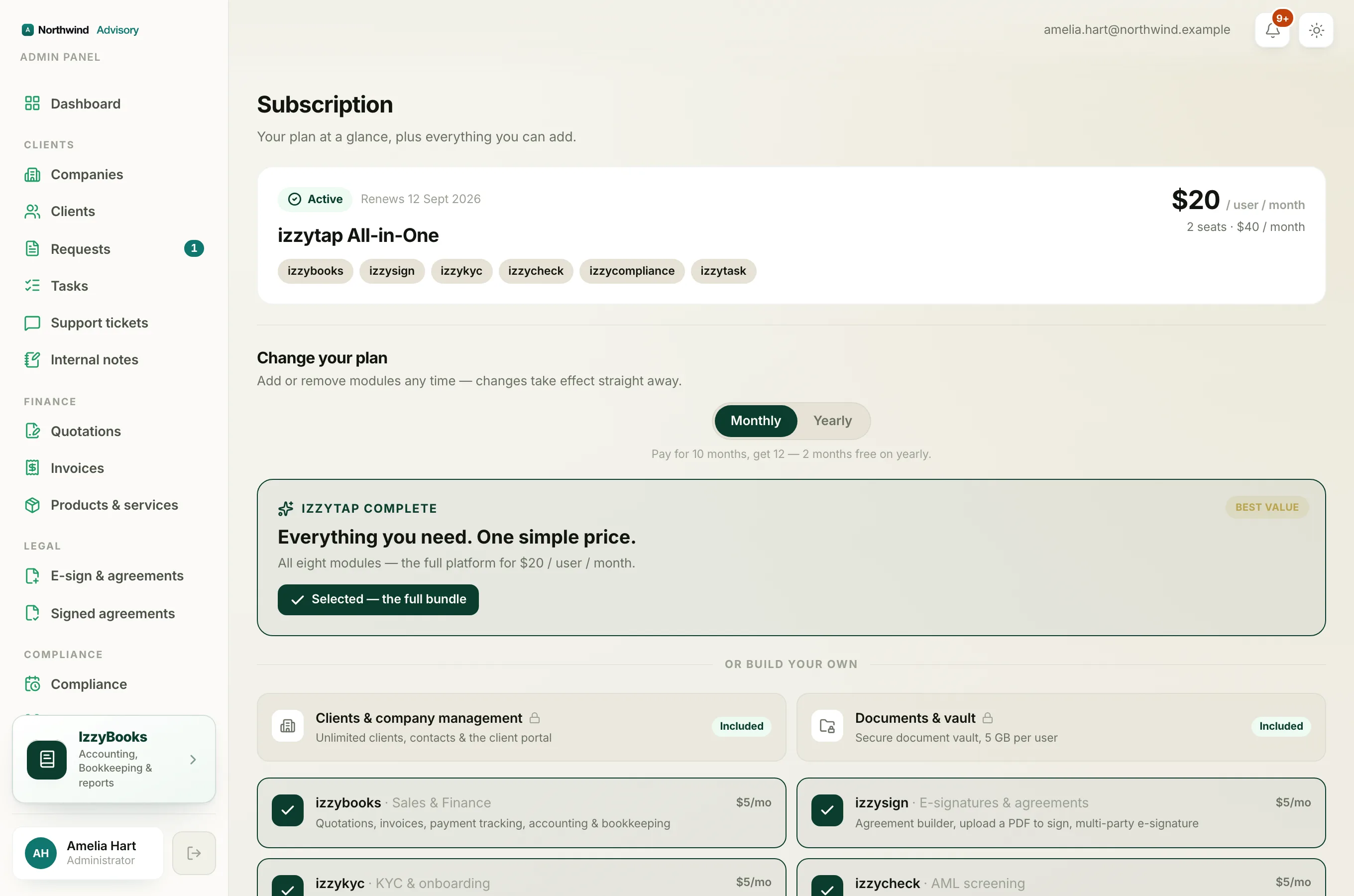
Monthly or yearly
At the top of the plan builder, choose Monthly or Yearly. Yearly gives you two months free, so you pay for ten months and get twelve.
Take the full bundle
The IzzyTap complete card at the top is the whole platform for one price. It includes every module for $20 per user each month, or $200 per user each year. Click Get everything to select it. This is the simplest choice and the best value.
Or build your own
Under Or build your own, you pick only the parts you want. Each package is $5 per user each month, or $50 per user each year. Click a package to add or remove it.
- Invoicing and finance (izzybooks): quotations, invoices, payments, accounting and books
- E-signatures and agreements (izzysign)
- KYC and onboarding (izzykyc)
- AML screening (izzycheck)
- Compliance and renewals (izzycompliance)
- Work and tasks (izzytask)
Clients and Documents are always included at no extra cost, on every plan. They hold your client records, the client portal, and your document vault.
As you tick modules, the price card at the bottom shows the running total: the price per user, how many modules and seats you have, and the total each month or year.
Tip
Once you pick four modules you are already at the full bundle price, and the app points this out. At that point it is worth taking the full bundle, since the last modules come at no extra cost.
Confirm your plan
- When your selection looks right, click Subscribe if this is your first plan, or Update plan if you are changing an existing one.
- For a first plan, you are taken to a secure checkout to enter your card. For a change to a plan you already pay for, it applies straight away with no checkout.
Your plan changes take effect immediately.
Important
If you remove a module you already pay for, the app asks you to confirm, because you will lose access to it. If you only meant to add something, choose Keep them, and your new module is added on top of what you already have.
A note on seats
Your plan is priced per seat, which is one paid staff member. To add or remove seats, use the Staff page. See Buy or reduce staff seats.
Related
- See what each month costs and how usage works. See Understand usage and top-ups.
- Cancel, resume, or update your card. See Manage your subscription.