What the badge means
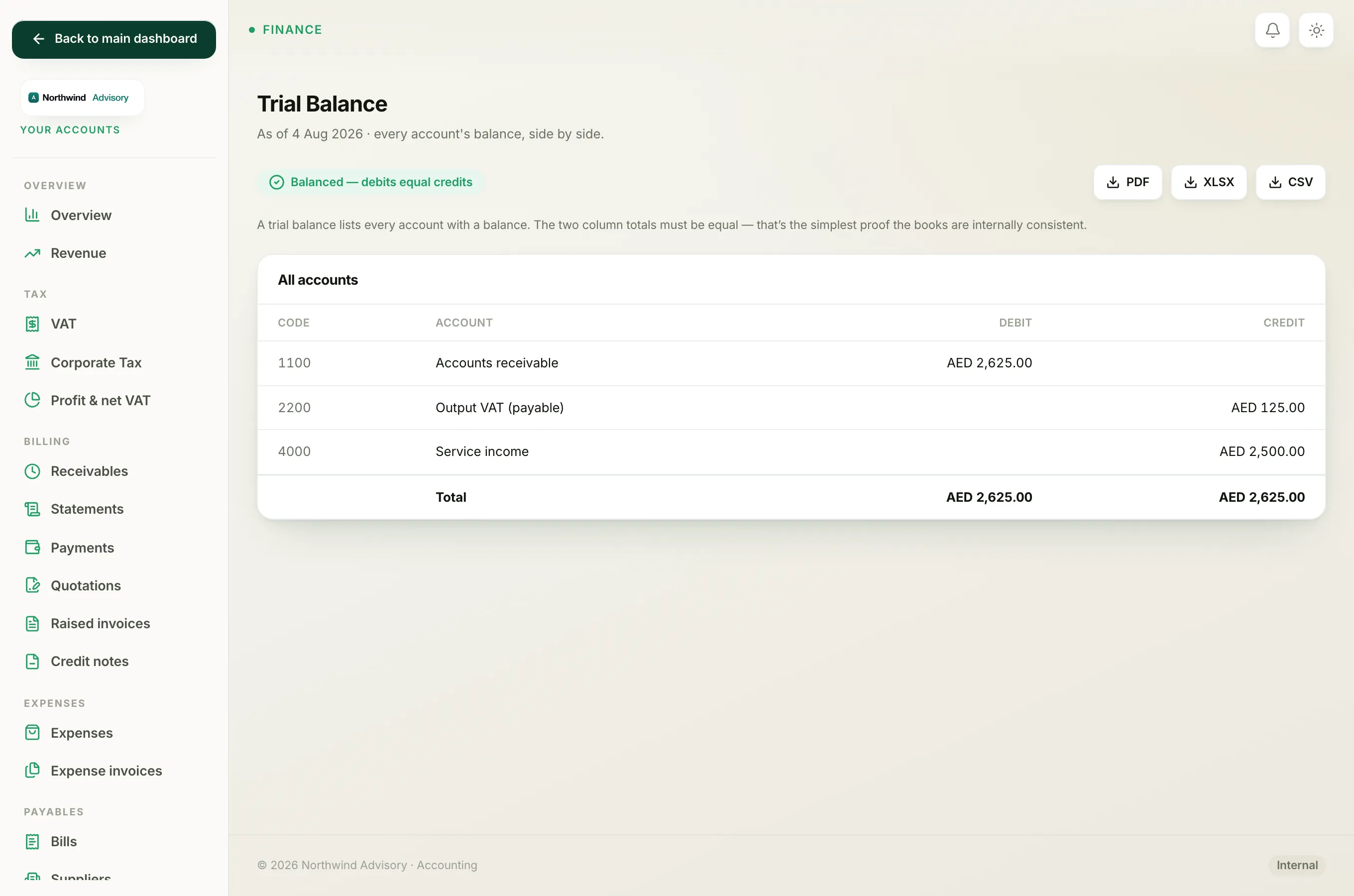
At the top of the Trial balance and the Balance sheet you will see a small badge.
- A green Balanced badge means the books are internally consistent.
- A red Out of balance badge means they are not, and asks you to contact support.
This badge is an automatic self-check. It is not something you fill in or fix by hand.
Why it should always say Balanced
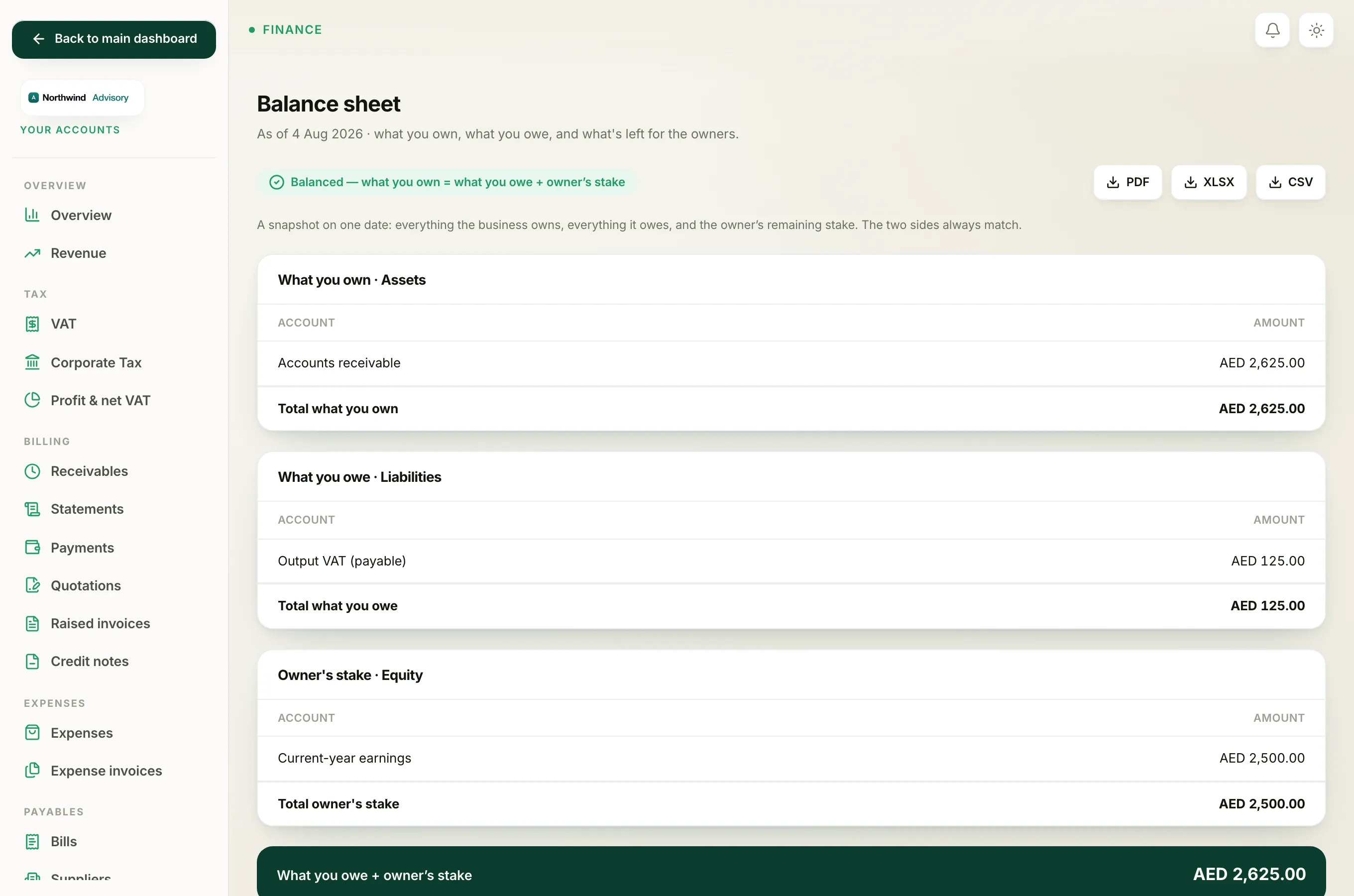
IzzyTap keeps your books using double-entry, which means every transaction is recorded twice: once as a debit and once as a matching credit. Because the two sides are created together and always equal, the totals must match.
- On the trial balance, the total of the Debit column must equal the total of the Credit column.
- On the balance sheet, what you own must equal what you owe plus the owner's stake.
Every invoice, payment, expense, bill and bank entry is posted this way, so in normal use the badge stays green.
If you ever see Out of balance
This is rare and it is not caused by anything you did wrong in your day-to-day work. There is nothing on the screen for you to correct, and you should not try to force the numbers to match by editing entries.
- Note the date and which report is showing the red badge.
- Contact support and share that detail.
Support can look into the underlying records and put it right. Your data is safe in the meantime, and you can keep using the rest of your books.
Note
An empty report is not the same as an out-of-balance one. If a report shows no rows, it usually just means there are no transactions in the range yet. Record an invoice or an expense and it will appear.