What tax adjustments are
Your Corporate Tax worksheet starts from your accounting net profit, taken straight from your books. But the profit in your accounts is not always the same as your taxable income. Some costs you record in your accounts are not fully allowed for tax, so they have to be added back. A few things may be deductible on top. The Tax adjustments field is where you enter that difference as a single number.
Important
This figure is your responsibility. IzzyTap does not guess the tax treatment of each expense for you. If you are not sure what to put here, check with your tax adviser.
Where to find it
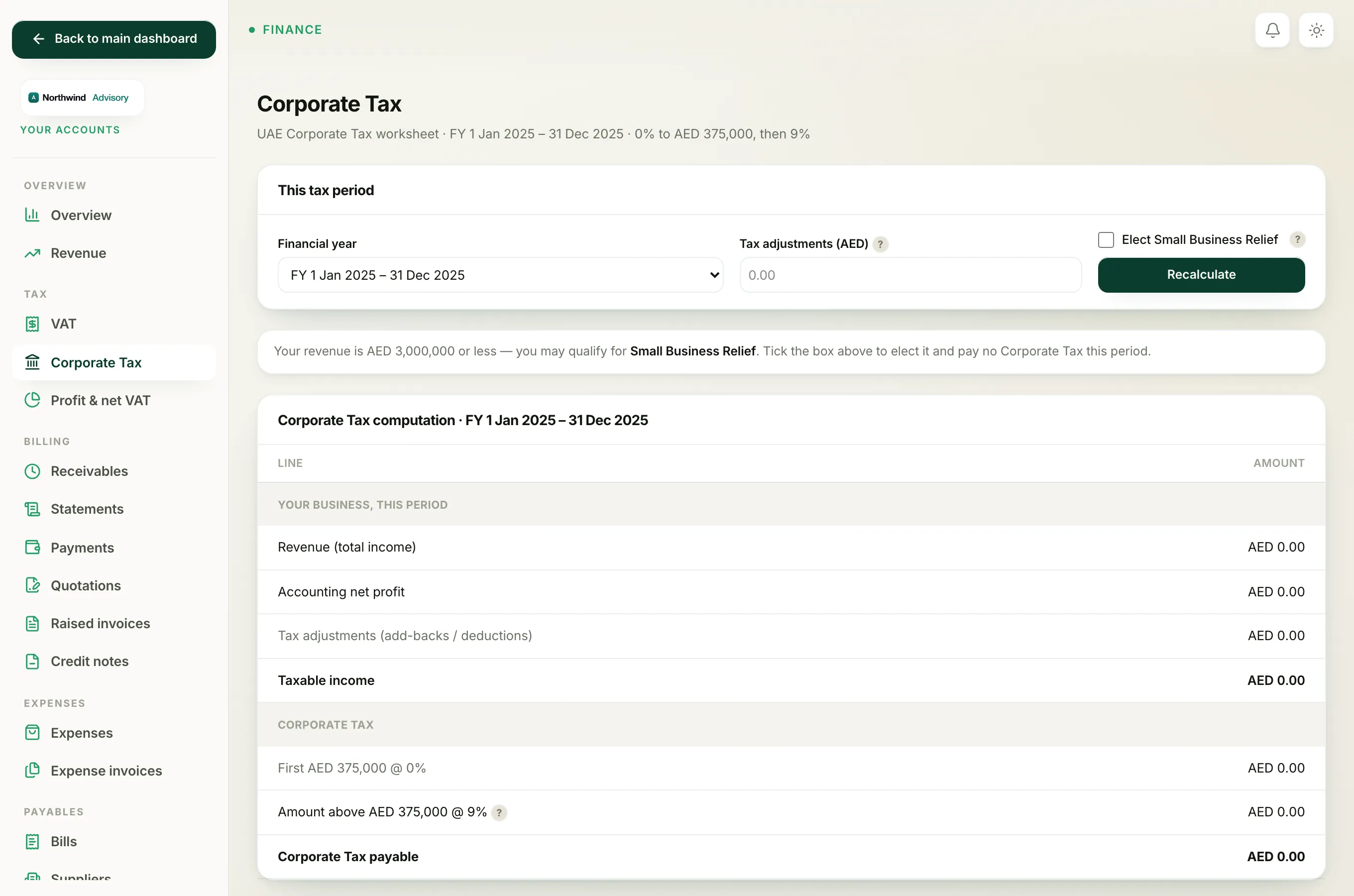
- Log in to your workspace.
- In the left menu, under Finance, click Your Accounts.
- In the accounts menu, under Tax, click Corporate Tax.
- Find the This tax period panel at the top. The middle box is Tax adjustments (AED).
Add-backs and deductions
The field takes one signed number:
- Add-backs go in as a positive number. These are costs in your accounts that tax rules do not fully allow, so you add them back to profit. Common examples are fines and penalties, and 50% of entertainment expenses.
- Deductions go in as a negative number. These are amounts you are allowed to take off. Put a minus sign in front, for example
-2000. - If you have both, work out the net figure and enter that one number.
- If you have no adjustments, leave it blank or enter
0.
Enter the figure and recalculate
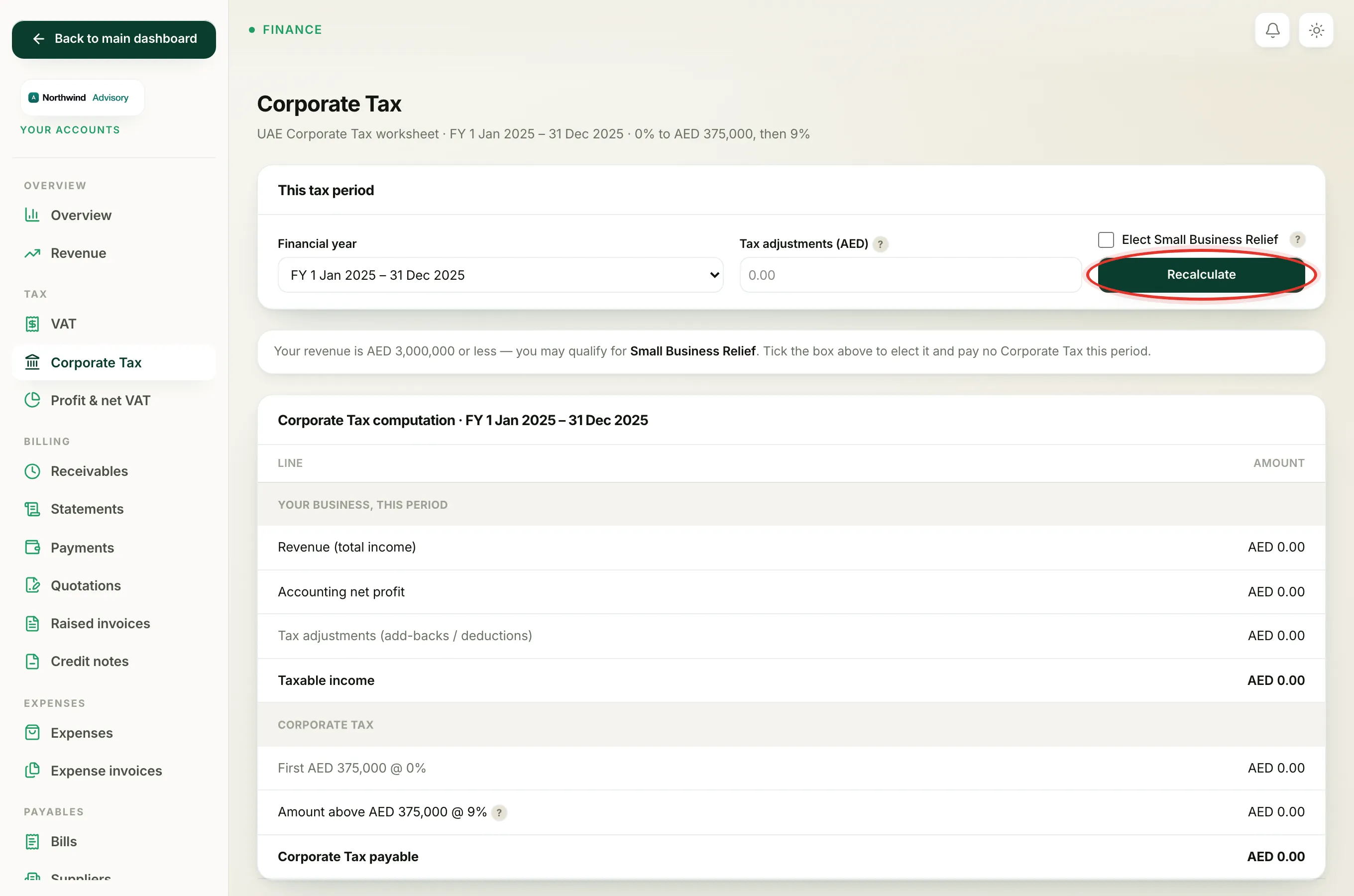
- Type your adjustment into Tax adjustments (AED).
- Click Recalculate.
- Look at the worksheet below. The row Tax adjustments (add-backs / deductions) shows the number you entered, and Taxable income is your accounting net profit plus that adjustment.
The rest of the worksheet then applies the bands: the first AED 375,000 of taxable income is taxed at 0%, and anything above that at 9%.
Note
A quick way to think about it: Taxable income = accounting net profit + add-backs − deductions. If your adjustment makes taxable income higher, your Corporate Tax goes up. If it makes it lower, the tax goes down.
This is a worksheet, not the filed return
The number you see here is a working figure calculated from your books. The actual Corporate Tax return is filed on the FTA EmaraTax portal. Enter the same adjustment there when you file, and keep your own note of how you arrived at it.
To understand the full worksheet layout and every line, see The Corporate Tax worksheet explained. For the end-to-end filing steps, see the Corporate Tax return.