The Corporate Tax screen gives you a worksheet that is calculated straight from your books, from revenue at the top down to the tax payable at the bottom. Nothing is estimated or guessed. This page walks through every line so you can see exactly where each number comes from.
Open the worksheet
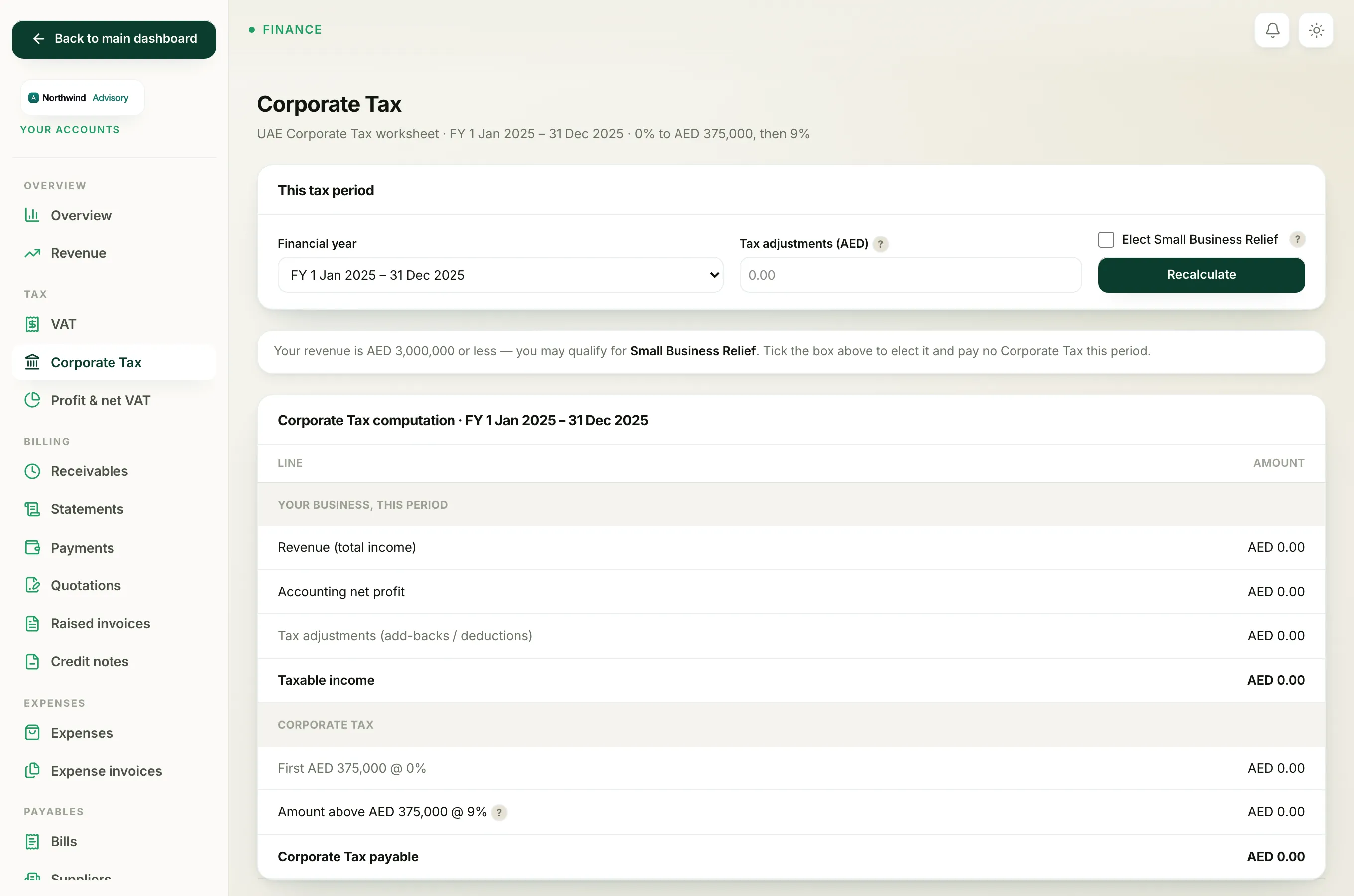
- Log in to your workspace.
- In the left menu, under Finance, click Your Accounts.
- In the accounts sidebar, under Tax, click Corporate Tax.
Note
Corporate Tax only appears once your books are switched on. If you see a "not ready" message instead of the worksheet, your firm has not activated its ledger yet.
Choose the period and adjustments
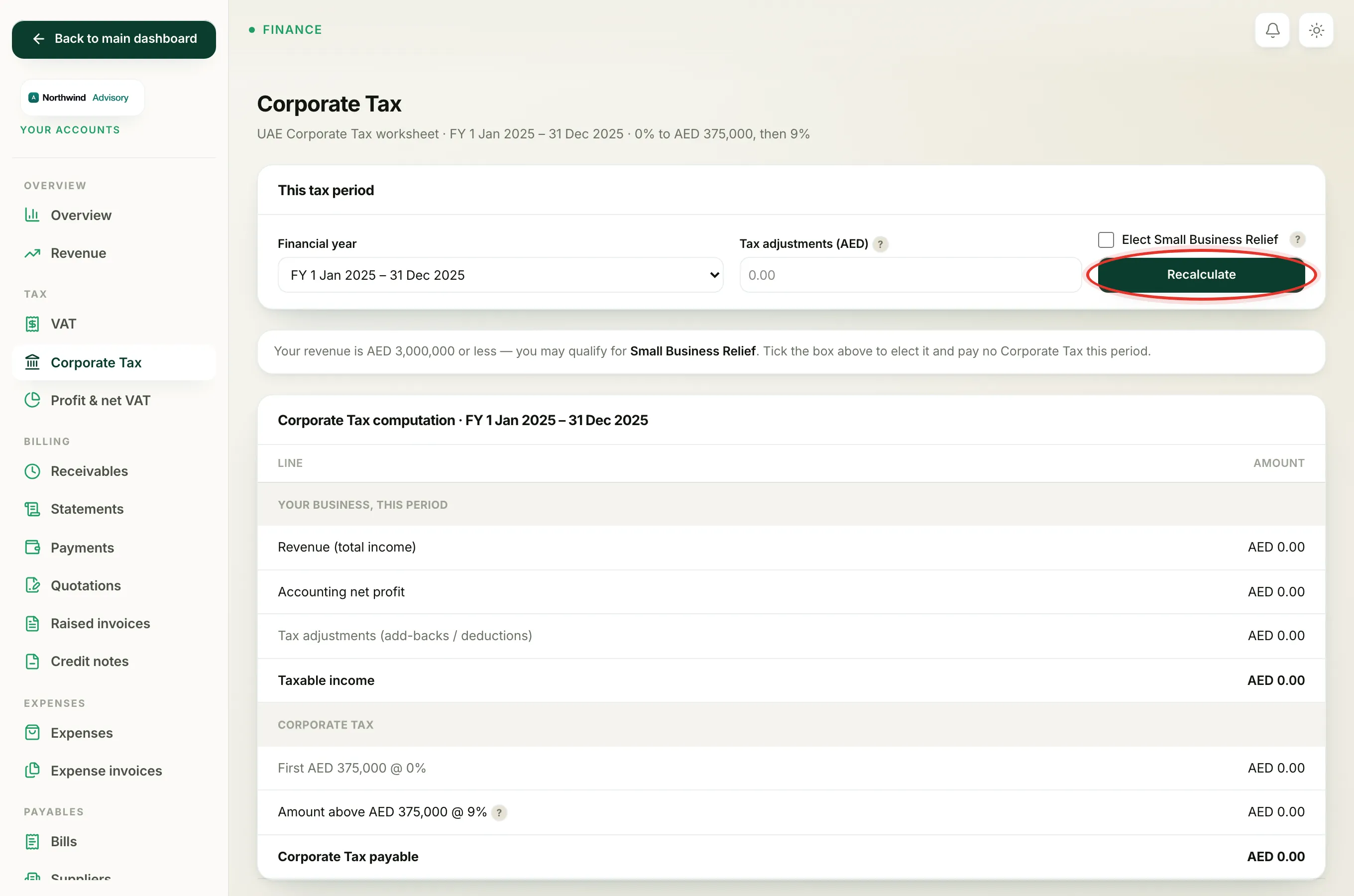
At the top, in This tax period, you set three things and then click Recalculate:
- Financial year. Pick the tax period you want. The screen defaults to your most recent completed year, because you file Corporate Tax after the year has ended.
- Tax adjustments (AED). A single figure for anything the tax rules treat differently from your accounts. Enter add-backs (such as fines, or the disallowed half of entertainment costs) as a positive number, or deductions as a negative number. Leave it blank if there are none.
- Elect Small Business Relief. A tick box, covered in its own article, Elect Small Business Relief.
Important
The tax adjustments figure is yours to decide. The system does not work out each expense's tax treatment for you, so you are responsible for that number. If you are unsure, leave it at zero and ask your tax agent.
Reading the computation, line by line
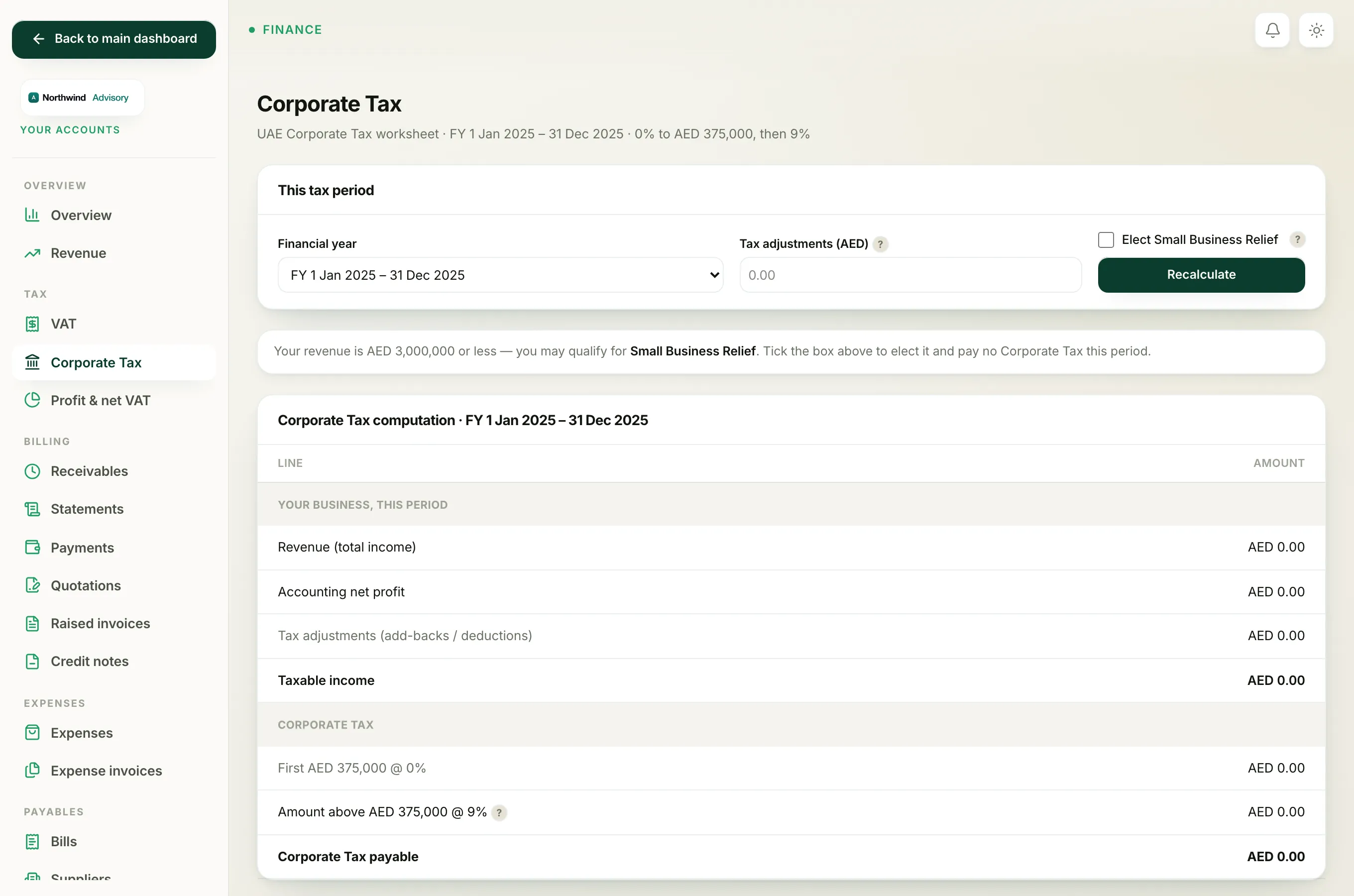
Under Corporate Tax computation, the worksheet is split into two blocks.
Your business, this period
- Revenue (total income). Your total income for the period, taken from your books. This figure is also the test used for Small Business Relief.
- Accounting net profit (or net loss). Your income minus your expenses, straight from the ledger's profit and loss. A loss shows in red.
- Tax adjustments (add-backs / deductions). The single figure you entered above.
- Taxable income. Accounting profit plus or minus your adjustments. If that total is zero or a loss, taxable income is shown as nil and no tax is due. Carrying a loss forward to a future year is not modelled here.
Corporate Tax
- First AED 375,000 @ 0%. The relief band. The first AED 375,000 of taxable income is taxed at 0%.
- Amount above AED 375,000 @ 9%. Only taxable income above the band is charged, at the 9% rate.
- Corporate Tax payable. 9% of the amount above the band. It shows in green when it is zero and in amber when tax is due.
The due date and the PDF
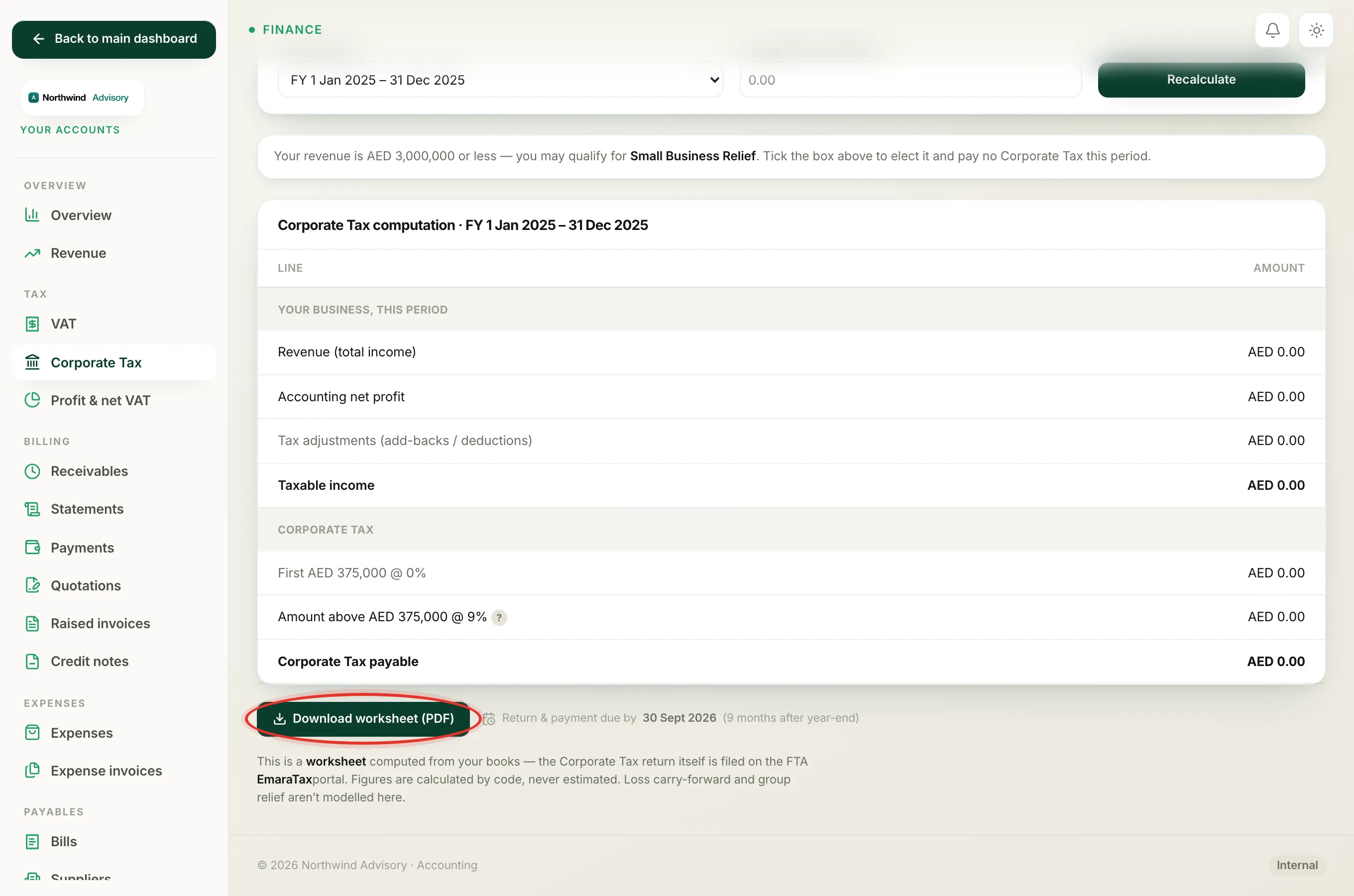
Below the table, the worksheet shows when the return and payment are due, which is 9 months after your year-end. Click Download worksheet (PDF) to save a branded copy with the same figures.
Important
This is a worksheet, not a filing. The Corporate Tax return itself is submitted on the FTA EmaraTax portal. The worksheet gives you the numbers to enter there. Loss carry-forward and group relief are not covered by this screen.
For the profit figure that feeds the top of the worksheet, see your Profit and loss report.