The simple rule
When you need to reverse a charge, which tool you use depends on one thing: has the client already paid?
- The invoice has NOT been paid (it is issued but unpaid, and has not already been credited). Reverse it with a credit note. The credit note voids the invoice and the balance owed drops to zero. No money changed hands, so no money needs to be returned.
- The invoice HAS been paid, in full or in part. You cannot credit it. Money has already been received, so you must give it back with a refund. A refund reverses the payment itself.
Important
A credit note is not the same as returning money. It only cancels an unpaid charge. If the client has paid you and you owe them their money back, a credit note will not do that. You need a refund.
Why a paid invoice cannot be credited
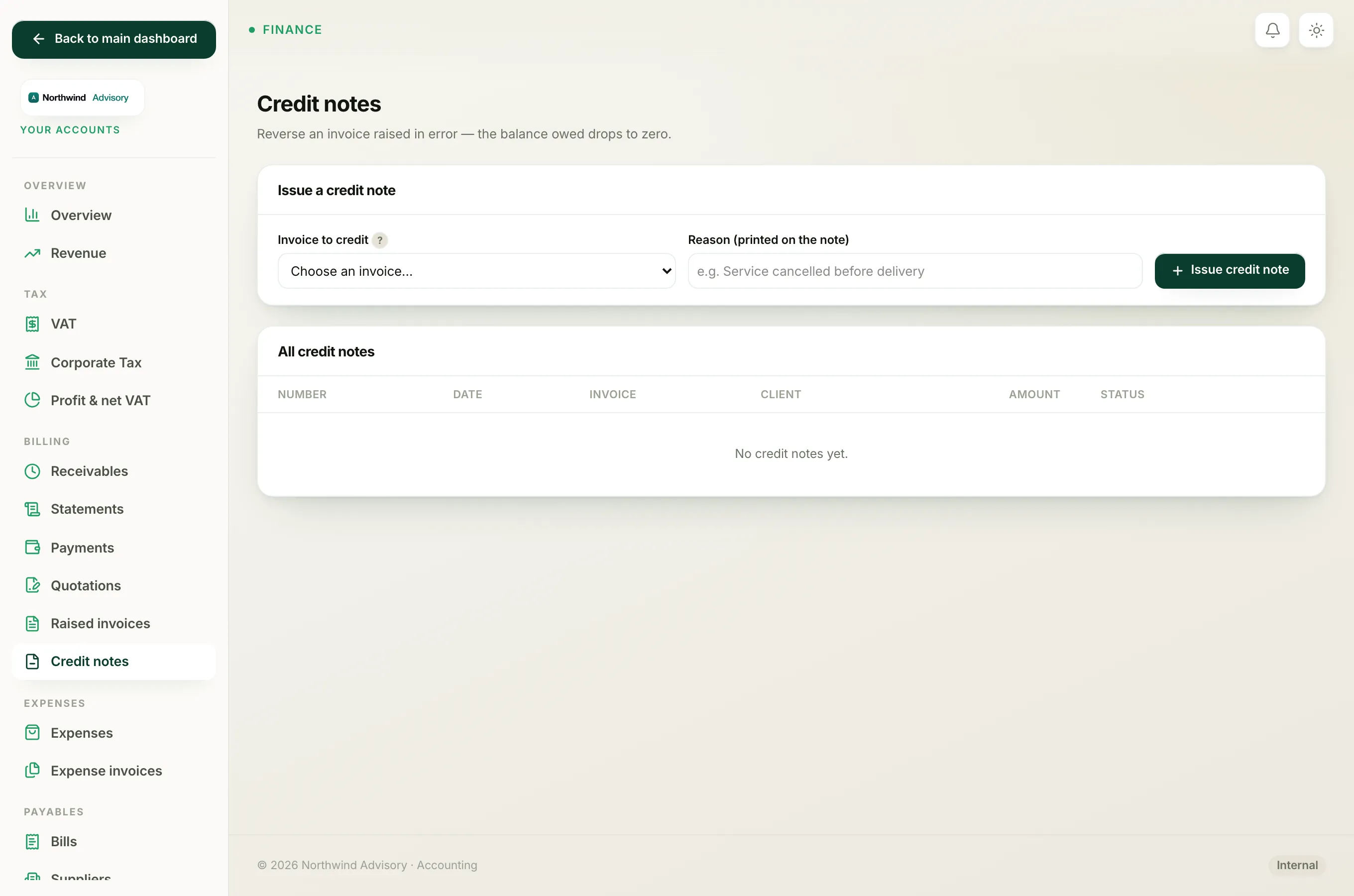
When you open the credit notes screen (in the left menu under Finance click Your Accounts, then under Billing click Credit notes), only invoices that are issued, still unpaid, and not already credited appear in the "Invoice to credit" list. A paid invoice is deliberately kept out of that list, because crediting it would leave the client's payment sitting in your accounts with nothing to attach it to. The screen itself reminds you: a paid invoice needs a refund instead, and you reverse its payment first.
Which one to use
| Your situation | What to do |
|---|---|
| Invoice raised in error, client has not paid | Issue a credit note. See Issue a credit note against an invoice. |
| Invoice paid, but you need to return the money | Record a refund. See Refund an invoice that has already been paid. |
| Invoice still a draft you never sent | You do not need either. Just cancel the draft. |
After a refund
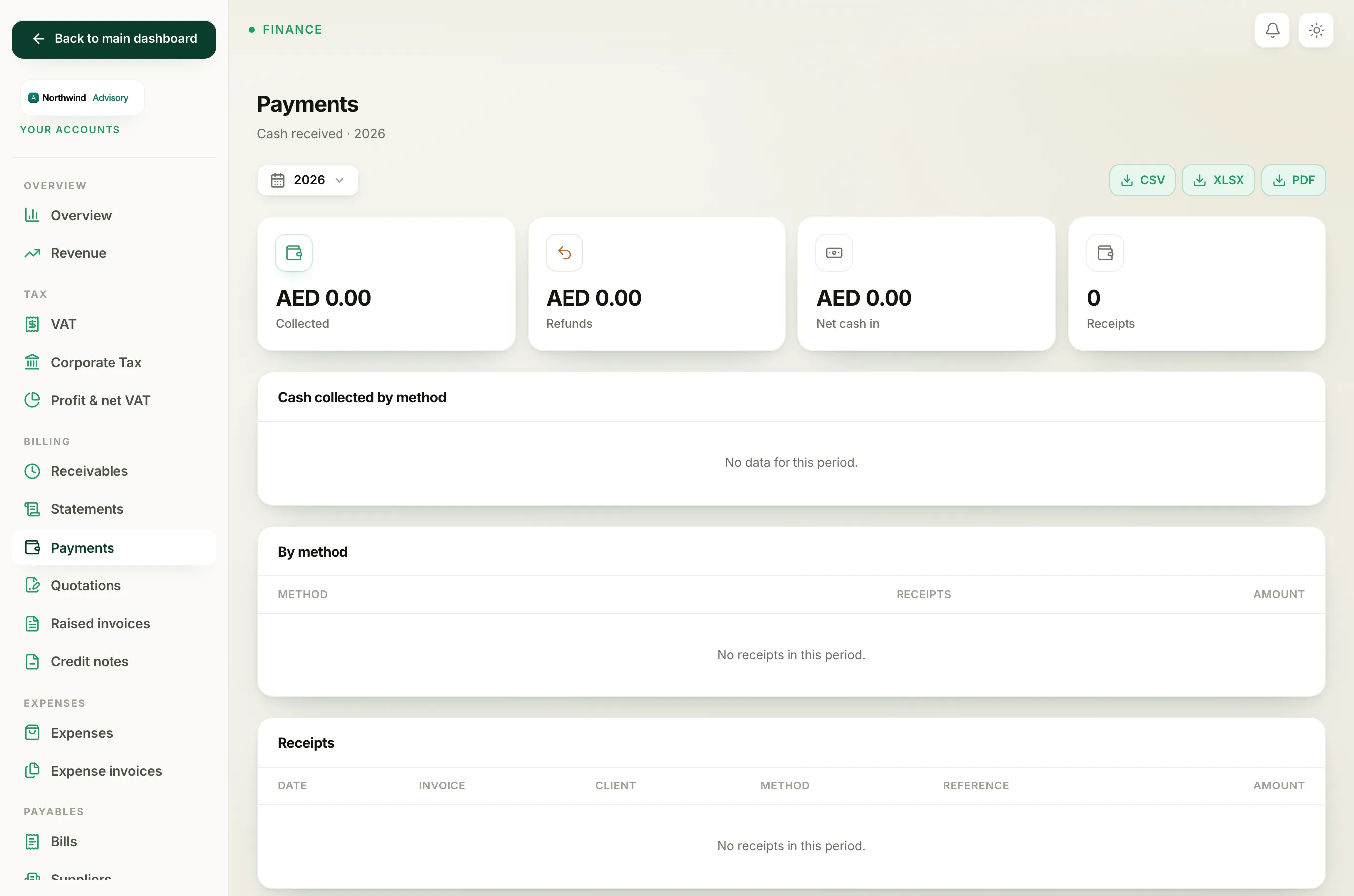
Once you record a refund, the returned amount is tracked on your accounts. On the Payments report you will see it counted under the Refunds tile, and your Net cash in figure drops by that amount, so your books always show the true cash position. Recording a payment against an invoice is covered in How to record a payment.